Run the screens in every building from one place
CompleteVantage puts your announcements, menus, dashboards and room calendars on Android TVs, Fire TV and web browsers. Each screen follows its own local time, and keeps playing when the internet drops.
Start free trial See how it works
Free for 14 days with every feature. No card required.
Everything a screen network needs, in one admin
Pair a TV, give it something to show, decide when it shows it. The rest is there when you need it: dashboards, room calendars, emergency messages, reports and alerts.
- Screens and devicesPair a TV with a six-character code, see every screen live and fix problems without a site visit.
- Content and playlistsUpload images, video, PDFs and slides, add web pages and streams, and play them in timed playlists.
- Designer and templatesStart from a designed template or build your own layout, previewed exactly as the TV will show it.
- SchedulingPlan what plays by day, time and place, and let each screen follow its own local clock.
- Emergency broadcastsTake over every screen, a building or one TV with an urgent message in about 30 seconds.
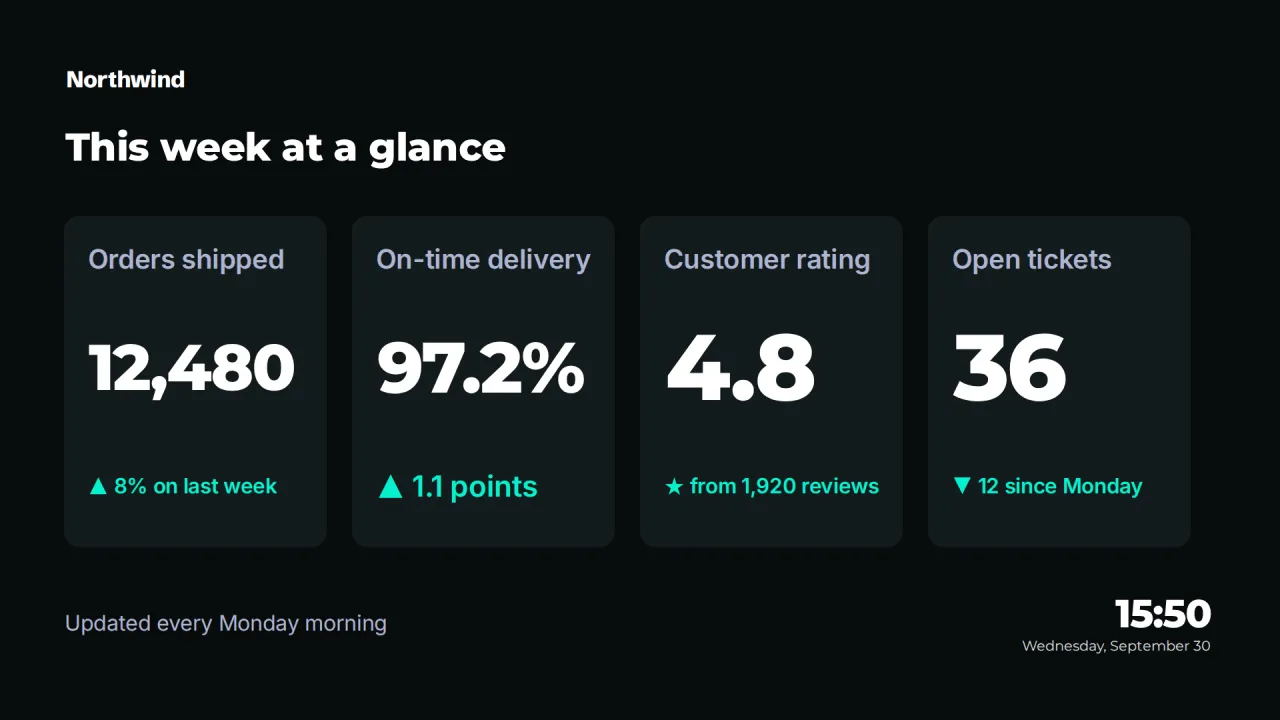
- DashboardsShow live web dashboards and KPI reports on TVs, with access keys kept out of sight.
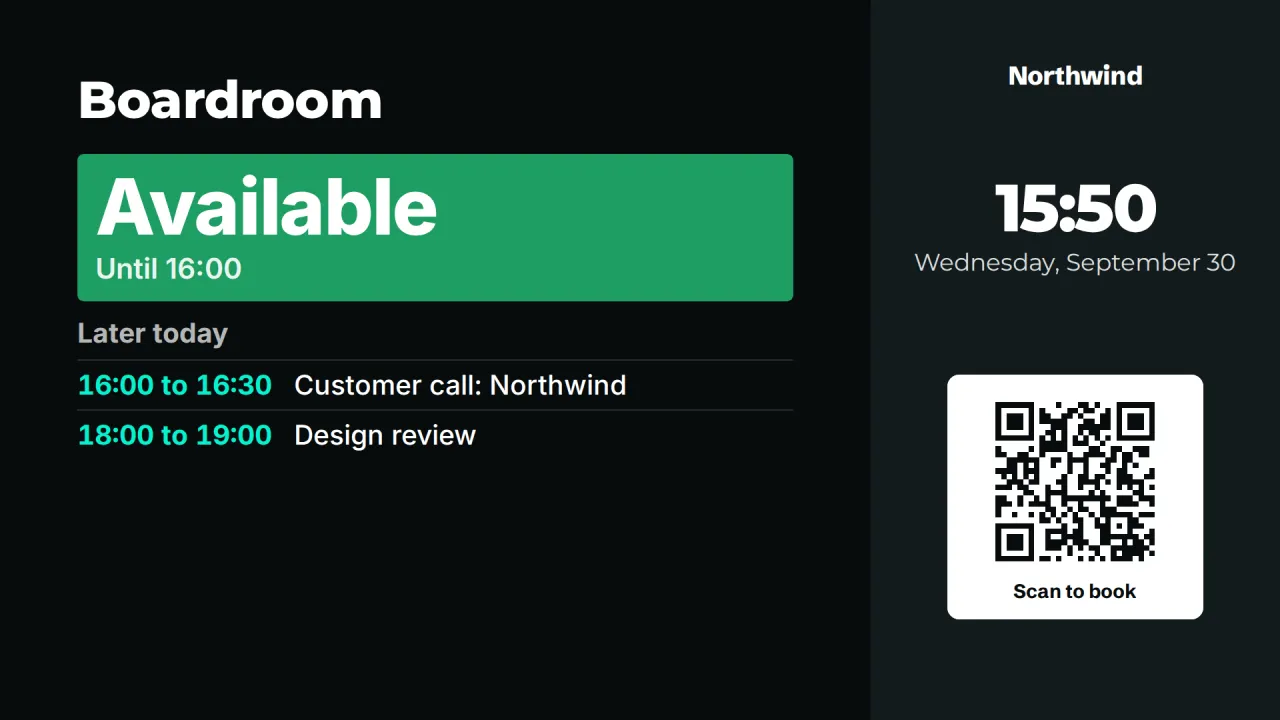
- Meeting roomsShow who has a room, until when and what is next, straight from the calendar you already use.
- Proof of playSee what played, where and for how long, and export every play to CSV when someone asks.
- Monitoring and alertsKnow which screens are live, see what they show right now, and get told when one goes dark.
- Brand kitSet your logos, colors and fonts once, and every template and screen follows them.
- Team and approvalsGive each person the right access, and have an admin check editors' changes before they reach screens.
- Offline playbackScreens keep playing, and keep following their schedules, when the internet or the server is down.
See every screen as it is right now
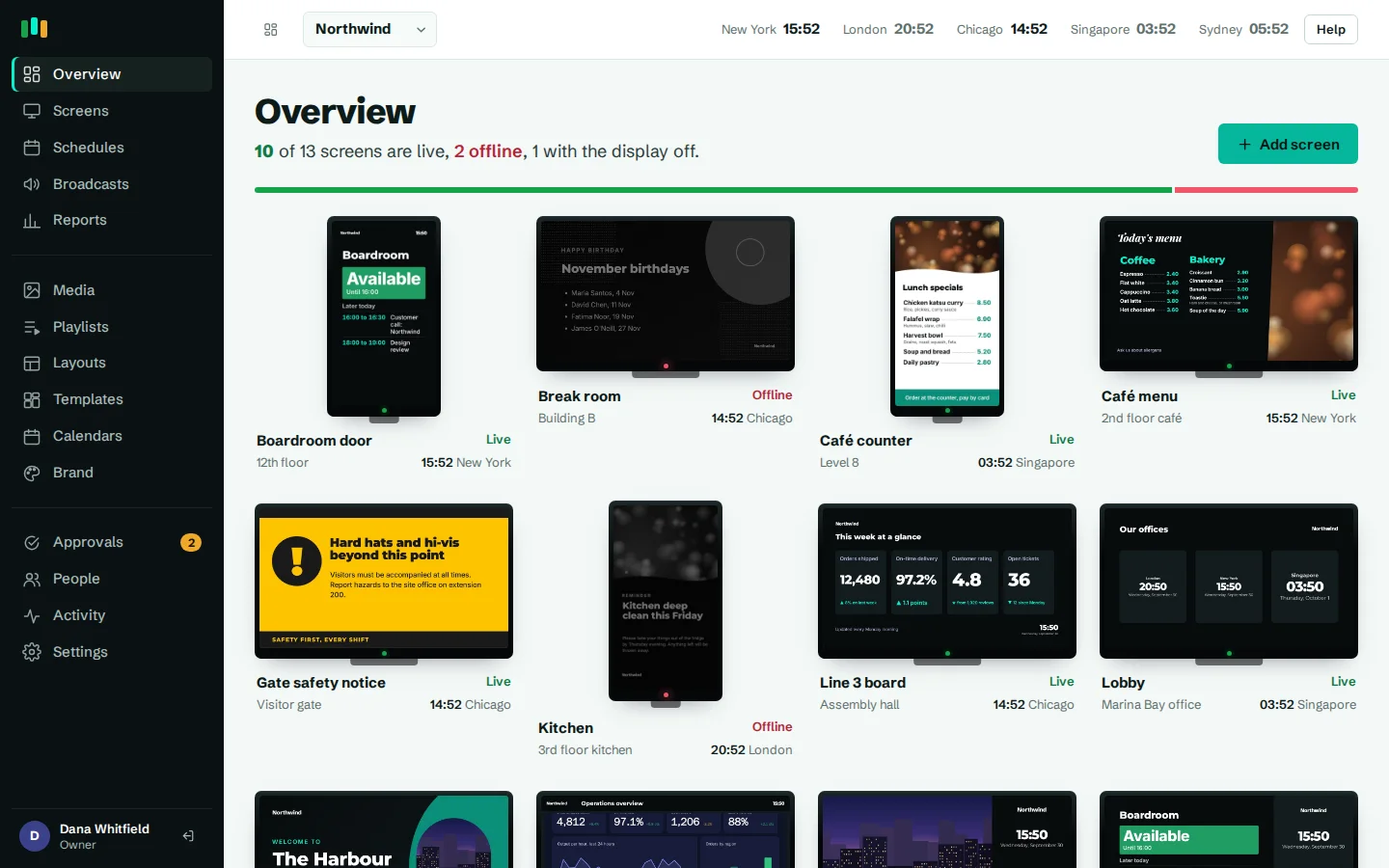
The overview draws each screen as a TV, with a status light and the local time where it hangs. Green means it checked in within the last 90 seconds. Amber means it has gone quiet. Red means it is offline, and you get an email, a Teams or Slack message, or a webhook call after the delay you choose.
Open a screen to see what it is playing, take a screenshot, reload it or restart the app. On Android screens, live view streams a fresh picture every few seconds, so you can check a lobby in Singapore without calling anyone there.
Design on the real player, not a mock-up
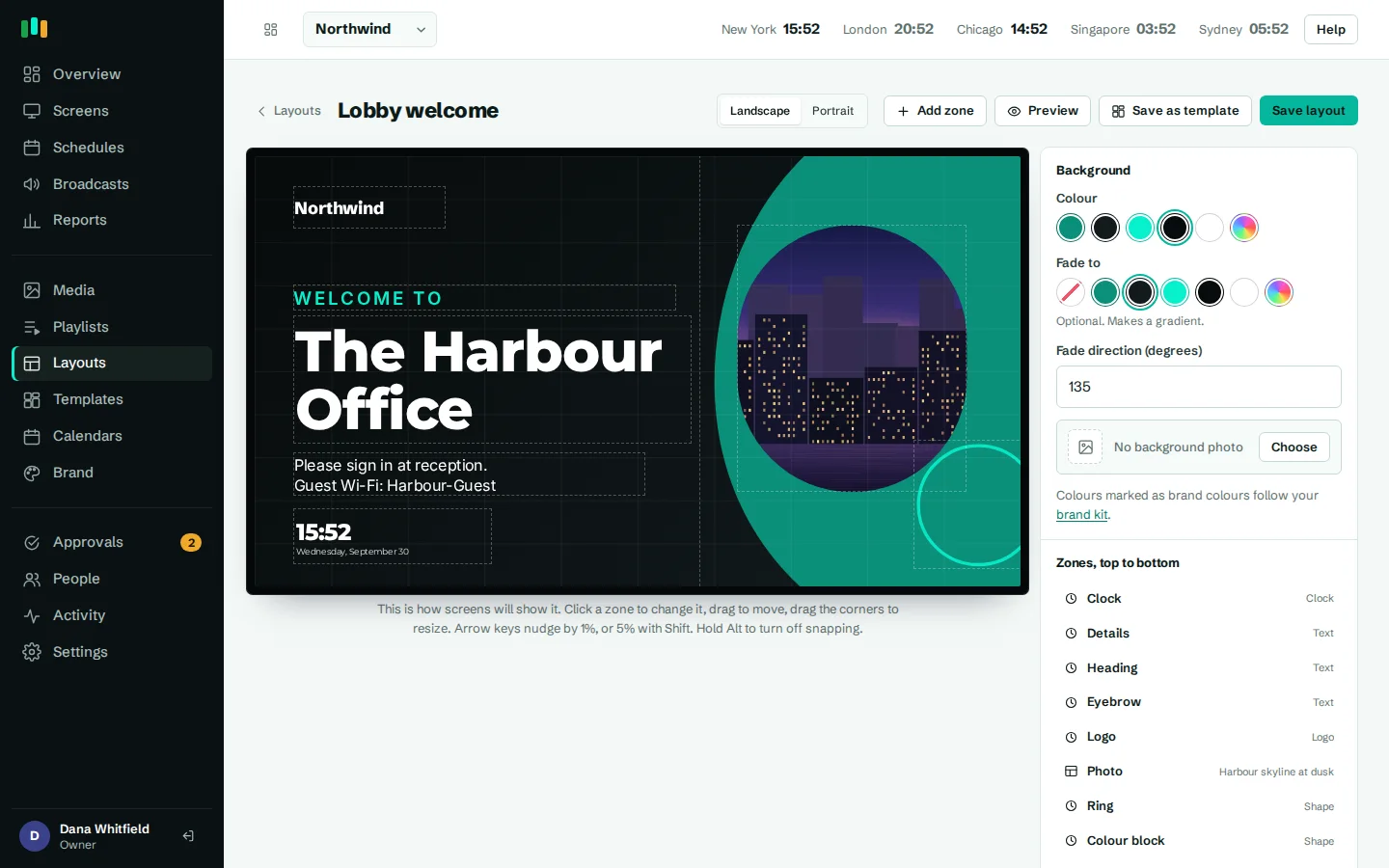
The layout designer's canvas is the same player your TVs run, drawing your unsaved design as you work. What you see is what the screen will show, down to the fonts and the clock.
Start from more than twenty templates for lobbies, meeting rooms, menus, safety notices, events and KPIs, in landscape or portrait. They pick up your logo, colors and fonts from the brand kit, so a change of brand restyles every screen at once.
Schedules that run on each screen's clock
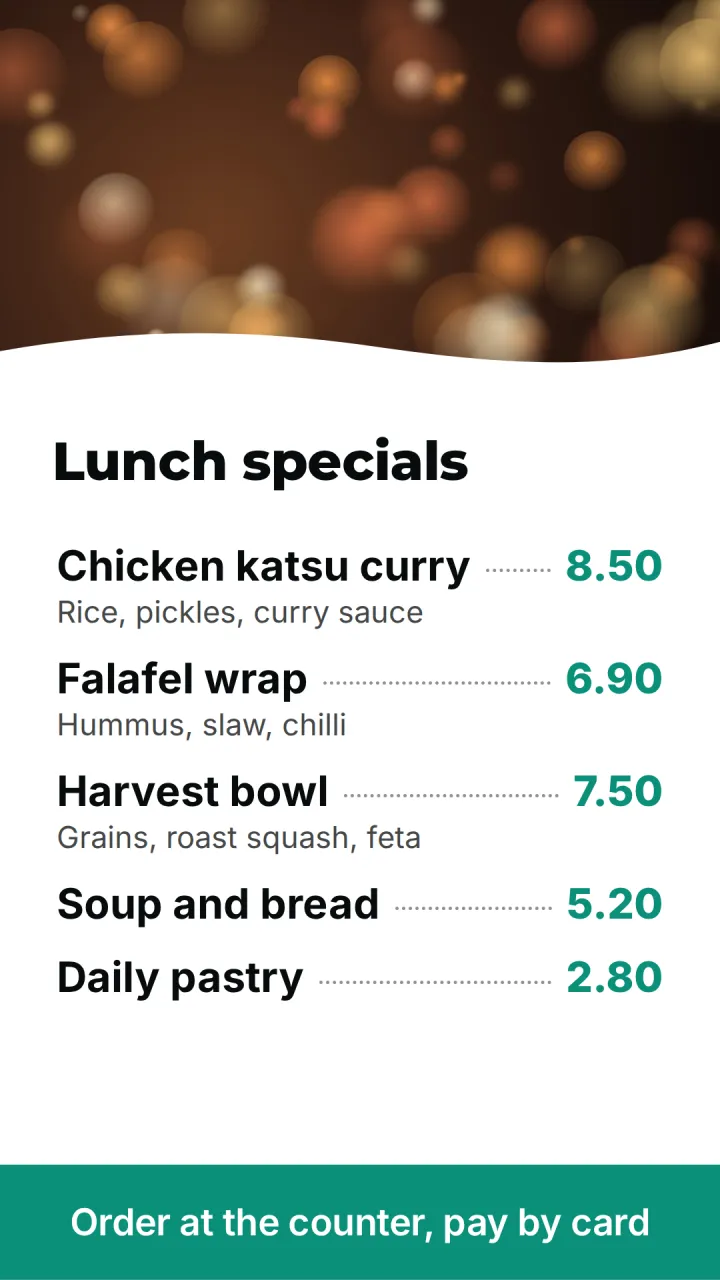
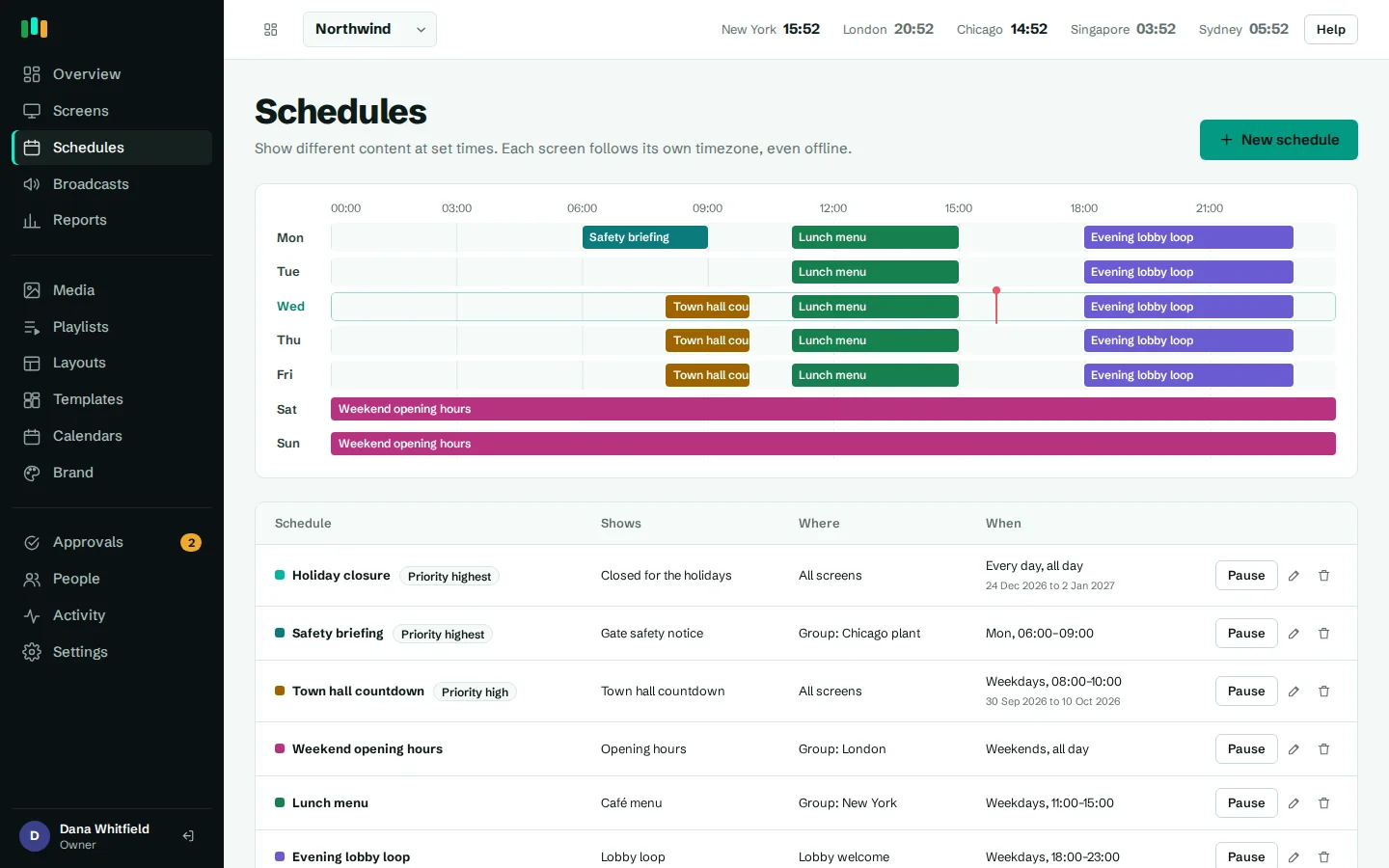
Breakfast menu until 11:00, lunch after. A holiday notice for one week in December. One schedule covers every location, and each screen applies it in its own time zone: the Chicago café switches at 11:00 Chicago time, the London one at 11:00 London time.
Schedules are stored on the screen and evaluated there, so a switch still happens when the network is down. When something urgent comes up, a broadcast takes over chosen screens within seconds and hands back when it ends.
Live dashboards and room calendars on the wall
Show a sales dashboard, a production board or a status page full screen. Add the page's access key as a URL parameter or HTTP header: it is stored masked, sent only to screens and never shown in previews.
Connect a room's calendar with its iCal link from Outlook, Microsoft 365 or Google Calendar, and the door panel shows Available or In use, until when, and what's next. Private meetings show as Busy.
When the network drops, the screens don't notice
The Android app keeps the player and every file it needs on the device. A box that restarts with no internet still comes back to your content. Plays are counted offline and uploaded later, so proof-of-play reports stay complete.
- Cached on the deviceImages, video, slides, layouts, fonts and the player itself.
- Schedules evaluated locallyIn the screen's time zone, with the server's clock as reference.
- Plays kept until they uploadCounted once, even if a batch is sent twice.
- WatchdogsThe app restarts itself after a crash, and starts at boot where the box allows it.
From box to screen in three steps
Pair the screen
Install the app on an Android TV or Fire TV box, or open the player in a browser. Type the six-character code it shows into the admin.
Add content
Upload images, video, PDFs or PowerPoint, add a web page, or pick a template and change the words.
Choose when it plays
Assign it to the screen or a group, or schedule it by day and time. The screen updates within about 30 seconds.
Runs on screens you can buy anywhere
No proprietary media players. Use a small Android box behind each TV, a Fire TV stick, or any computer with a browser.
Android TV and Google TV
The native app with offline cache, remote restart, screenshots, live view and over-the-air updates.
Amazon Fire TV
Fire OS is Android underneath: install the same app on a Fire TV stick or cube.
Android boxes
Most boxes running Android 5.1 or later, including kiosk mode on boxes that support device owner.
Web browsers
Open the player in any modern browser on a mini PC or a TV with a good built-in browser.
Built for the places screens hang
Offices, shops, restaurants, hotels, clinics, campuses and plant floors each use screens differently. See what teams in each put on them.
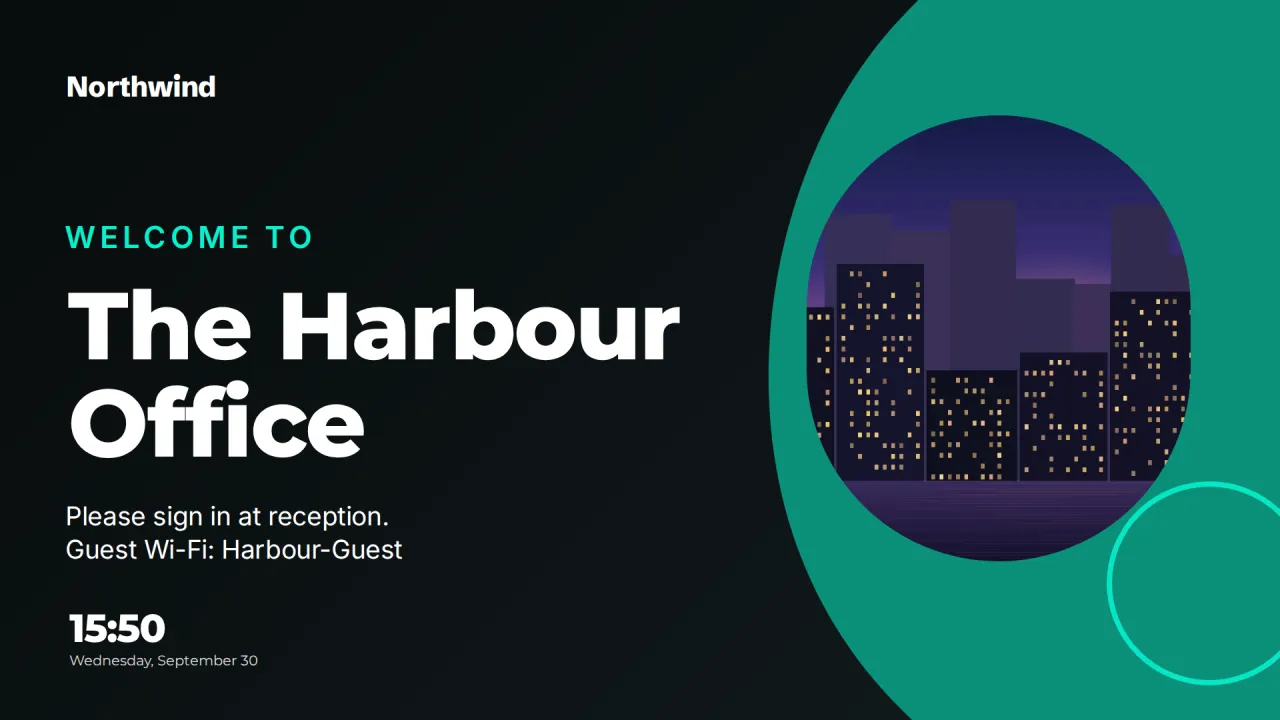
- OfficesLobby welcomes, room signs, KPI walls and company news across every office, in each local time.
- RetailPromotions that start and stop on time, price boards, window screens and per-store schedules.
- RestaurantsDigital menu boards that switch from breakfast to lunch to dinner on their own, in any location.
- HotelsLobby welcomes, event agendas, room signs and wayfinding for hotels and conference venues.
- HealthcareWaiting room information, staff notices, wayfinding and urgent messages for clinics and hospitals.
- EducationAnnouncements, events, room signs and emergency messages for schools, colleges and university campuses.
- ManufacturingSafety notices, production dashboards, shift information and urgent alerts on the plant floor.
Put your first screen on in ten minutes
Try every feature free for 14 days. No card required. Pair a TV with a six-character code, pick a template, and it's live.