
Brand kit
Brand consistent digital signage on every screen, in every office
Set your logos, colors and fonts once in CompleteVantage. Templates and layouts use them automatically, so a screen in Dallas looks like it belongs with the one in Dublin.
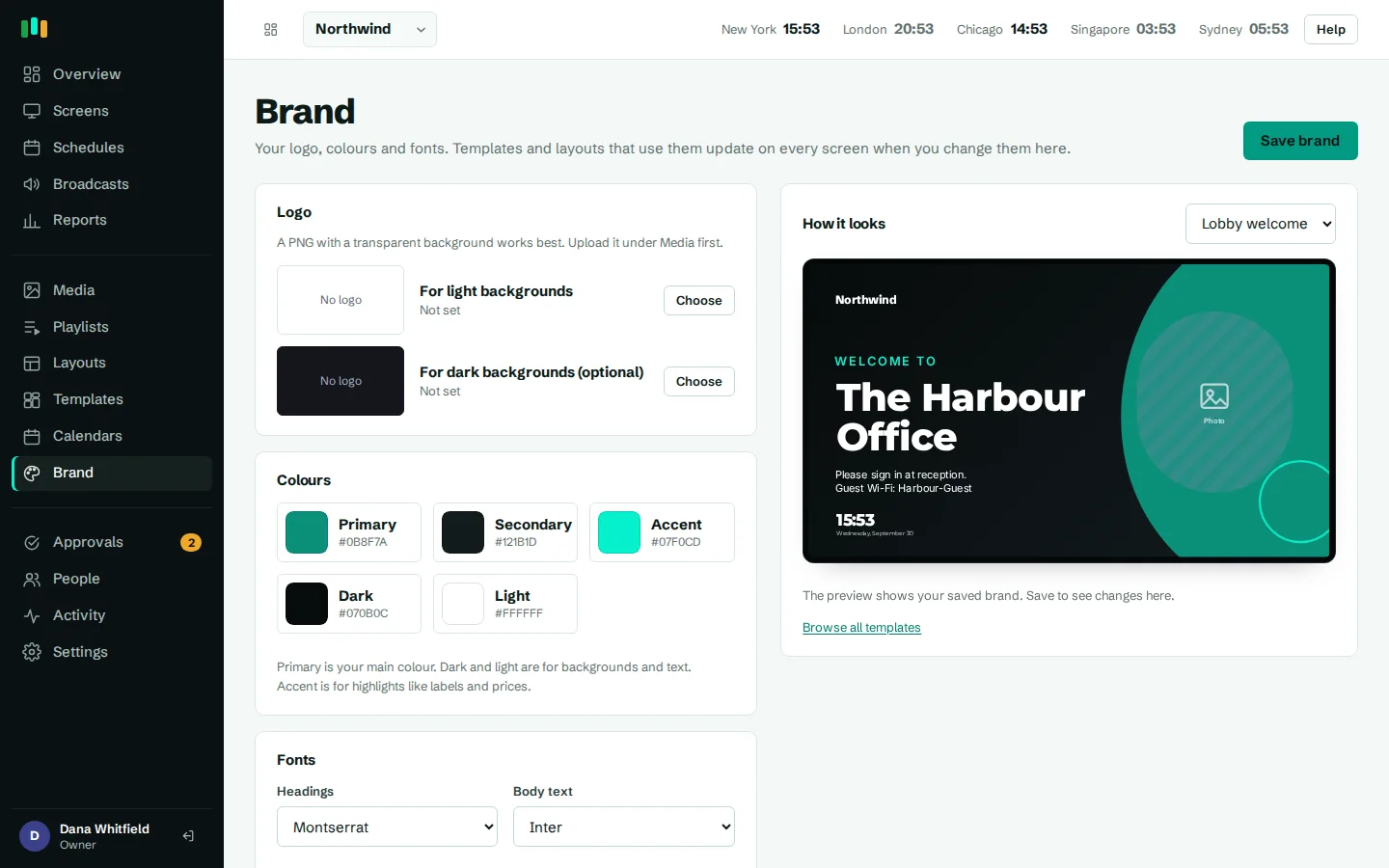
Set it once
Two logos, five colors, a heading font and a body font, all on one page.
Templates follow the brand
Every built-in template previews and plays in your colors, fonts and logo.
One change restyles everything
Update a color and every screen that uses it picks up the new look.
Fonts that work offline
Brand fonts are served with the player and cached on the screen, not loaded from a font service.
Why brand consistent digital signage is hard
Signage drifts. One office picks a slightly different blue, another stretches the old logo, a third uses whatever font was the default. Nobody means to go off brand, but when every layout carries its own fixed colors and fonts, keeping dozens of screens consistent means checking each one by hand.
CompleteVantage solves this with a brand kit per organization. Layouts refer to your brand ("primary color", "heading font") instead of fixed values. The brand is filled in when a screen gets its content, so every screen that uses it stays in step.
What goes in the brand kit
The Brand page holds everything a designer would hand you in a style guide:
- Two logos: one for light backgrounds and an optional one for dark backgrounds, so the logo is readable whatever the layout behind it.
- Five colors: primary (your main color), secondary, accent (highlights such as labels and prices), dark and light (backgrounds and text).
- Two fonts: one for headings and one for body text, chosen from nine bundled typefaces including Inter, Montserrat, Poppins, Oswald, Bebas Neue, Playfair Display, Lora and DM Serif Display.
A preview on the same page shows a template of your choice in the brand as you edit, so you can see the result before you save. Admins manage the brand, which keeps it from being changed by accident.
- Logo for light and for dark backgrounds
- Primary, secondary, accent, dark and light colors
- Heading and body fonts
- Live preview while you edit
Templates that start on brand
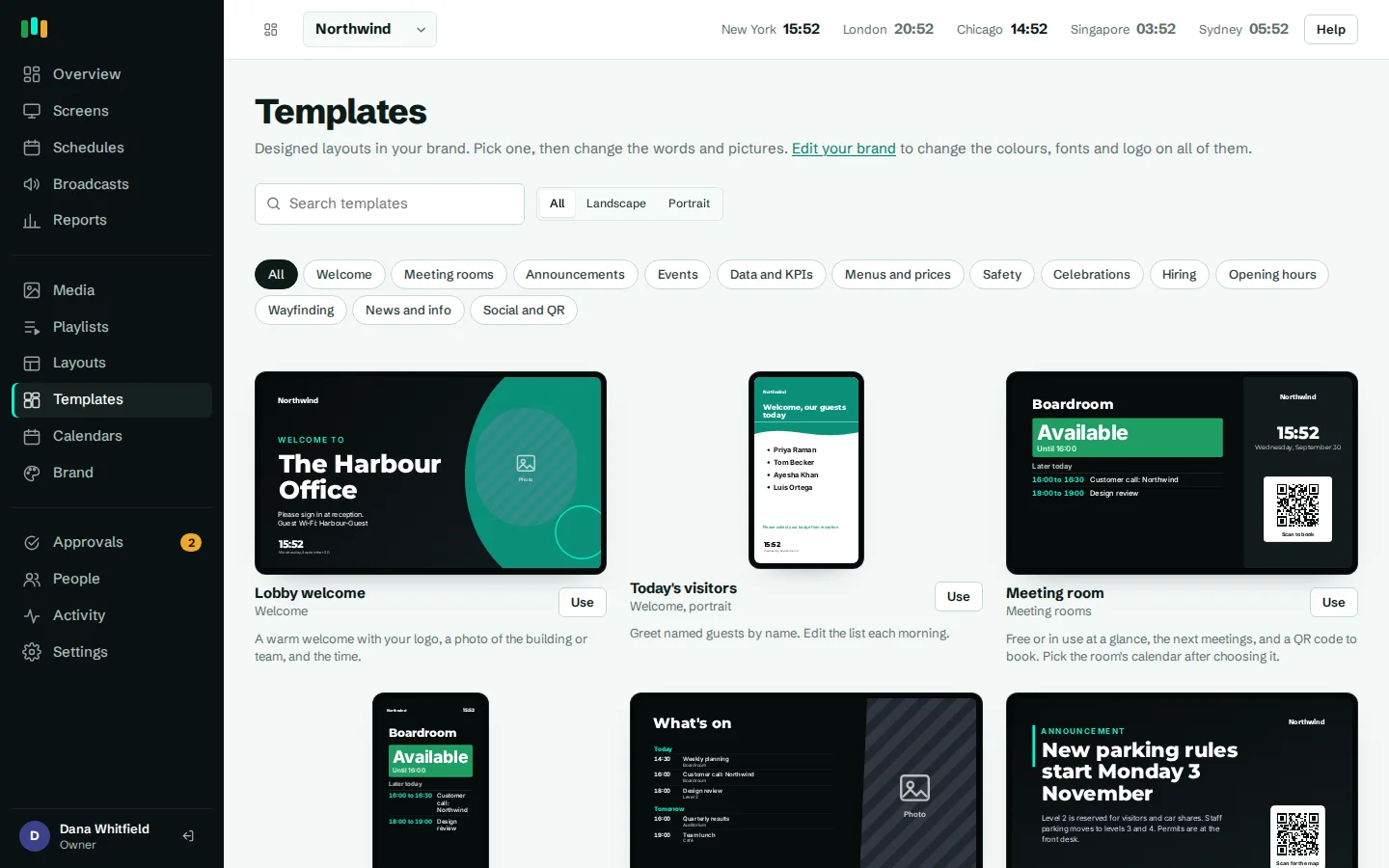
CompleteVantage includes 22 designed templates in 12 categories, landscape and portrait: welcome screens, menu boards, meeting room boards, safety notices, KPI boards, celebrations, hiring posters and more. The template gallery shows every one of them with your logo, colors and fonts already applied, so you choose from designs that already look like yours.
Click Use and you get a layout to edit in the layout designer. Colors and fonts that follow the brand are marked as brand values, so they keep following it after you edit the text and photos. You can still set a fixed color for one element when a design calls for it.
Change the brand once, restyle every screen
Rebrands, seasonal color changes and new logos no longer mean editing every layout. Change the primary color on the Brand page and every layout that uses the brand primary color changes with it. Screens pick up the new look on their next check-in, usually within a minute.
The same applies to fonts. Swap the heading font from Montserrat to Playfair Display and every heading on every brand-following layout changes, from the lobby welcome screen to the canteen menu board.
The logo widget
Add a logo widget to any zone and it shows the logo from the brand kit. Upload a new logo and every logo widget updates. There is no need to hunt through layouts for old image files. Combined with shapes, gradients and brand colors, you can build branded layouts without a designer on hand.
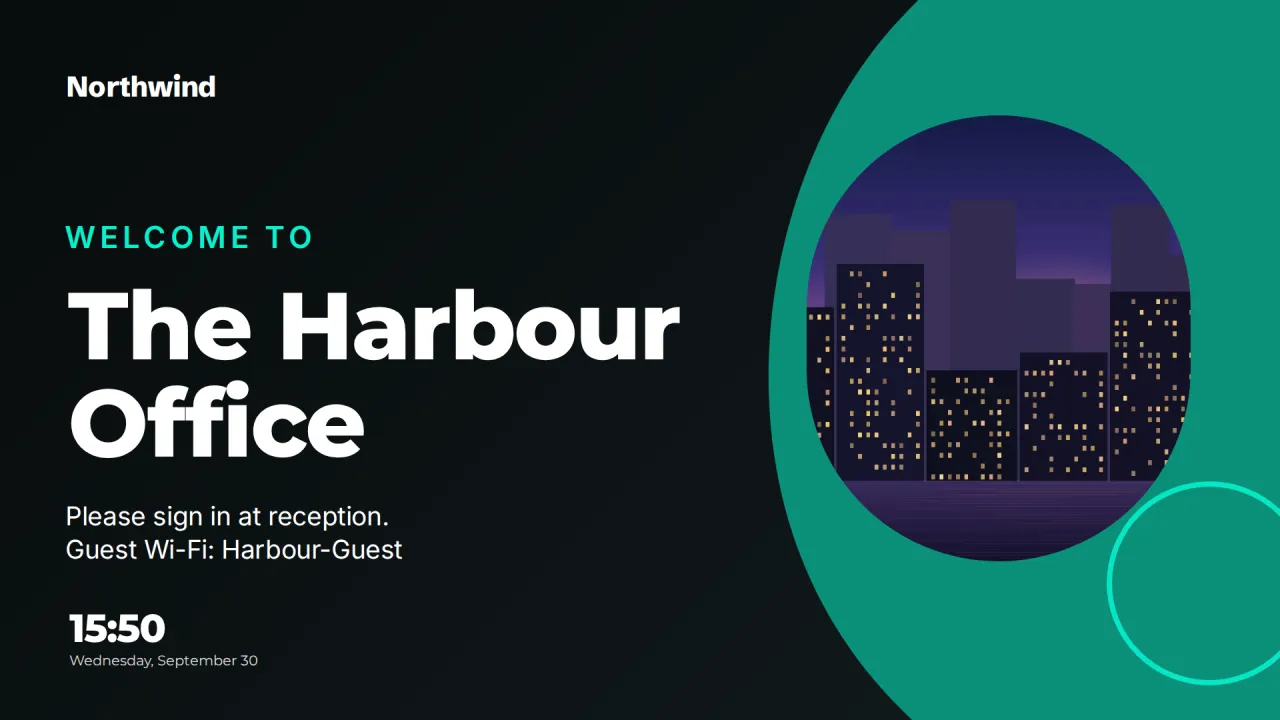
Bundled fonts that work offline
Many signage tools pull fonts from an online font service. If the screen loses its connection, or the network blocks that service, text falls back to a default font and the design breaks. CompleteVantage serves its fonts from its own server along with the player, and screens cache them with the rest of their content. Your brand fonts still show on a screen that has been offline for days. Read more in offline playback.
- Nine open-licensed font families included
- Served by CompleteVantage, not a third-party font service
- Cached on the screen with the content
Questions people ask
Can I upload my own font?
Not at the moment. You choose from nine bundled typefaces, which are served with the player so they work offline.
Do existing layouts change when I update the brand?
Layouts that use brand colors, brand fonts or the logo widget update automatically. Anything set to a fixed color or font stays as it is.
Can different clients or divisions have different brands?
Yes. Each organization in CompleteVantage has its own brand kit, so an agency or reseller running signage for several clients keeps each one on its own brand.
Who can change the brand?
Admins and owners. Editors use the brand in their layouts but cannot change it. See team and approvals.
Related features
- Designer and templatesStart from a designed template or build your own layout, previewed exactly as the TV will show it.
- Content and playlistsUpload images, video, PDFs and slides, add web pages and streams, and play them in timed playlists.
- Team and approvalsGive each person the right access, and have an admin check editors' changes before they reach screens.
- Offline playbackScreens keep playing, and keep following their schedules, when the internet or the server is down.
Put your first screen on in ten minutes
Try every feature free for 14 days. No card required. Pair a TV with a six-character code, pick a template, and it's live.