
Monitoring and alerts
Digital signage monitoring that tells you before someone else does
CompleteVantage shows the status of every screen, lets you see what a screen is showing right now, and sends an alert to email, Teams, Slack or your own system when something needs attention.
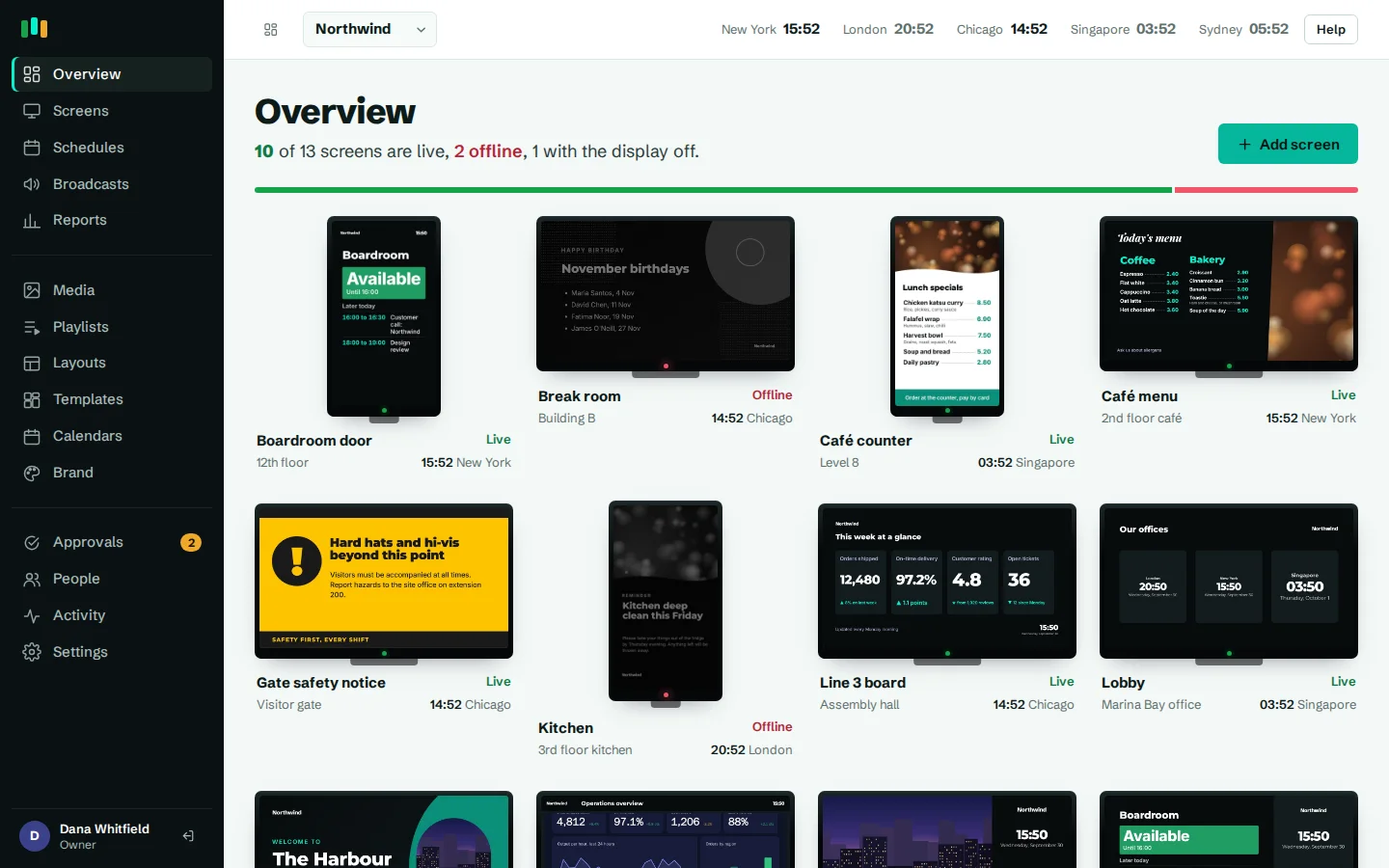
Live status for every screen
Each screen is shown as live, not responding, offline or display off, with its local time and last screenshot.
See the screen from your desk
Live view streams a fresh screenshot every few seconds, so you can check a screen in another city without a site visit.
Alerts where your team works
Send alerts by email, to a Microsoft Teams or Slack channel, or to any webhook.
No false alarms at night
A screen that is off because of its display hours is not counted as offline.
Live status across your whole fleet
Screens check in with the server every 30 seconds. The overview shows every screen as a small TV with its current state, so a problem stands out at a glance:
- Live: checking in and playing.
- Not responding: missed recent check-ins, worth keeping an eye on.
- Offline: has not checked in for a while.
- Display off: turned off on purpose by its display hours.
Open a screen to see its local time, its last screenshot and what it is set to play. From there you can show the screen's name on the TV (handy when someone on site asks "which one is this?"), reload it, take a screenshot, or use More actions to restart the app, reboot the box, turn the display off or on, or clear its cache.
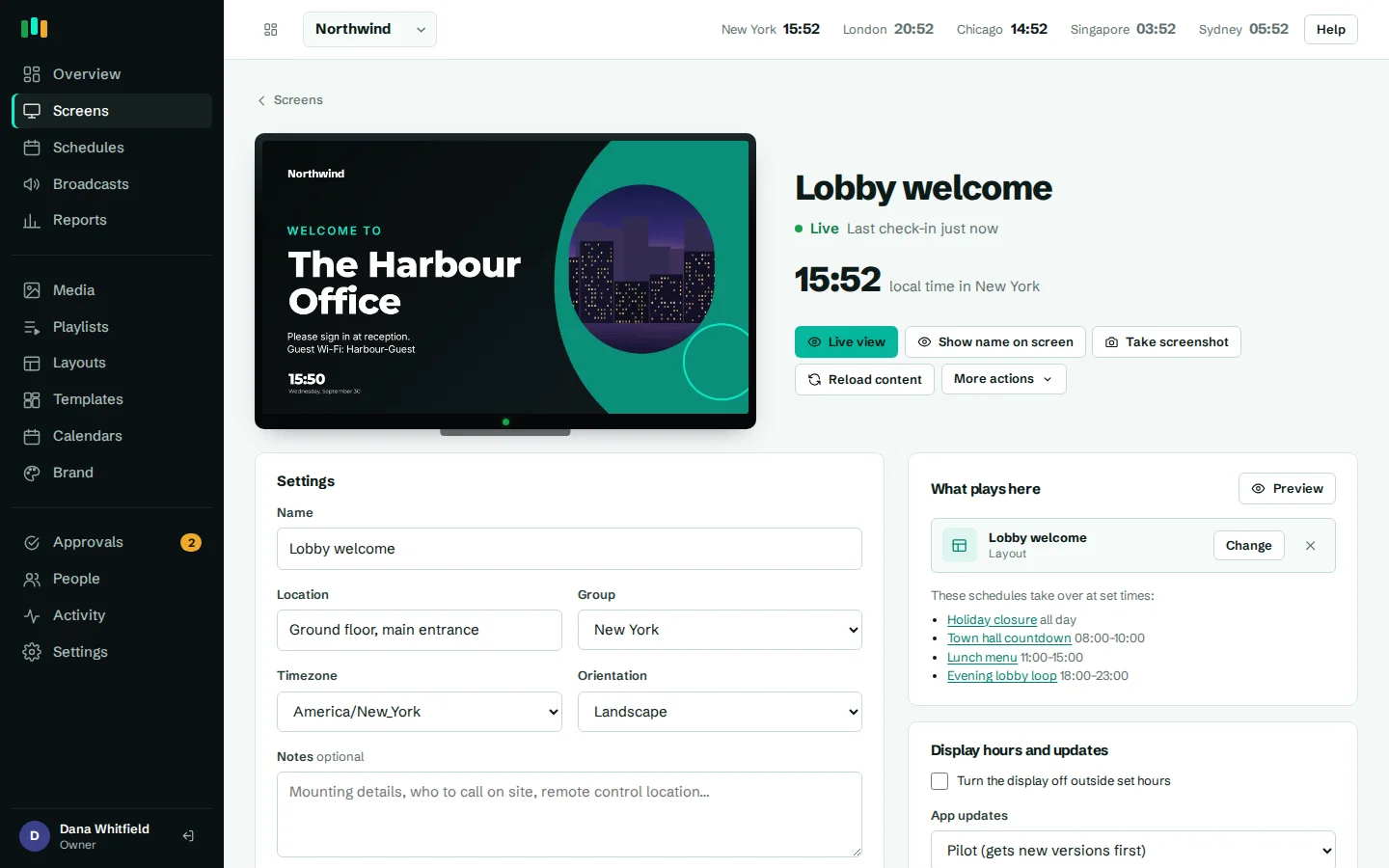
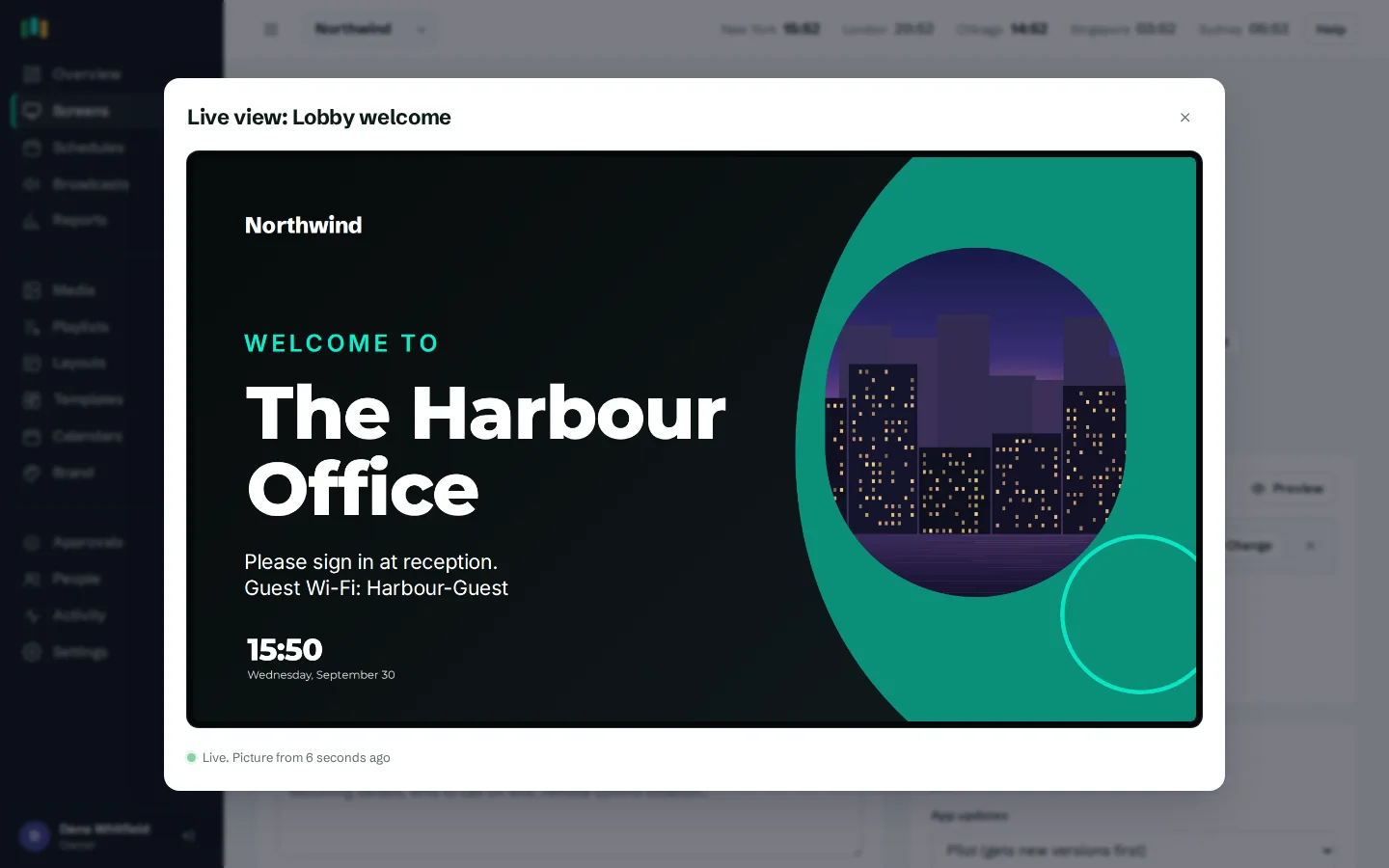
Live view: watch a screen from anywhere
Status tells you a screen is running. Live view tells you what it is actually showing. Open Live view on an Android screen and it starts sending a screenshot every three seconds while the dialog is open. You see the real output, including web dashboards and video, not a simulation.
Live view stops by itself after five minutes if you forget to close it, so it never keeps a screen busy. For a single check, Screenshot takes one picture on demand.
Typical uses:
- Confirming a new promotion is on the shop window screen before you tell the store manager.
- Checking a dashboard has not logged itself out on the operations wall.
- Helping someone on site over the phone while you both look at the same screen.
Alerts for the things that go wrong
Admins add alert destinations in Settings and choose which events each one receives. The events are:
- Screen offline: a screen stopped checking in for longer than your threshold. You set the threshold in minutes, from 2 minutes up to a full day, so a short Wi-Fi blip does not page anyone.
- Back online: the screen is checking in again, with roughly how long it was down.
- Media processing failed: an uploaded file such as a PowerPoint or video could not be converted.
- App update failed: an Android app update did not install on a screen.
- Approval requested: an editor's change is waiting for an admin to review, when approvals are turned on.
Offline alerts include the screen's name, location and last known IP address, with a link straight to the screen.
- Choose events per destination
- Offline threshold from 2 minutes to 24 hours
- One alert per outage, plus a back online message
- Test button and a log of every alert sent
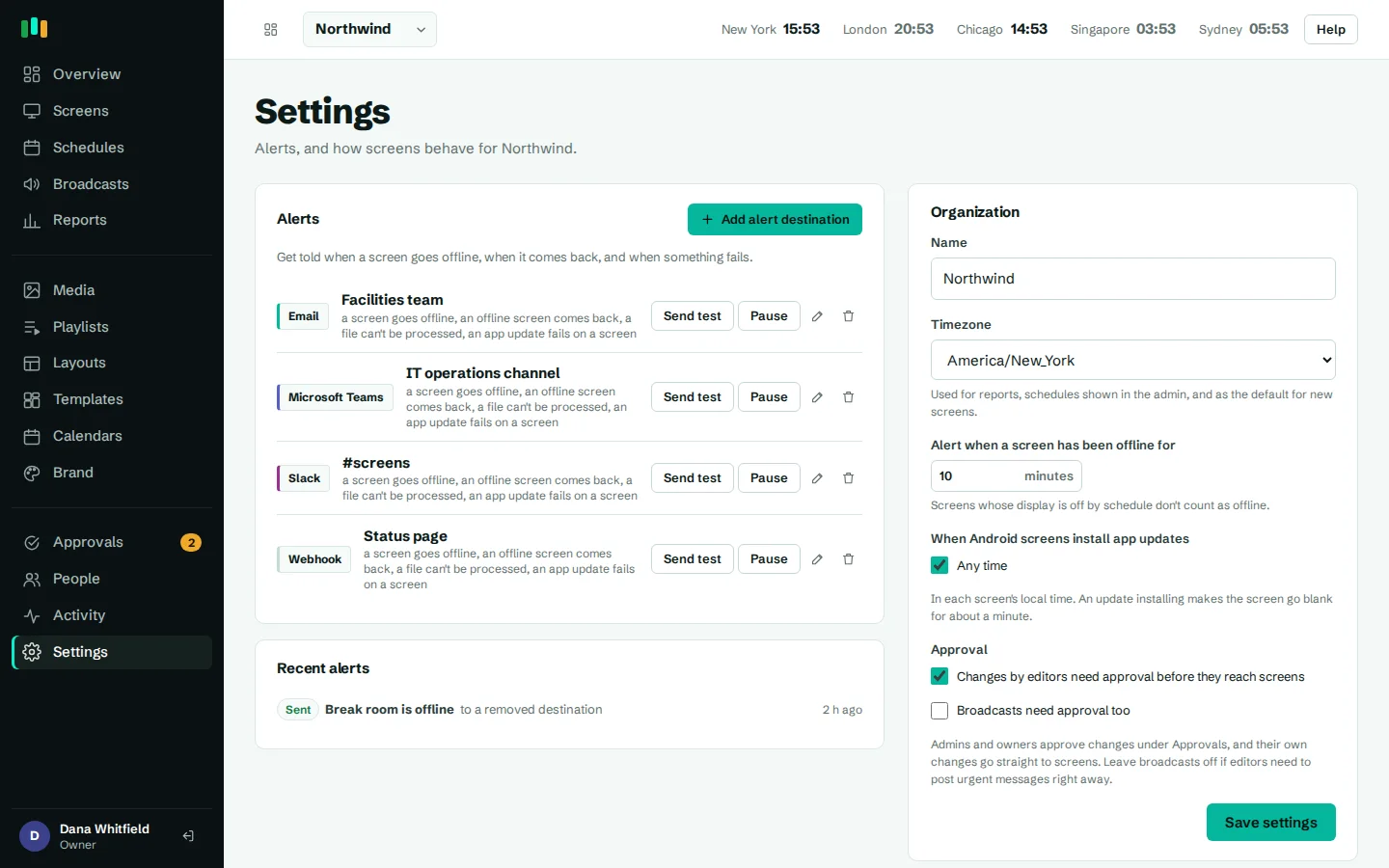
Email, Microsoft Teams, Slack or webhooks
Send each alert where your team already looks:
- Email to one person or a shared inbox.
- Microsoft Teams as a card with an "Open in dashboard" button.
- Slack as a message in the channel of your choice.
- Webhook as a small JSON message with the event name, subject, message, link and time, for a ticketing system, an on-call tool or your own automation.
Every destination has a Test button, and an alert log records what was sent and whether it was delivered, so you can check an alert went out.
Display hours are not downtime
Many screens should be off at night or at weekends. Set display hours per screen or per group and the screen turns off outside those hours and wakes itself up again. While a screen is off by schedule, digital signage monitoring treats it as display off, not offline, so nobody gets an alert at 2am because the office is closed.
An activity log for every change
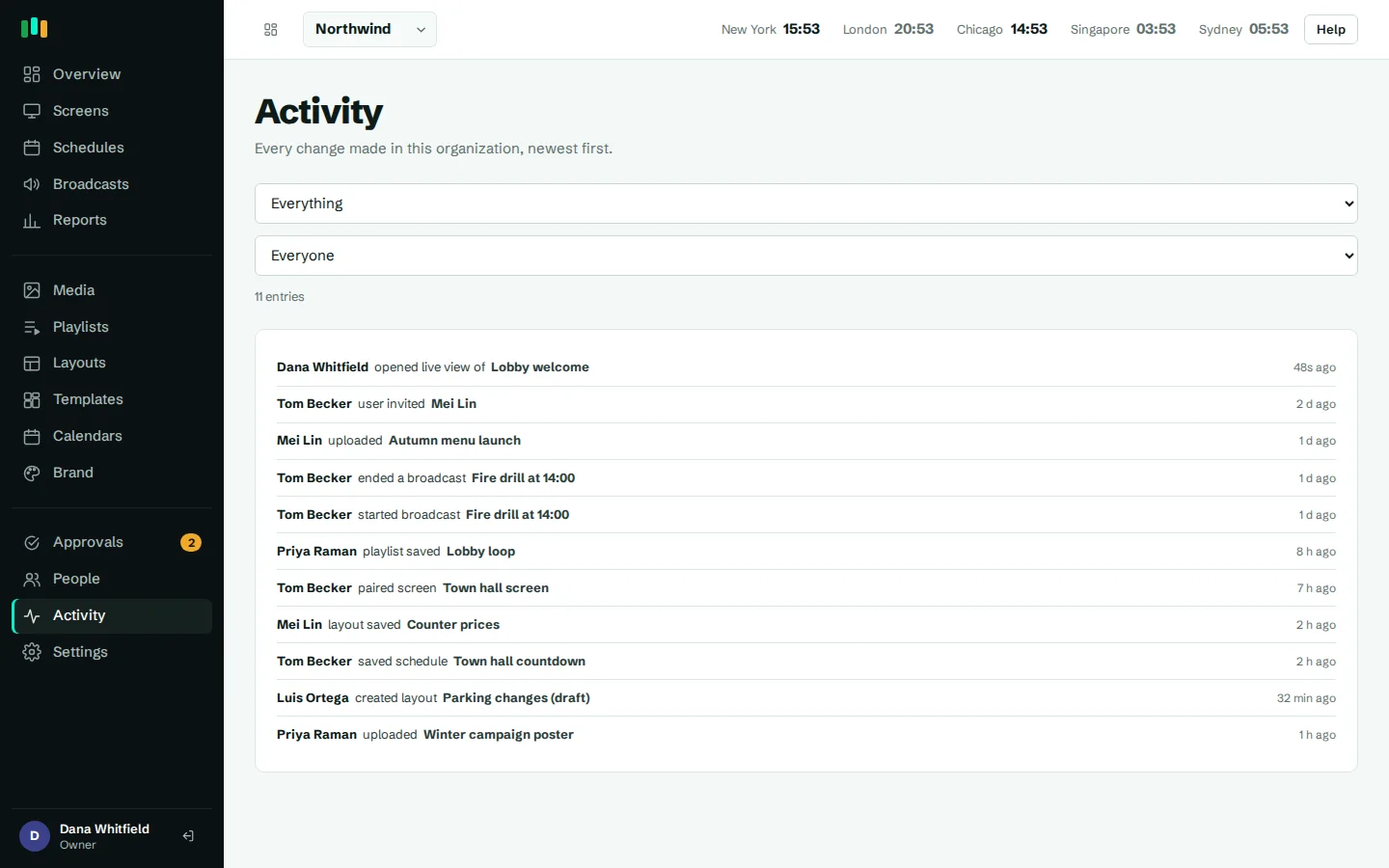
When a screen shows the wrong thing, the first question is usually "who changed it?". The activity log records sign-ins, content changes, screen actions, approvals and settings changes, with who did it and when. Admins can look back up to two years. Combined with proof of play reports, you can see both what changed and what the screens actually played.
Questions people ask
How quickly will I know a screen is offline?
You choose the threshold, from 2 minutes up to 24 hours. Screens check in every 30 seconds, and the alert check runs every minute.
Will I get alerts when screens turn off at night?
No. Screens that are off because of their display hours are shown as display off and are not counted as offline.
Does live view work on every player?
Live view works on screens running the CompleteVantage Android app, such as Android TV and Google TV boxes. Screenshots include web dashboards shown on the screen.
Do email alerts need extra setup?
Email alerts are sent by CompleteVantage. Teams, Slack and webhook alerts only need the channel's incoming webhook address.
Can I restart a screen remotely?
Yes. From a screen's page you can reload the player, restart the app, reboot the box, turn the display off or on, or clear the cache. Some actions depend on the box, see hardware.
Related features
- Screens and devicesPair a TV with a six-character code, see every screen live and fix problems without a site visit.
- Proof of playSee what played, where and for how long, and export every play to CSV when someone asks.
- Team and approvalsGive each person the right access, and have an admin check editors' changes before they reach screens.
- Offline playbackScreens keep playing, and keep following their schedules, when the internet or the server is down.
Put your first screen on in ten minutes
Try every feature free for 14 days. No card required. Pair a TV with a six-character code, pick a template, and it's live.