
About
Digital signage built by people who run screens
CompleteVantage started as a tool for running our own screens across locations around the world. It is built by a small team, for internal teams first.
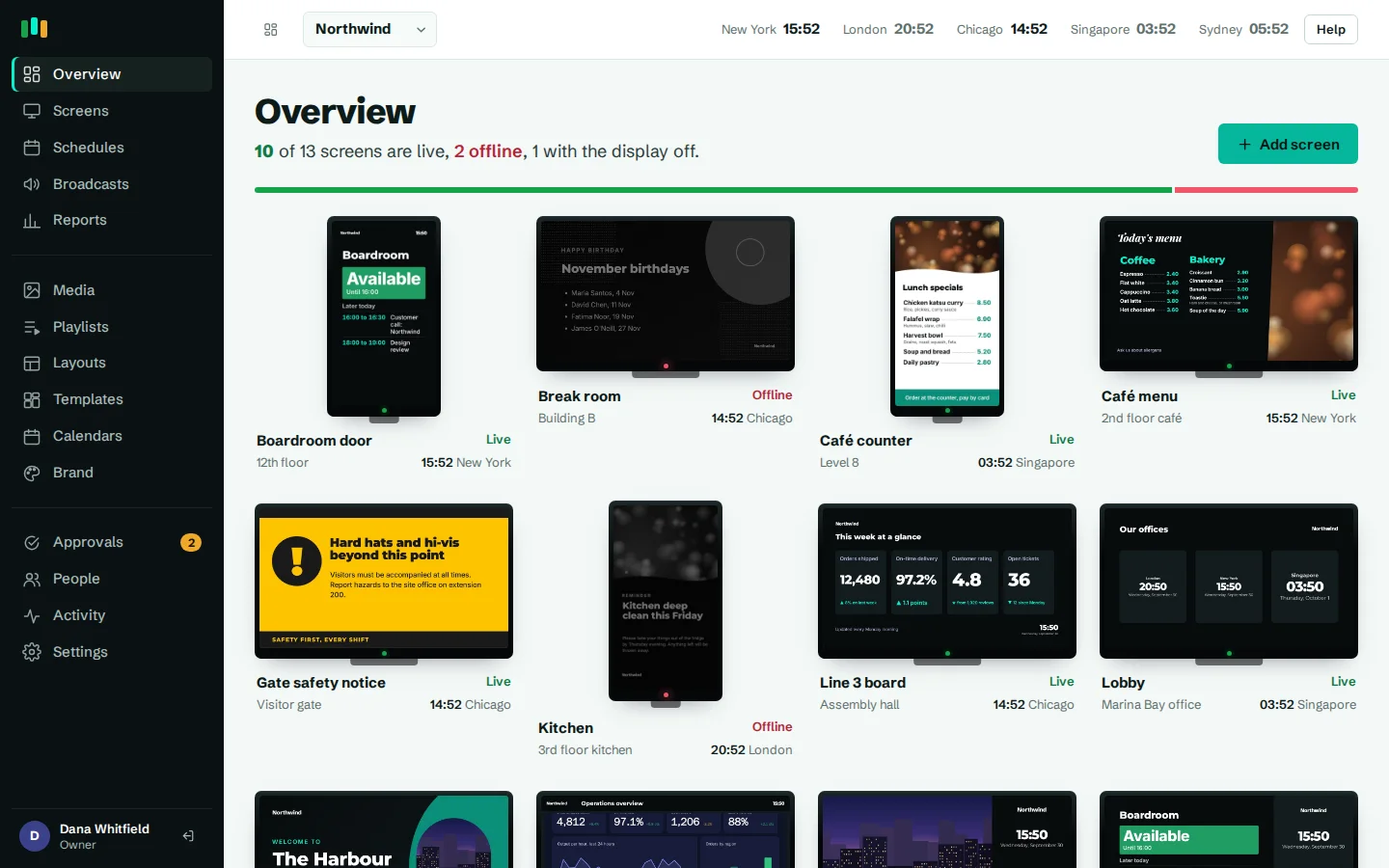
Screens that keep playing
Content is cached on the player, so a network outage does not mean a blank lobby.
A plain admin
Clear words, clear status and errors that tell you how to fix the problem.
Local time, per screen
Every screen follows its own clock, wherever it hangs.
Priced per screen
You pay for the screens you run. No surprises hidden in the small print.
Why we built it
We needed to run screens in offices and sites in several countries: welcome screens in lobbies, room boards, safety notices, dashboards in operations areas. Signage tools tend to fall into two camps: simple apps that go blank when the Wi-Fi drops, and large suites that need a project team to set up. We wanted something in between.
So we built what we wanted to use. A thin Android app and a web player that anyone can put on an off-the-shelf box, and a web admin that facilities, IT and communications people can use without training. It was built for our own screens first, which keeps us honest about what works.
Who it is for
CompleteVantage is for organizations that run screens in more than one place and have no one whose full-time job is signage. Typical owners are:
- Facilities and workplace teams running lobby, meeting room and wayfinding screens.
- IT teams who need to see which screens are offline and fix them remotely.
- Internal communications putting announcements, celebrations and events in front of staff.
- Operations showing KPI dashboards and safety notices on the floor.
See how it fits offices and manufacturing, or browse all features.
What we believe about digital signage
Screens should keep playing
A blank screen in a reception area is worse than no screen. The player caches everything it needs, evaluates schedules itself, and restarts after a crash. If the network or our server goes away, the screen carries on with what it has. See offline playback.
The admin should be plain
Sentence-case labels, plain verbs, and live status you can read at a glance: live, not responding, offline or display off. If something goes wrong, the message says what to do next.
Each screen keeps its own local time
A company with screens in Chicago, London and Singapore should not have to do time-zone arithmetic. Schedules and display hours run in each screen's own time zone, so "lunch menu at 11:30" means 11:30 where that screen is. See scheduling.
Pricing should be honest
You pay per screen, and the price is on the website rather than behind a sales call. The current plans are on the pricing page.
How we work
We are a small team, and we would rather do fewer things properly than list features that half work. That shows up in a few ways:
- We describe what exists. If something is not built yet, we say so.
- We test on real boxes behind real TVs, not only in a browser.
- We write down how the product protects your data on the security page, in plain terms.
Talk to us
If you run screens across locations and want to know whether CompleteVantage fits, get in touch. Or start a trial, pair a screen with a six-character code and see it for yourself.
Questions people ask
Is CompleteVantage only for large companies?
No. It works for one screen or many. It was built for teams with screens in several locations, but nothing stops a single site from using it.
What hardware do I need?
An Android TV, Google TV or Fire TV device, most Android boxes running Android 5.1 or later, or a modern web browser. See hardware.
Can I try it before paying?
Yes. Sign up and pair a screen. Trial details are on the pricing page.
Do you build custom features?
We listen to every request and build what many customers need. Tell us what you are missing on the contact page.
Related features
- Offline playbackScreens keep playing, and keep following their schedules, when the internet or the server is down.
- SchedulingPlan what plays by day, time and place, and let each screen follow its own local clock.
- Screens and devicesPair a TV with a six-character code, see every screen live and fix problems without a site visit.
Put your first screen on in ten minutes
Try every feature free for 14 days. No card required. Pair a TV with a six-character code, pick a template, and it's live.