
Meeting room signage
Meeting room signage that shows who has the room and until when
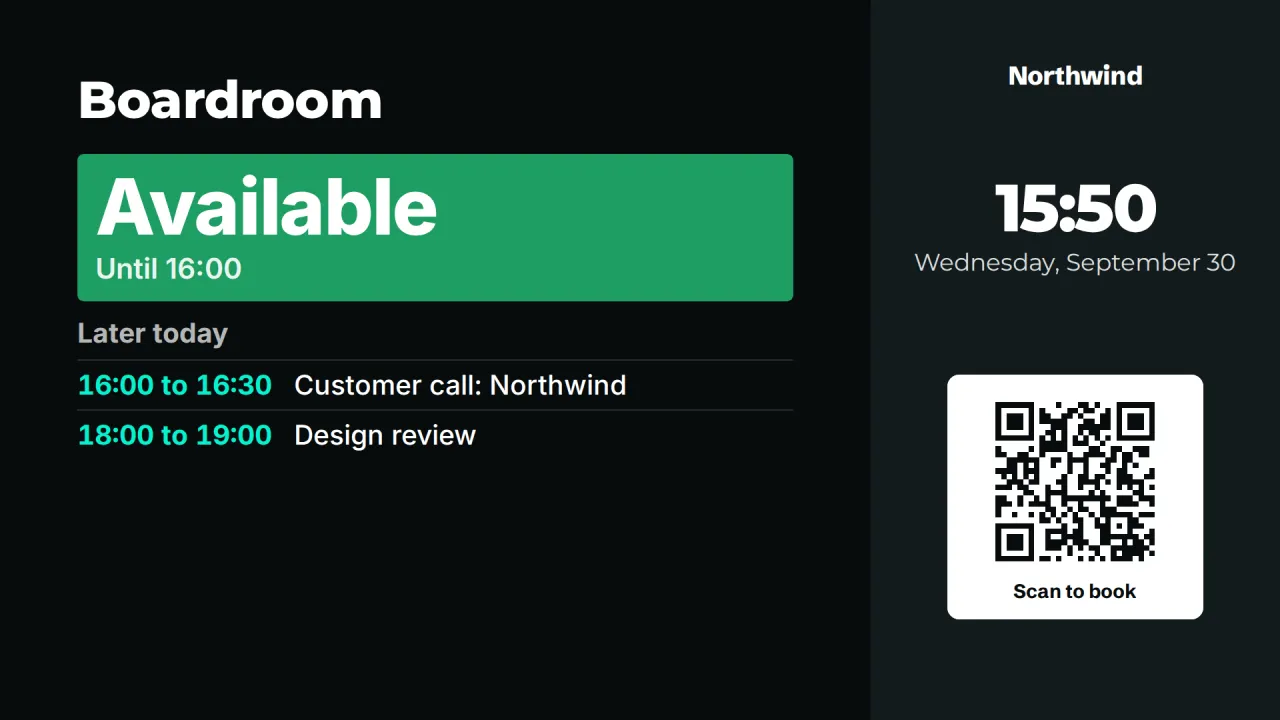
Point CompleteVantage at a room's calendar link and the screen by the door shows whether the room is free, who has it and what is booked later today. No new booking system to roll out.
Uses the calendar you have
Works with the iCal (ICS) link that Outlook, Microsoft 365 and Google Calendar can publish for a room or team.
Link stays on the server
The server fetches the calendar. Screens receive the events only, never the calendar link itself.
Recurring meetings done right
Weekly stand-ups, monthly reviews, cancelled occurrences and moved meetings all show on the right day and time.
Private stays private
Events marked private show as "Busy", so a room door never gives away a confidential meeting title.
A room booking display built on your existing calendars
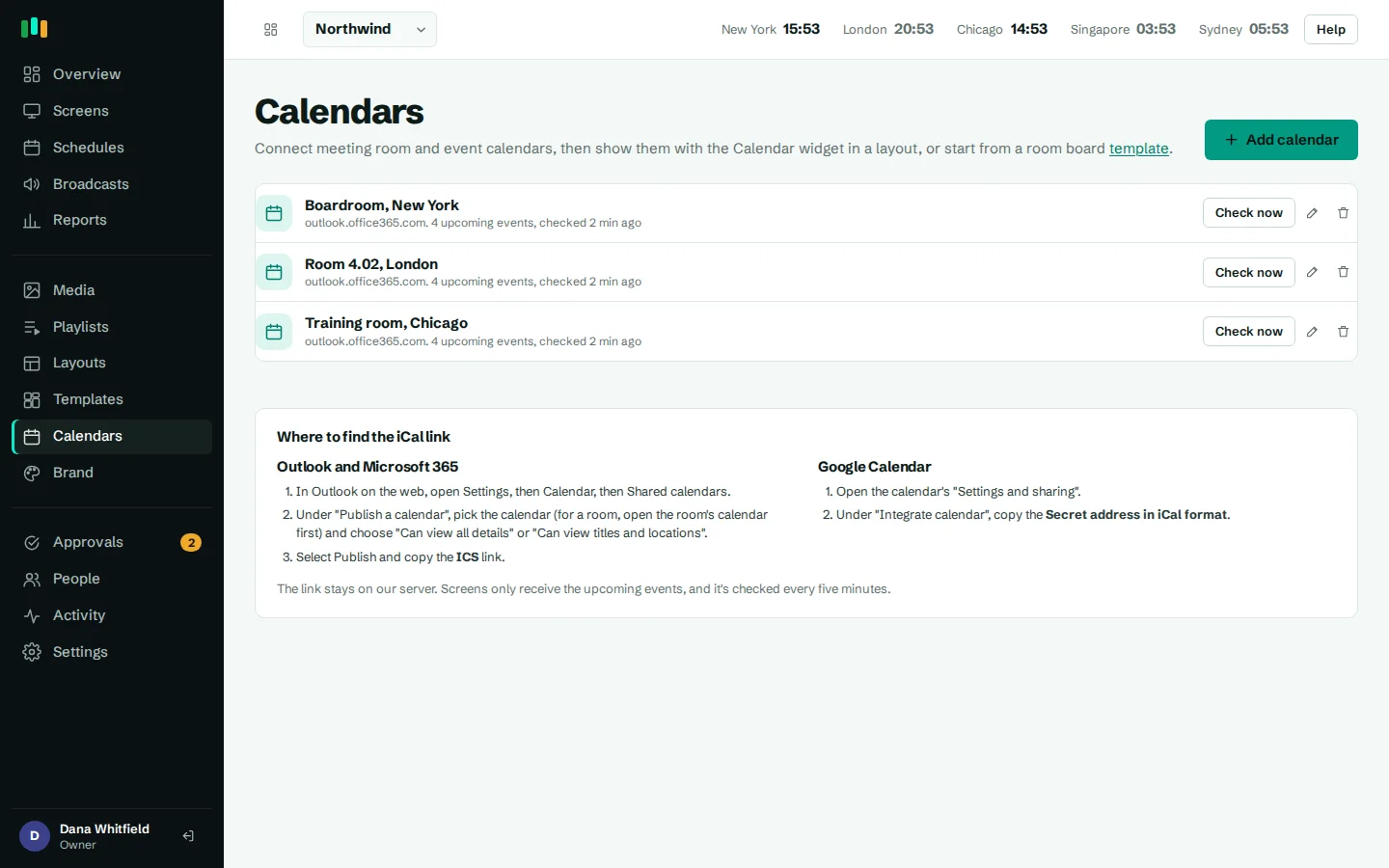
Most offices already book rooms in Outlook or Google Calendar. CompleteVantage reads those bookings instead of asking people to learn a new system. On the Calendars page you add a room's or team's iCal link, give it a name like "Boardroom 4B", and it is ready to use on any screen.
Where the link comes from:
- Outlook and Microsoft 365: use "Publish calendar" on the room or shared calendar and copy the ICS link.
- Google Calendar: open the calendar's settings and copy its "Secret address in iCal format".
There is no Microsoft 365 or Google sign-in to set up, and no app registration for IT to approve. If you can publish a calendar link, you can run a room booking display.
Fetched on the server, cached for the screens
The calendar link works like a password, so it never leaves the server. CompleteVantage downloads the calendar every five minutes, keeps the next 14 days of events, and sends each screen only what it needs to draw the room board or agenda.
The parser handles the parts of iCal that usually trip up simple integrations: repeating meetings (daily, weekly, monthly, yearly, "second Tuesday of the month"), end dates and counts, cancelled occurrences, and single meetings that were moved. Outlook's Windows time zone names and daylight saving changes are converted properly, so a 9:00 meeting in New York shows at 9:00 on the screen in New York.
- Refreshes every five minutes
- Keeps 14 days of upcoming events
- Recurring, cancelled and moved meetings handled
- Outlook and Google time zones converted correctly
Room board: Available, In use, and what is later today
The calendar widget has two views. The room board is made for the screen outside a meeting room:
- A large Available or In use status that anyone can read from down the corridor.
- Until when: "In use until 14:30" or "Available until 15:00", so people know if they can grab the room for a quick call.
- Later today: the remaining bookings, with titles and locations if you choose to show them.
The agenda view lists the next one to seven days. It suits a reception screen showing the day's events, or a team area showing this week's workshops. Both views follow your brand kit and can be placed in any zone of a layout alongside a clock, weather or a ticker.
Templates for meeting room signage
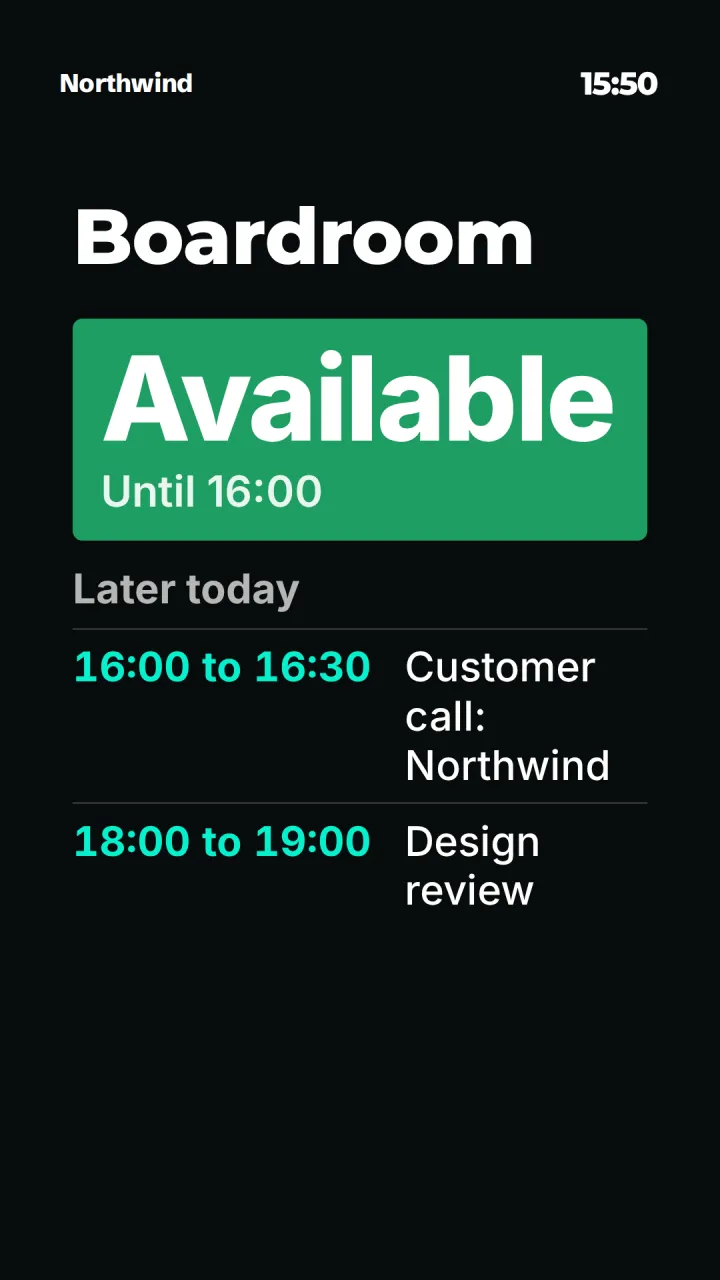
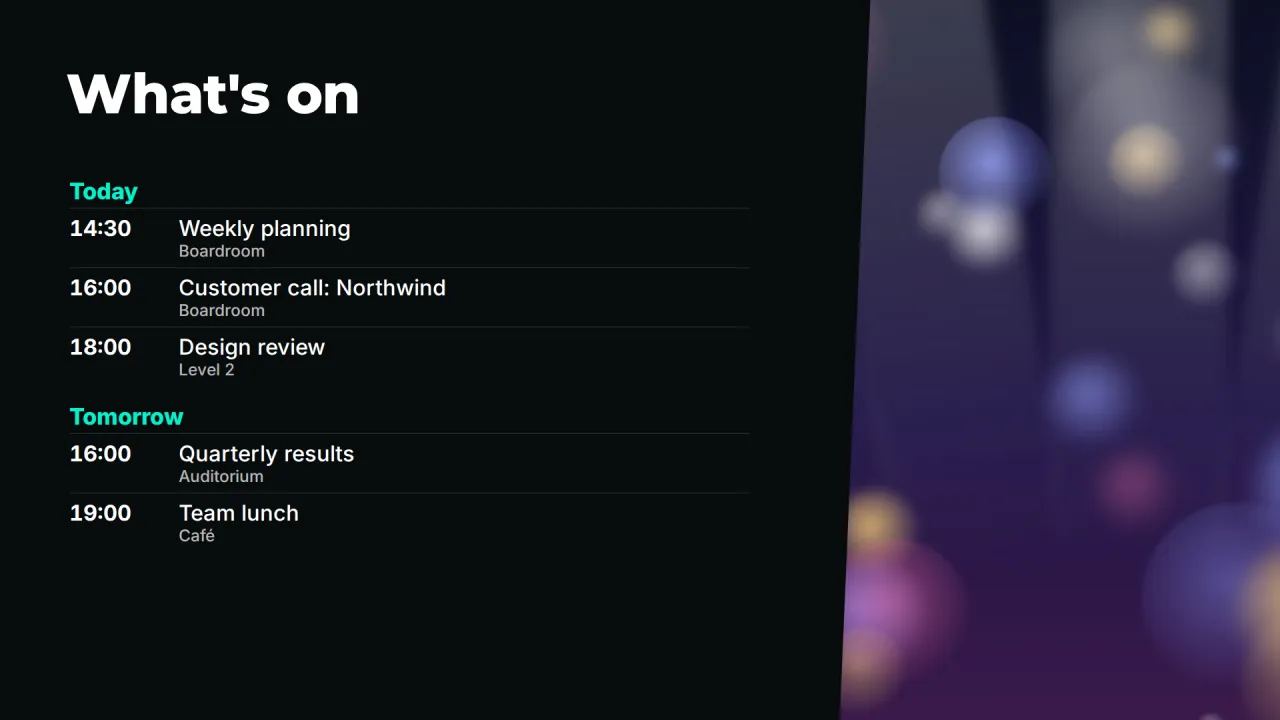
Three built-in templates get a room screen live in a few minutes:
- Meeting room: a landscape board for a screen inside or beside a larger room.
- Room door panel: a portrait layout for a screen mounted on its side next to the door.
- What's on: an agenda of upcoming events for lobbies, receptions and break areas.
Open a template, pick the calendar, and assign the layout to a screen. Until you choose a calendar, previews show sample meetings so you can judge the design first. You can change fonts, colors and positions in the layout designer.
Privacy on shared screens
A screen in a corridor is seen by visitors, contractors and everyone else in the building. Events marked private or confidential in the calendar always show as "Busy". You can also turn titles off for a widget entirely, so a room shows only when it is taken, not what it is being used for.
- Private and confidential events show as "Busy"
- Option to hide every meeting title
- Option to hide meeting locations
Runs on the screens you already have
Room displays run on the same players as the rest of your signage: Android TV and Google TV boxes, Amazon Fire TV, most Android 5+ boxes, or a web browser. See supported hardware for the options. Each screen follows its own time zone, so one account can run room boards in several offices.
Questions people ask
Do I need to connect CompleteVantage to Microsoft 365 or Google Workspace?
No. CompleteVantage uses the iCal (ICS) link that Outlook, Microsoft 365 and Google Calendar can publish. There is no sign-in or app registration to set up.
How quickly does a new booking appear on the screen?
The server refreshes each calendar every five minutes, so a booking made now appears on the room board within a few minutes.
Will people outside the meeting see confidential meeting titles?
Not if the event is marked private or confidential: it shows as "Busy". You can also hide all titles on a widget so the screen only shows whether the room is taken.
Can people book a room from the screen?
No. The room board shows bookings from your calendar. People keep booking rooms in Outlook or Google Calendar as they do today.
Can one screen show several rooms?
Yes. A layout can hold several calendar widgets, each pointing at a different room, or an agenda for a whole floor. See pricing for how screens are counted.
Related features
- Designer and templatesStart from a designed template or build your own layout, previewed exactly as the TV will show it.
- Brand kitSet your logos, colors and fonts once, and every template and screen follows them.
- SchedulingPlan what plays by day, time and place, and let each screen follow its own local clock.
- Screens and devicesPair a TV with a six-character code, see every screen live and fix problems without a site visit.
Put your first screen on in ten minutes
Try every feature free for 14 days. No card required. Pair a TV with a six-character code, pick a template, and it's live.