
Education
Campus digital signage that every department can share
Run screens in every building from one admin, let departments manage their own, and reach the whole campus in seconds when it matters. CompleteVantage works with low-cost Android boxes and ordinary web browsers.
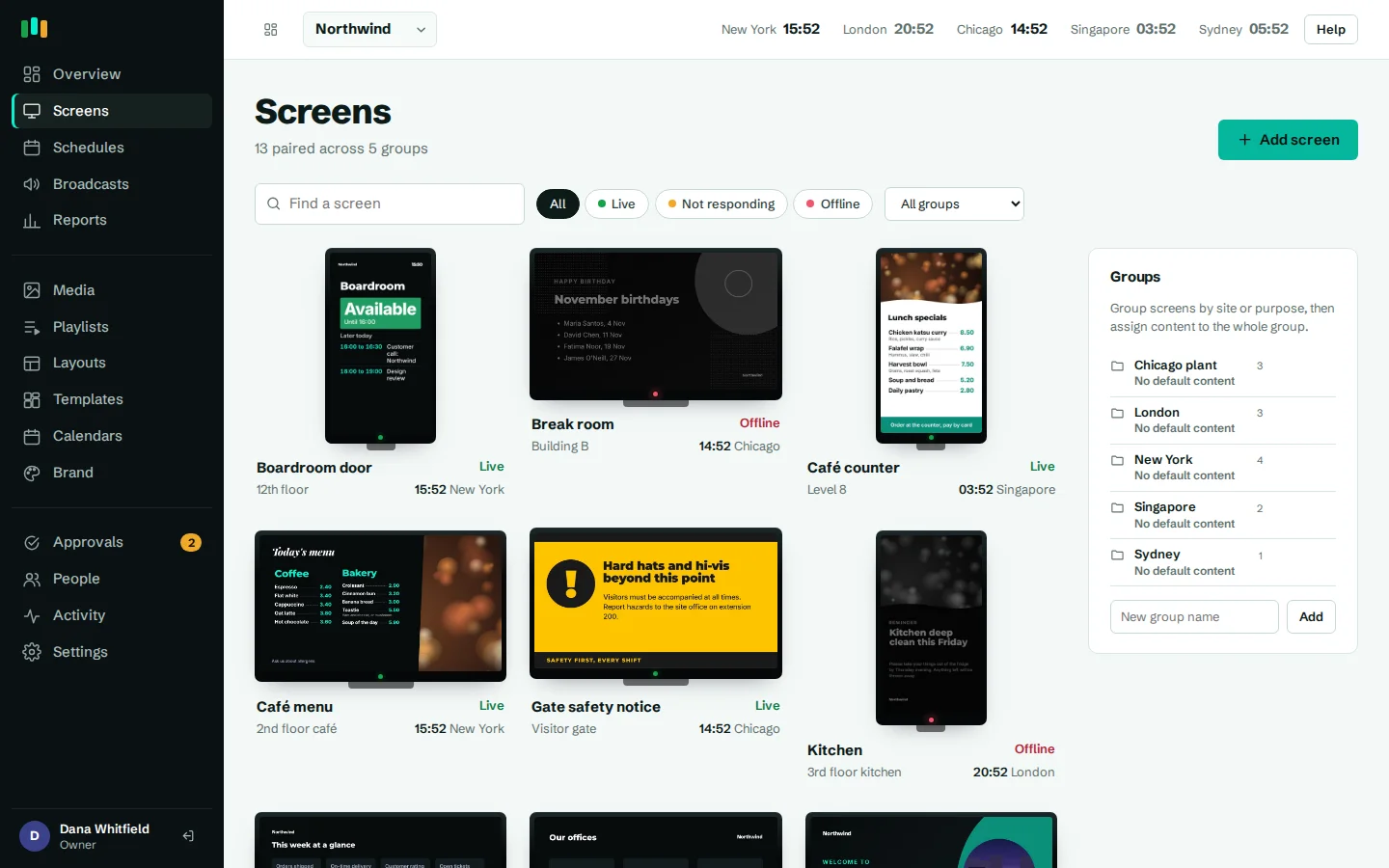
Campus-wide broadcasts
Take over every screen, one building or one room at once for closures, lockdown notices or weather alerts.
Departments manage their own
Nested groups and roles let each faculty or school run its screens, with central approval if you want it.
Room signs from timetables
Any calendar with an iCal link can drive a room door panel or a what's on board.
Digital signage for schools and universities with many buildings
Education signage is rarely one team's job. The communications office wants campus news on every screen, the library wants its opening hours, the engineering faculty wants its seminar series, student services wants the wellbeing week, and IT wants none of it to break.
CompleteVantage handles this with nested screen groups. A university might use Campus / Building / Floor, or Faculty / Department. Content on the top group reaches everyone, and each group below can add or replace content for its own screens. Schedules target all screens, a group or a single screen, with days, times, date ranges and priority, so "Open day" content can take over the main buildings for one Saturday and nothing else.
- Group by campus, building, floor or department
- Inherited content with local additions
- Schedules with date ranges for term dates and events
- Screens in several time zones for international campuses
Roles for staff, departments and student helpers
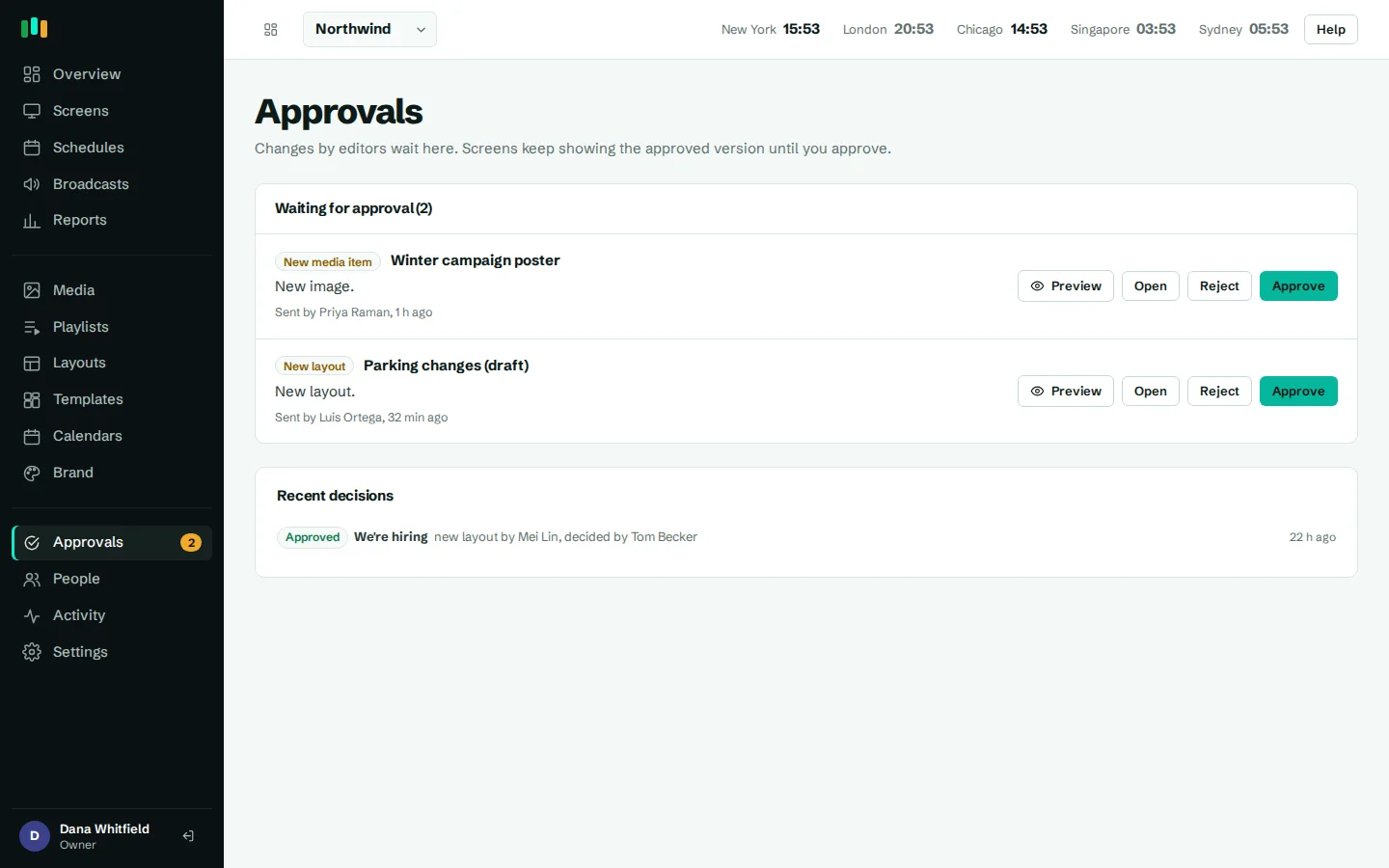
Give the communications team admin rights, department coordinators the editor role, and anyone who only needs to check screens the viewer role. With approvals turned on, editors' new slides and changes wait until an admin approves them, and the approval queue shows a preview on the real player before anything goes live. That is useful when student union officers or a department administrator post content. Every change and approval is in the activity log. See team and approvals.
Announcements and events students notice
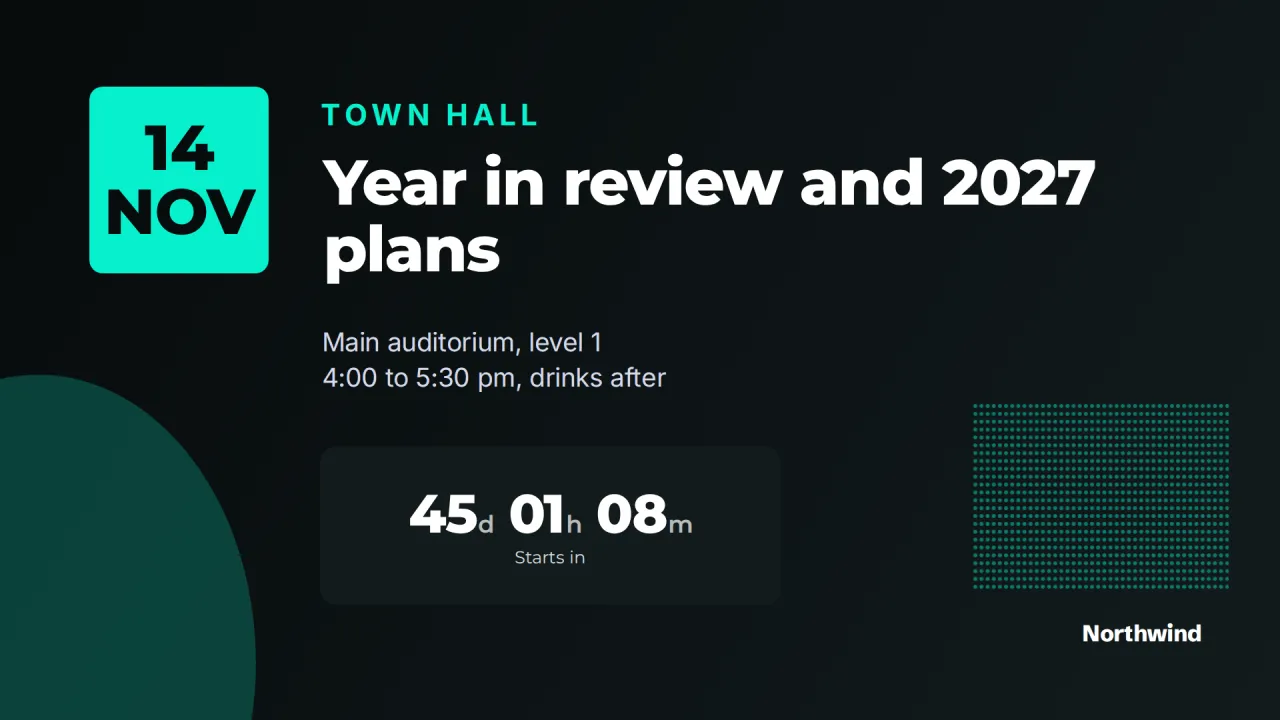
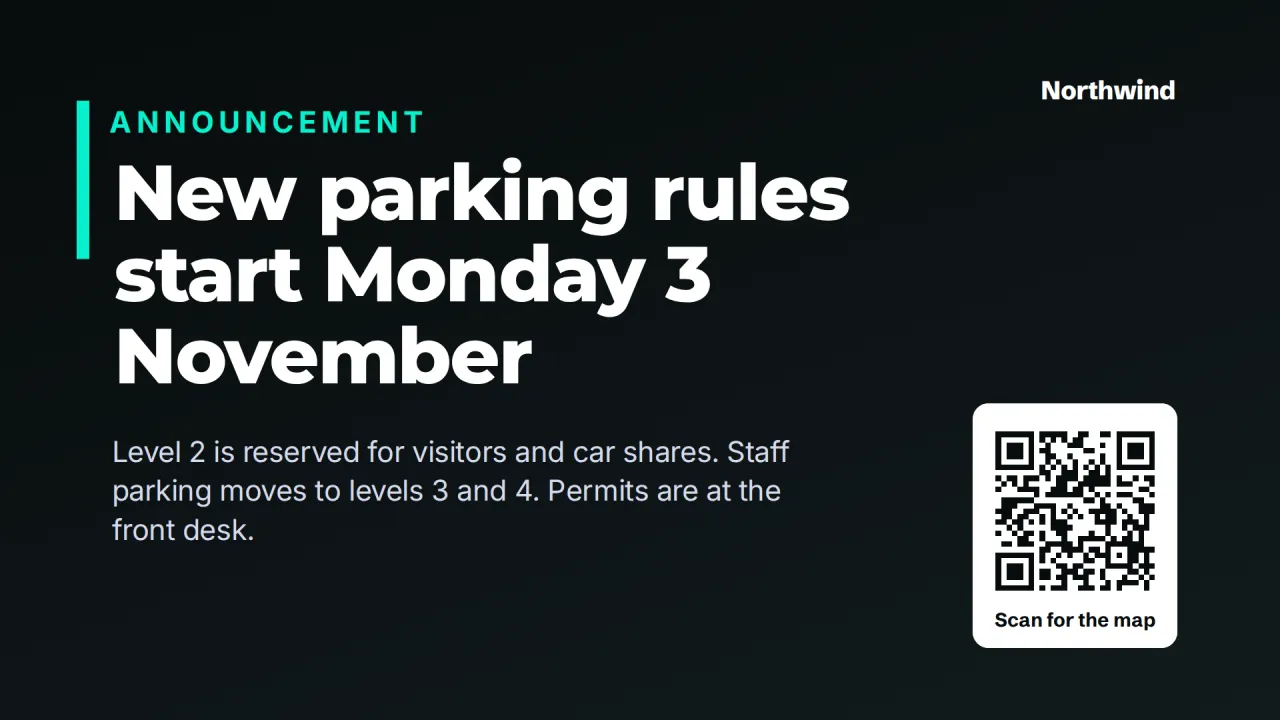
Use Big announcement for one clear message with a QR code to the details: "Course registration closes Friday". Photo and message works for news and achievements. Event spotlight counts down to graduation, a sports final or the careers fair. A What's on board in the student center can read the events calendar through its iCal link and list the next few days automatically.
Add "show from" and "show until" dates and last week's club fair never lingers into this week. PDFs and slide decks from departments are converted automatically, and the whole look stays consistent with the institution's brand kit.
Room signs and wayfinding
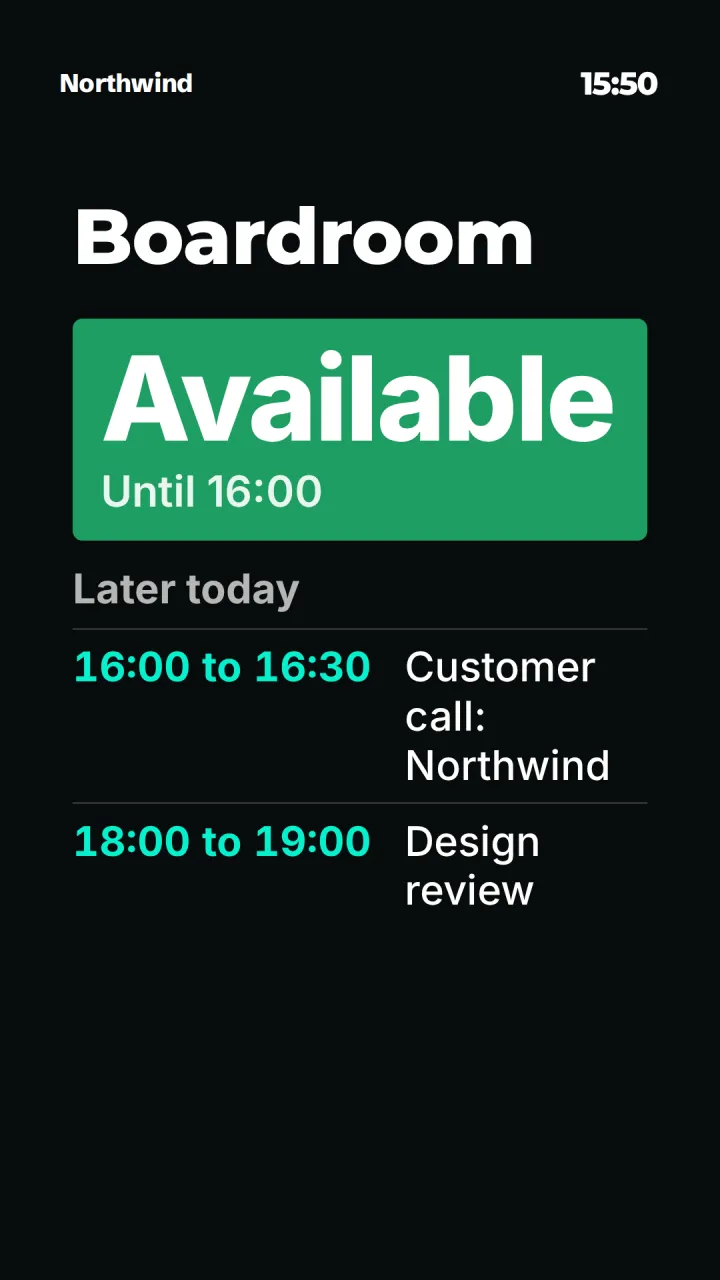
Outside a lecture theater or seminar room, a small portrait screen running the Room door panel template shows whether the room is in use, until when, and the rest of today's bookings. It reads the room's calendar through an iCal link from Outlook, Google or any booking system that publishes one. Private bookings show as "Busy".
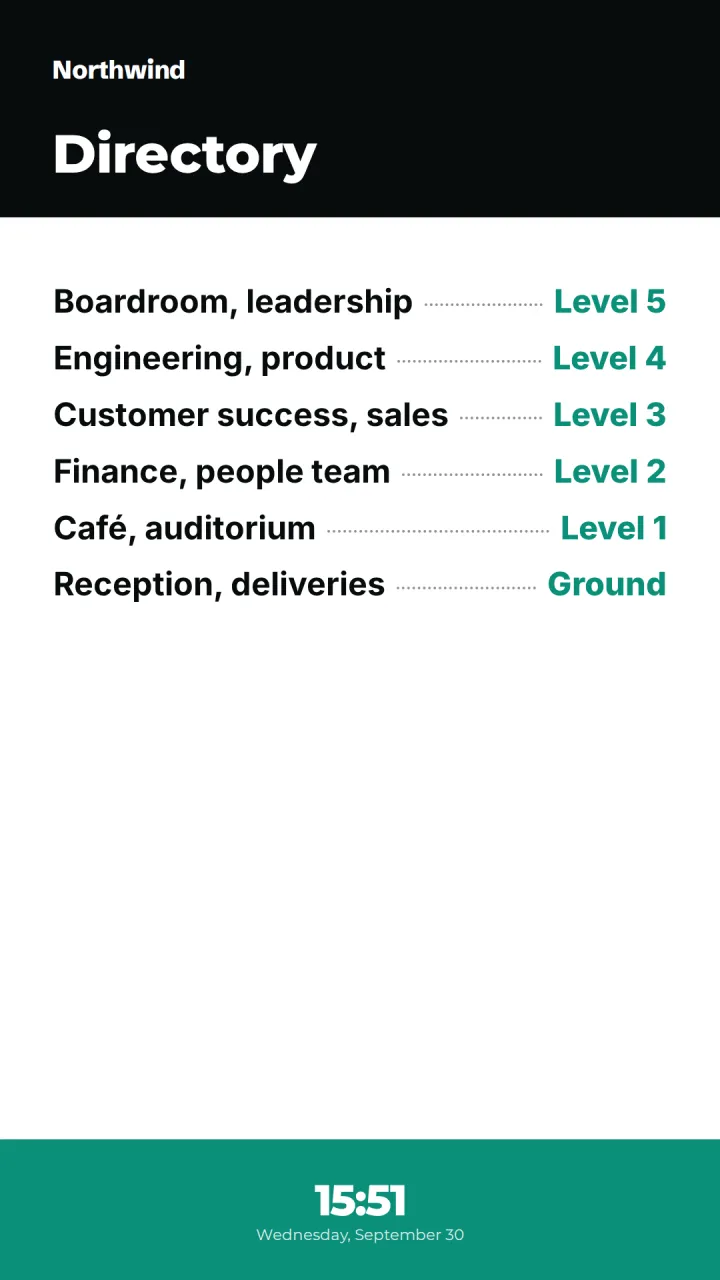
In main entrances, a portrait Building directory lists departments and rooms by floor, which new students and visiting parents will appreciate in the first week of term. More on meeting room signage.
Emergency broadcasts across campus
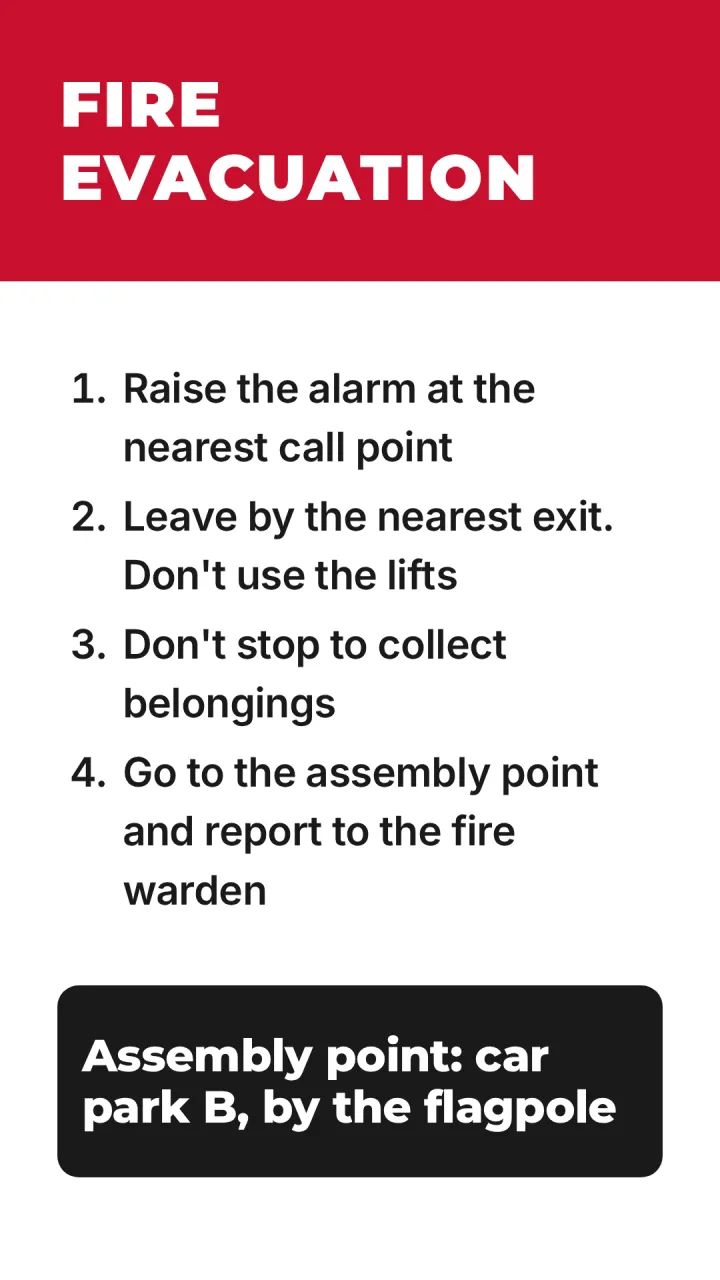
Snow closure, a power cut in one building, a shelter-in-place instruction: an emergency broadcast takes over the screens you choose straight away, whether that is every screen, one building's group or a single screen. Pick red for emergencies or amber for warnings, and run it for a set time or until it is ended. The In an emergency template gives evacuation steps and the assembly point in high-contrast red and white.
Broadcasts are started by a person in the admin; they are not triggered by alarm or mass notification systems.
Affordable hardware, easy for campus IT
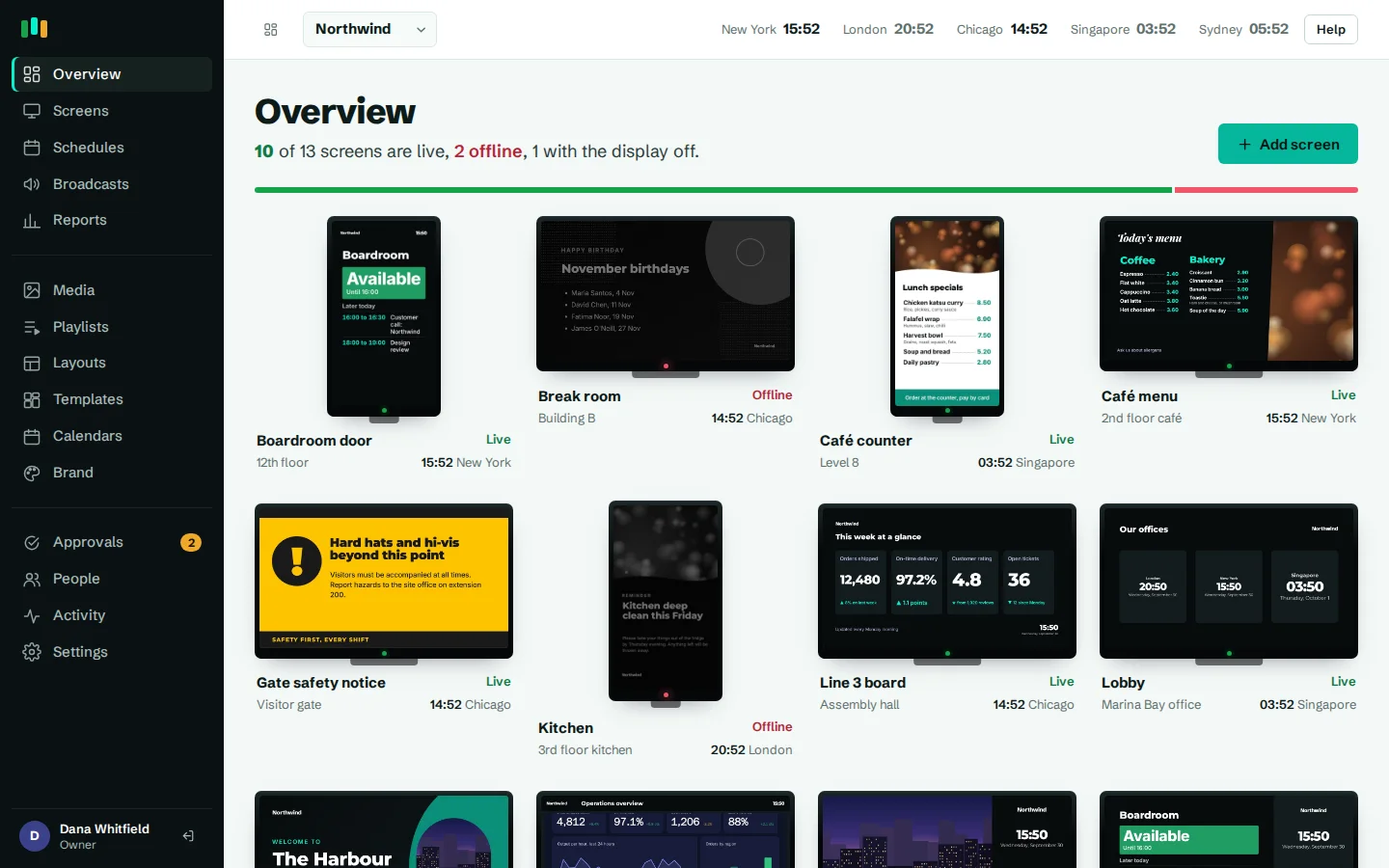
Screens run on Android TV, Google TV or Fire TV boxes, or in a browser on an existing PC. See hardware. IT sees every screen's status in one fleet view, gets alerts when one goes offline, and can reload, restart or take a screenshot remotely. Android app updates roll out to a pilot ring of screens first, inside an install window such as 02:00 to 05:00. Display hours turn screens off overnight and during holidays, and screens keep playing cached content if the campus network has a bad day.
Where the screens go
Main entrances
Campus news, a building directory and the day's events.
Lecture theaters and seminar rooms
Door panels showing whether the room is in use and what is next.
Student center
Events, clubs, wellbeing campaigns and QR codes to sign up.
Library
Opening hours, exam-season hours and holiday closures.
Staff rooms
Staff notices, training dates and recognition.
Sports halls
Fixtures, results and countdowns to the big game.
Templates to start from
Built-in designs that take your logo, colors and fonts. Pick one, change the words, and assign it to screens.
Features used most in education
- Emergency broadcastsTake over every screen, a building or one TV with an urgent message in about 30 seconds.
- Team and approvalsGive each person the right access, and have an admin check editors' changes before they reach screens.
- Meeting roomsShow who has a room, until when and what is next, straight from the calendar you already use.
- SchedulingPlan what plays by day, time and place, and let each screen follow its own local clock.
- Screens and devicesPair a TV with a six-character code, see every screen live and fix problems without a site visit.
- Brand kitSet your logos, colors and fonts once, and every template and screen follows them.
Questions people ask
Can each department control its own screens?
Yes. Put each department's screens in its own group and give its staff the editor role. Turn on approvals if central communications should check changes first.
Can room signs show our timetable?
If your timetabling or room booking system can publish an iCal (ICS) link per room, yes. The server fetches it every five minutes.
Does it integrate with our mass notification system?
Not today. Emergency broadcasts are started from the admin and reach the chosen screens straight away.
Can we use old PCs as players?
Yes. The player runs in a web browser. Use HTTPS for offline caching in browsers. Android boxes add features such as display power control and remote restart.
How many screens can we run?
Nested groups and the fleet view keep large estates manageable across many buildings. See pricing for plans and screen limits.
Related features
- Emergency broadcastsTake over every screen, a building or one TV with an urgent message in about 30 seconds.
- Team and approvalsGive each person the right access, and have an admin check editors' changes before they reach screens.
- Meeting roomsShow who has a room, until when and what is next, straight from the calendar you already use.
- SchedulingPlan what plays by day, time and place, and let each screen follow its own local clock.
Put your first screen on in ten minutes
Try every feature free for 14 days. No card required. Pair a TV with a six-character code, pick a template, and it's live.