
Security
Digital signage security, explained plainly
A screen in a lobby is a public surface, and the account behind it holds your content and your team. This page lists what CompleteVantage does to protect both, without claims we cannot back up.
Your data stays yours
Every record belongs to one organization, and every query is limited to it.
Tokens stored as hashes
Screens sign in with a device token. The server keeps only its SHA-256 hash.
Secrets stay secret
Access keys for dashboards go to screens only. They are never shown back in the admin or put into previews.
Verified updates
Screens check the SHA-256 of every app update before installing it.
Accounts, roles and organizations
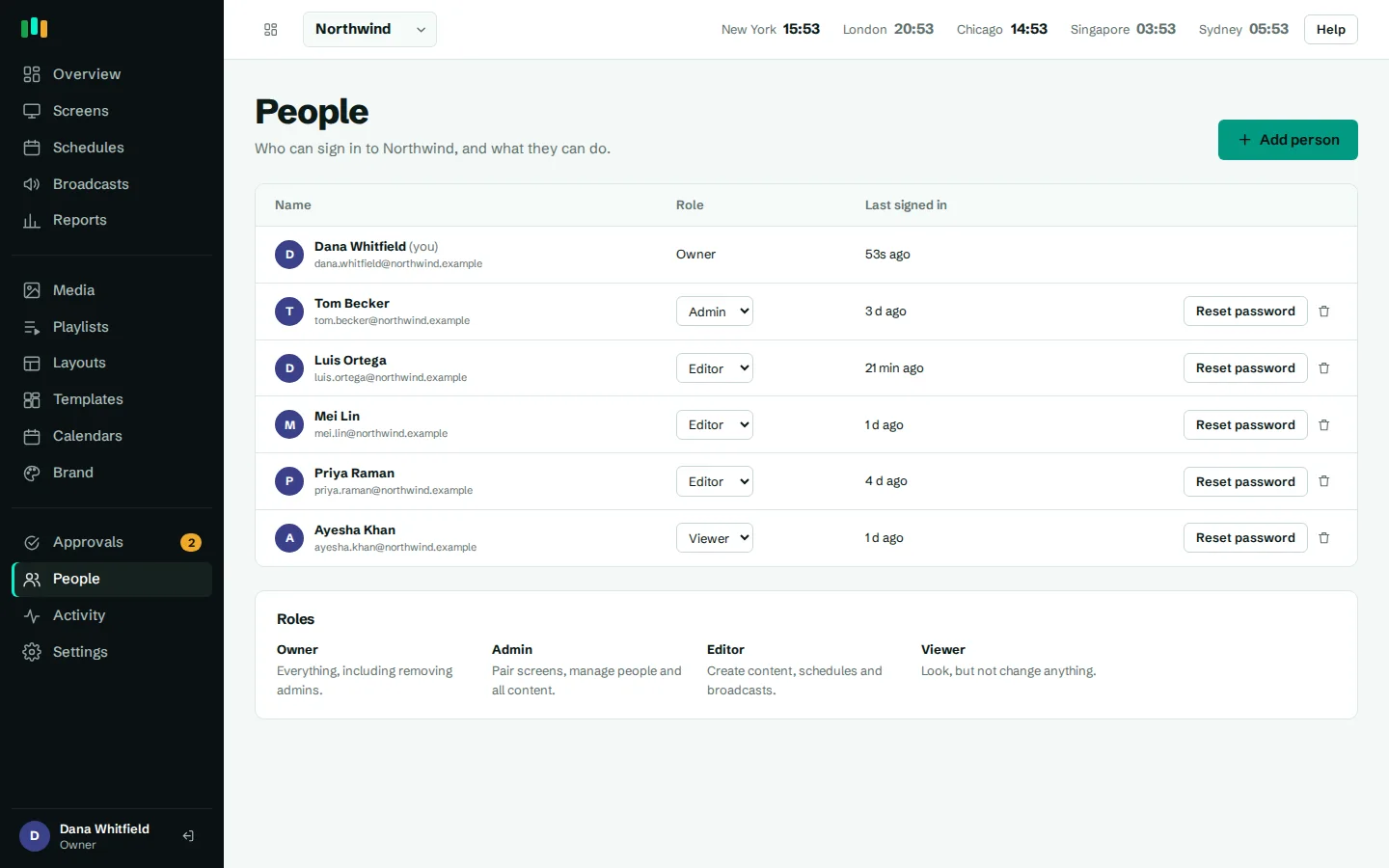
CompleteVantage is multi-tenant. Screens, media, playlists, schedules and people all belong to an organization, and every database query is scoped to that organization. Routes are checked against the signed-in person's role before anything runs.
- Roles. Owner, admin, editor and viewer. An admin cannot reset an owner's password.
- Approvals. Optionally, changes by editors wait for an admin to approve them before they reach screens. See team and approvals.
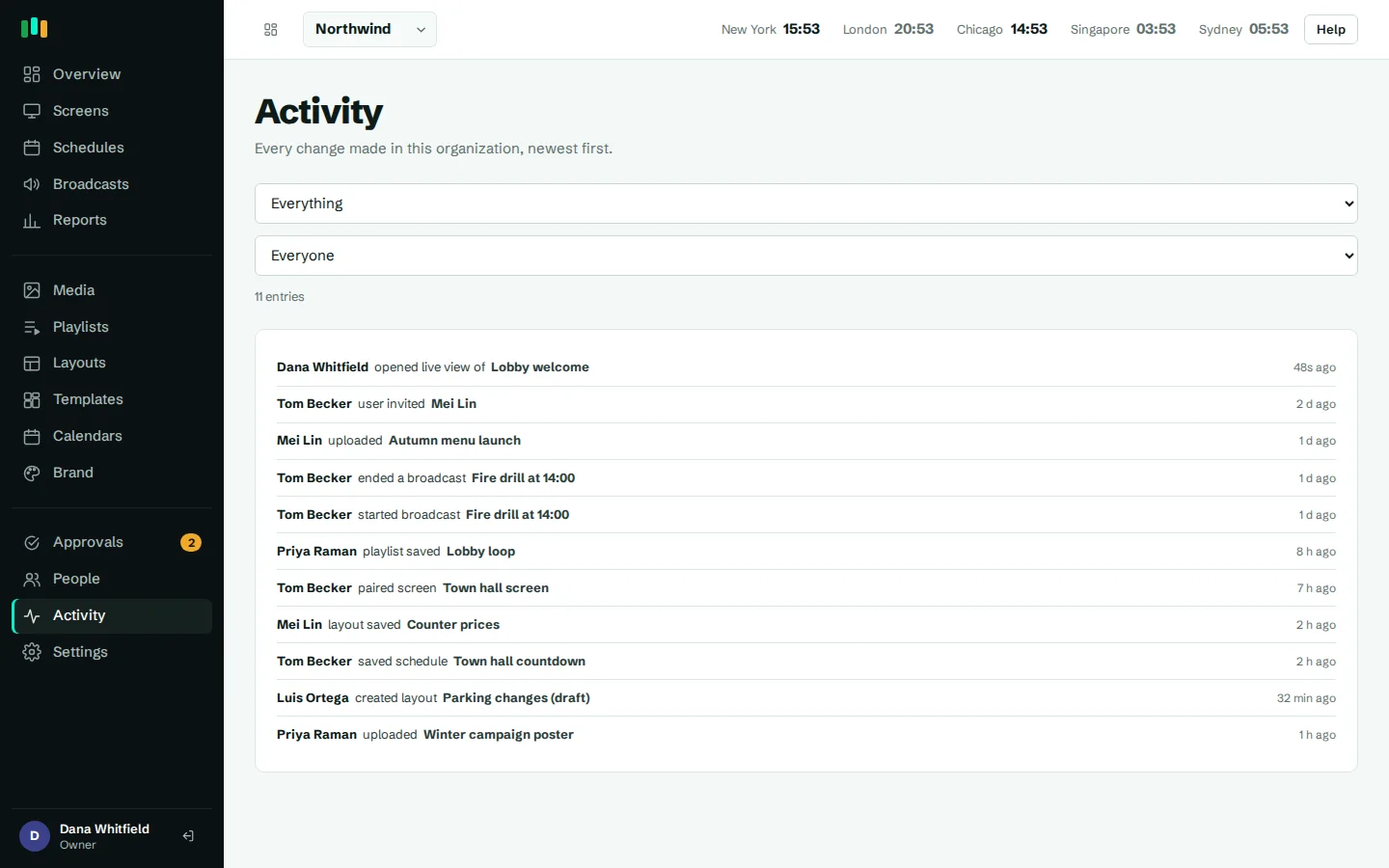
- Activity log. Sign-ins, content changes, approvals and screen actions are recorded. The log is kept for two years by default.
- Password resets sign you out everywhere. Resetting a password ends every existing session for that account.
- Temporary passwords. New people added by an admin must change their password at first sign-in.
Protecting the admin
- CSRF protection on every change made in the admin.
- Content Security Policy with a per-request script nonce, and frame headers so the admin cannot be embedded in another site.
- Session cookies are HTTP-only and not sent on cross-site requests.
- Rate limits on sign-in, screen pairing and device registration, held in the database so they apply across every server process.
- Safe redirects after sign-in, so a crafted link cannot send you to another site.
- Validated layouts. Widget settings from the layout designer are validated and escaped on the server.
- Request size limits on the device API and on JSON bodies.
Screens and the device API
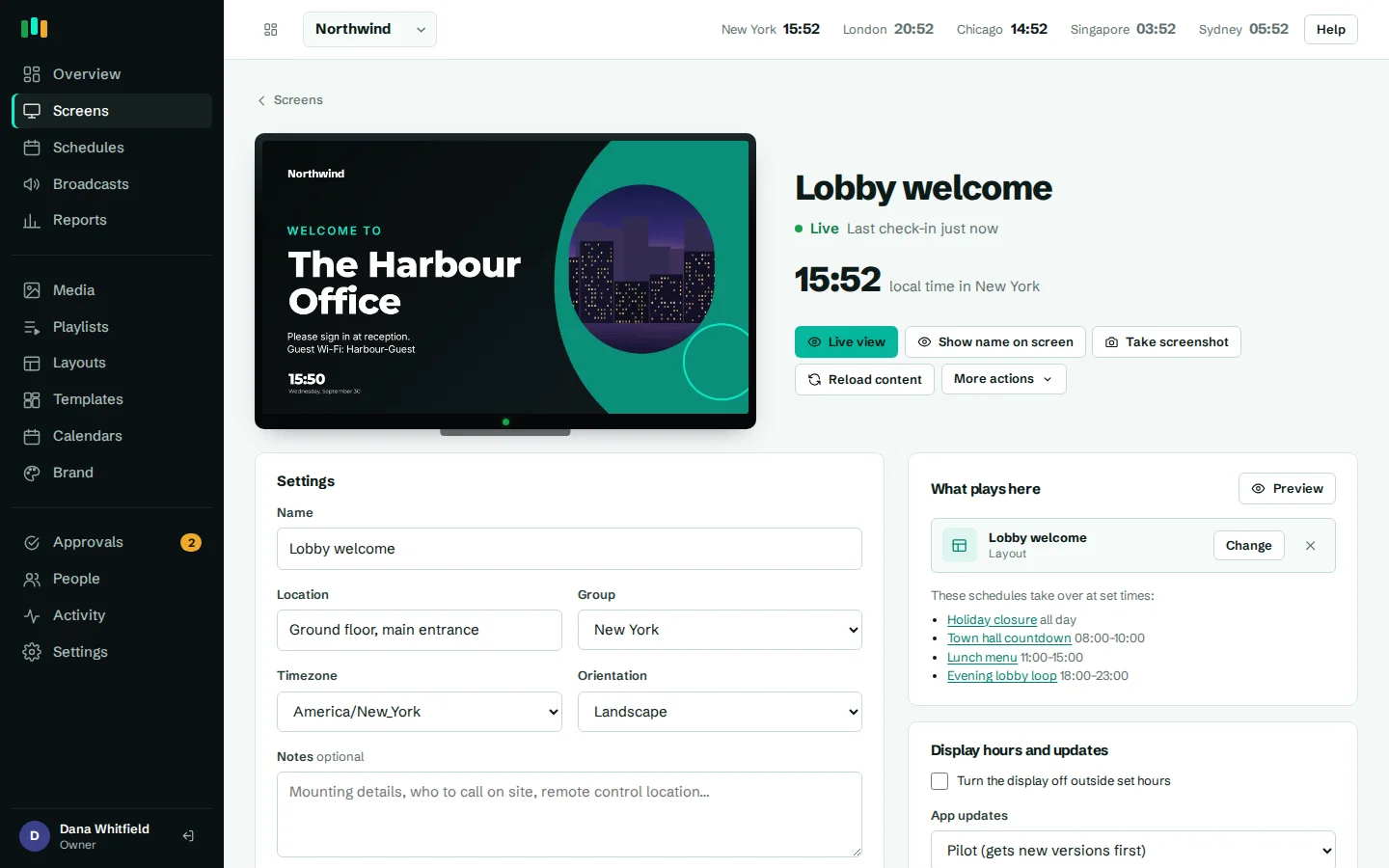
Screens pair with a six-character code and then use their own device token for every request. The server stores tokens only as SHA-256 hashes, and a paired device cannot be re-registered without its current token. Commands such as reboot or screenshot are claimed once, so they cannot be replayed.
In the Android app, the bridge between the web player and the device (cache, power, updates, commands) only answers the configured server's top-level page. Each page load gets a fresh key that the app gives to that top frame alone. A web page or HTML snippet shown inside a layout can see the bridge exists but cannot use it.
App updates are downloaded by the screen and installed only if the file's SHA-256 matches the release. Updates can go to a pilot group first and install inside a time window you set. More on managing players on the hardware page.
Media, dashboards and access keys
Many signage screens show internal dashboards. To do that without an interactive login, a web page can carry an access key, as a secret URL parameter or an HTTP header.
- Access keys are masked in the admin and never sent back to the browser after you save them.
- They are sent only to the screens that show that page, never into previews.
- Uploads are checked by content type, and nothing in the uploads area can execute.
- Converted slides, thumbnails and screenshots live at random, unguessable paths.
- Calendar links are fetched by the server, so the private iCal address never reaches a screen.
Outbound requests: feeds and webhooks
RSS tickers and alert webhooks make the server fetch URLs that a customer typed in. That is a classic route for server-side request forgery, so the HTTP client that makes these requests:
- blocks private and internal network addresses,
- pins the DNS answer it checked, so a hostname cannot switch to an internal address between the check and the request,
- checks every redirect hop again, not just the first URL.
Alerts go to email, Microsoft Teams, Slack or a generic webhook. See monitoring and alerts.
Backups, retention and operations
In the production setup the database is backed up every night, and backups are kept for 14 days. Production runs with error display off, log rotation and health checks.
Retention is set by default and kept short where it can be: proof-of-play records are kept for 400 days, the activity log for two years. Unpaired screens that never finish pairing are removed after seven days.
We do not hold security certifications today, and we will not claim ones we do not have. If your review needs something not covered here, ask us on the contact page.
Report a security issue
If you think you have found a vulnerability in CompleteVantage, please tell us through the contact page and mark it as a security report. Include what you found, how to reproduce it and what an attacker could do with it. Please give us a reasonable time to fix it before sharing it publicly, and do not access other customers' data while testing. We will reply, keep you updated and credit you if you want.
Questions people ask
Can one customer see another customer's screens or content?
No. Every record belongs to an organization and every query is scoped to it, with role checks on each route.
What happens if a screen is stolen?
Delete it in the admin. Its device token stops working at once, and the stored hash cannot be turned back into a usable token.
Do you support single sign-on?
Not today. People sign in with email and password, with rate-limited sign-in and roles per organization.
Are you SOC 2 or ISO 27001 certified?
No. This page describes the controls that exist. If you need a questionnaire answered, get in touch.
Where do screens get the weather from?
The weather widget asks Open-Meteo directly from the screen, using only the location set in the layout.
Related features
- Team and approvalsGive each person the right access, and have an admin check editors' changes before they reach screens.
- Screens and devicesPair a TV with a six-character code, see every screen live and fix problems without a site visit.
- Monitoring and alertsKnow which screens are live, see what they show right now, and get told when one goes dark.
Put your first screen on in ten minutes
Try every feature free for 14 days. No card required. Pair a TV with a six-character code, pick a template, and it's live.