
Restaurants and cafés
Digital menu boards that change with the time of day
Edit prices in a browser, schedule breakfast, lunch and dinner menus once, and let every screen switch on its own local clock. CompleteVantage runs on inexpensive Android boxes and keeps the menu up when the Wi-Fi does not.
Dayparting built in
Schedules switch menus by day and time on the screen itself, so breakfast ends at 11:00 whether or not the internet is up.
Prices you edit as text
Each menu line is an item, a price and an optional description. Change a price and screens update within moments.
Specials that expire
Give a special a start and end date. It appears on the first day and is gone after the last.
Portrait or landscape
Set each screen's orientation and use tall menu layouts where a portrait screen fits better.
Digital signage for restaurants that fits a real service day
A restaurant's menu is not one menu. It is breakfast until 11:00, lunch until 3:00, a quieter afternoon, then dinner, with weekend brunch on top and different prices at the airport site. Printed boards cannot keep up, and a menu board that needs a laptop plugged in to change a price never gets changed.
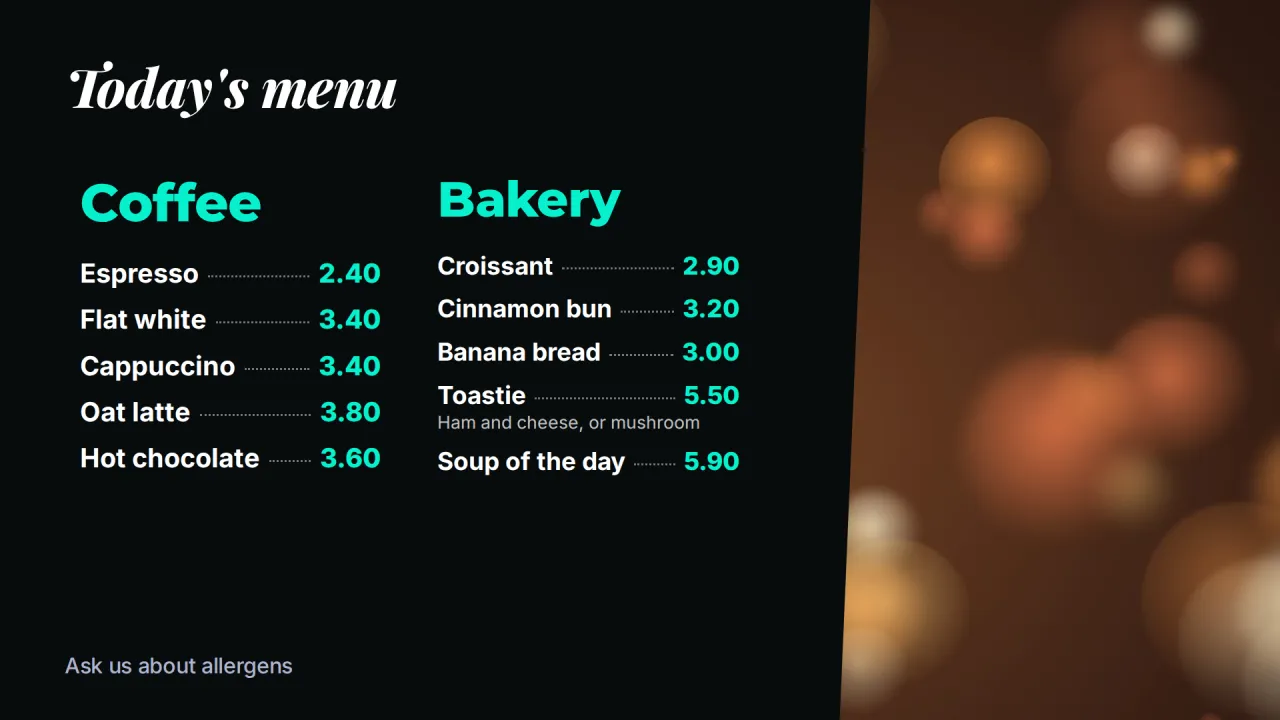
CompleteVantage treats each menu as a layout: a background, your logo, photos and one or more menu and price list zones. You build the breakfast board once, duplicate it for lunch, and let schedules decide which one plays.
Dayparting: breakfast, lunch and dinner on schedule
A typical setup for a café with three screens over the counter:
- Breakfast layout, Monday to Friday, 6:30 to 11:00.
- Lunch layout, every day, 11:00 to 15:00.
- Weekend brunch, Saturday and Sunday, 9:00 to 14:00, with a higher priority so it wins over the weekday breakfast.
- The screen's default content, an all-day menu, fills every other hour.
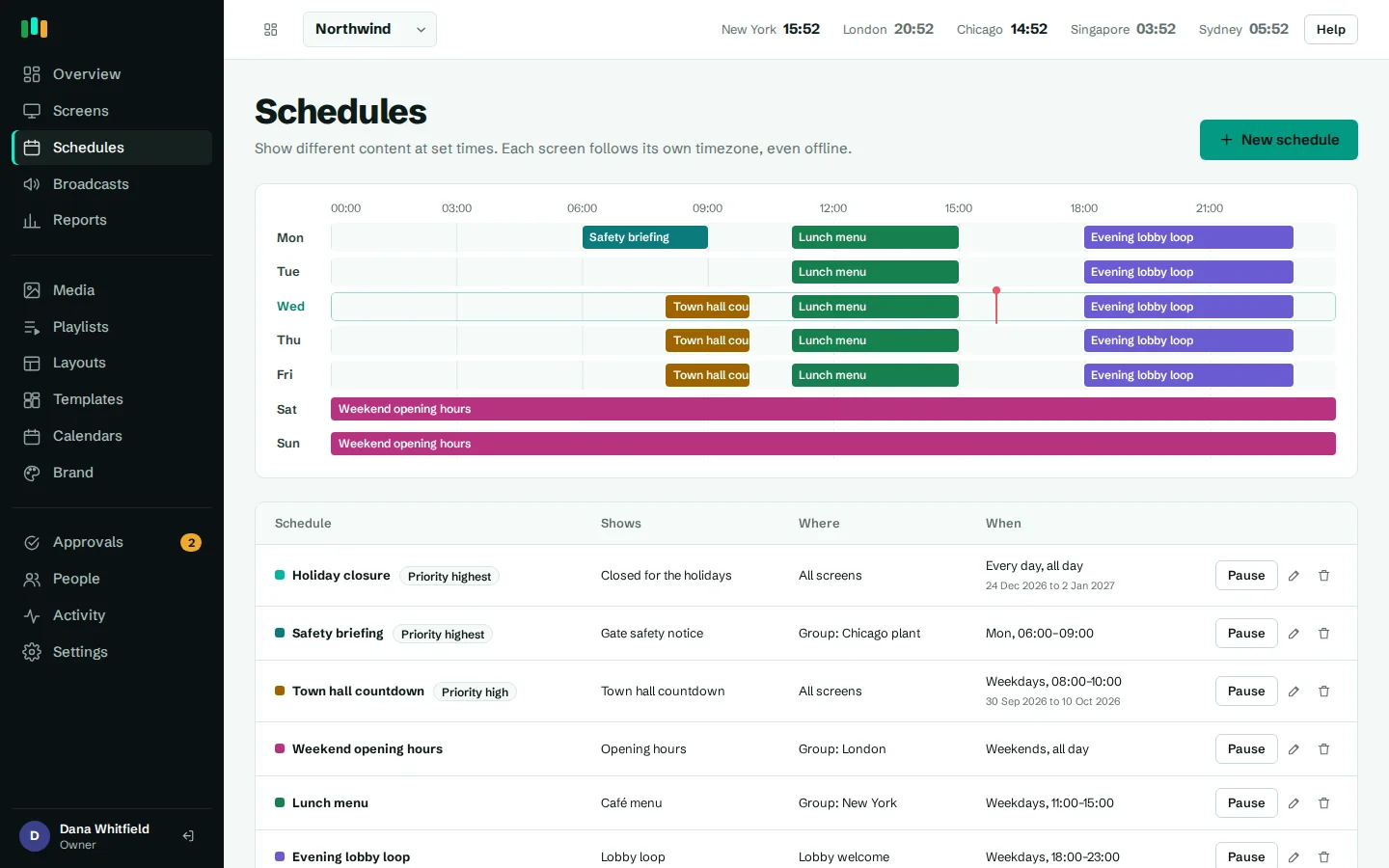
Schedules are evaluated on the screen in its own timezone. If the connection drops at 10:55, the lunch menu still appears at 11:00. Overnight times work too, so a late-night menu from 22:00 to 2:00 is one schedule, not two. The week view shows every schedule at a glance, which helps when a manager asks why the dinner board came up early.
- Days, times, date ranges and priority
- Target all sites, a group of sites, one site or one screen
- Runs on local time, even offline
- Week view of everything scheduled
Menu boards and price lists you can edit in seconds
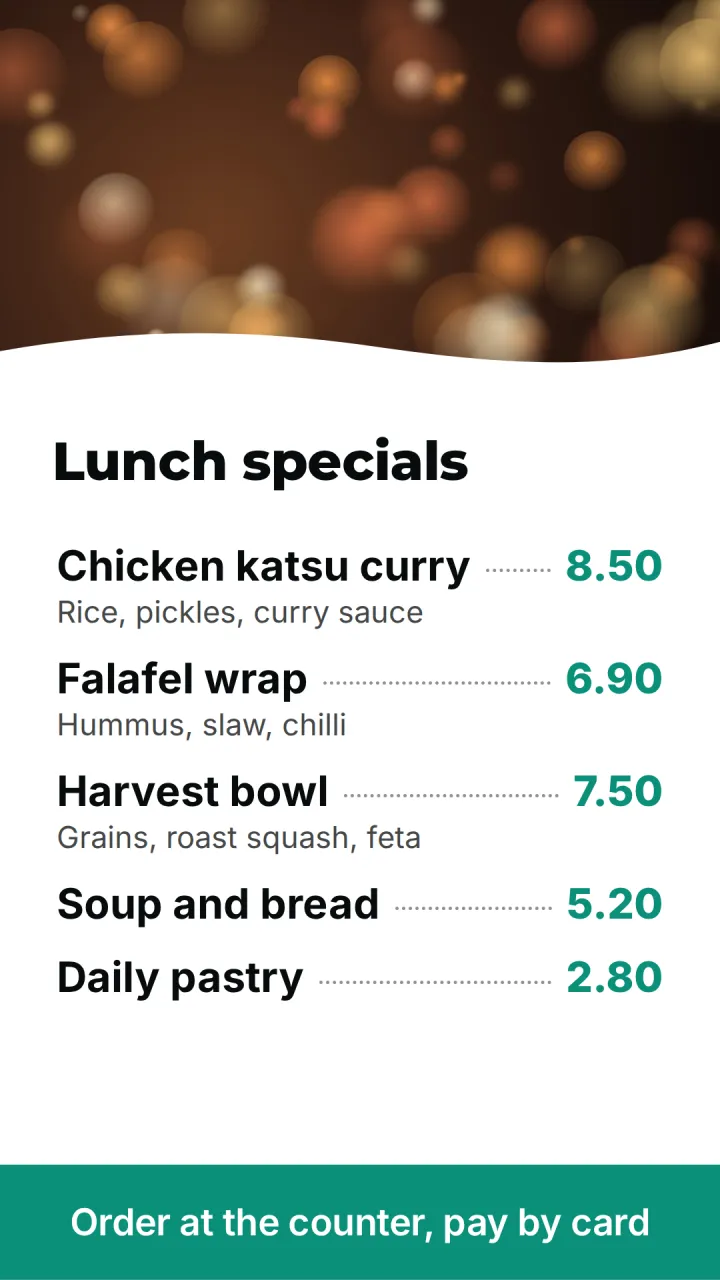
The Café menu template has two columns of items with a photo. The Price board template is a tall list for a portrait screen by the till or a drinks counter. Both use the menu widget, where each line is written as Flat white | 3.80 or Croissant | 2.90 | Butter, baked this morning. Change a price, save, and the board updates.
Headings and prices pick up the fonts and colors from your brand kit, and the fonts are served with the player, so boards look right offline. Want a custom layout, say four columns and a video loop of the grill? Build it in the layout designer, which previews on the real player as you work.
Specials, limited-time offers and events
Add the soup of the week or a seasonal drink as a photo slide or a menu zone, then set "show from" and "show until". Staff do not have to remember to take it down. Tags such as autumn or happy-hour make it easy to find last year's campaign when the season comes round again.
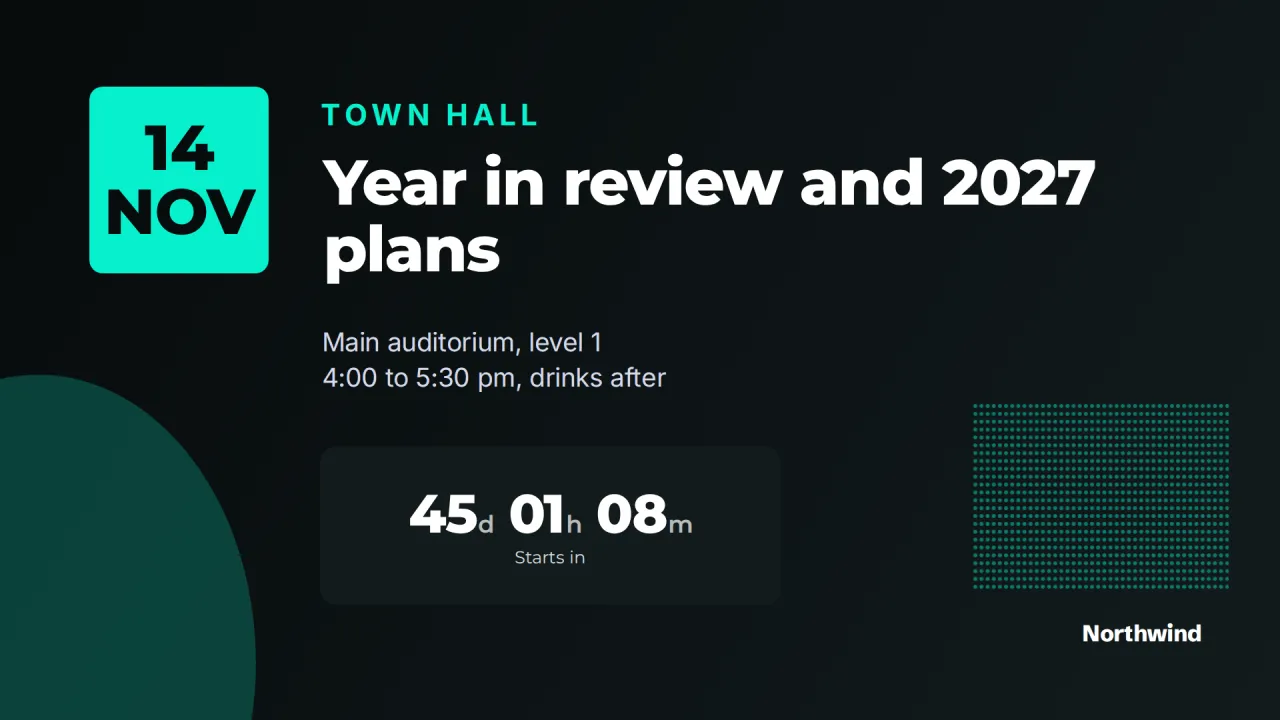
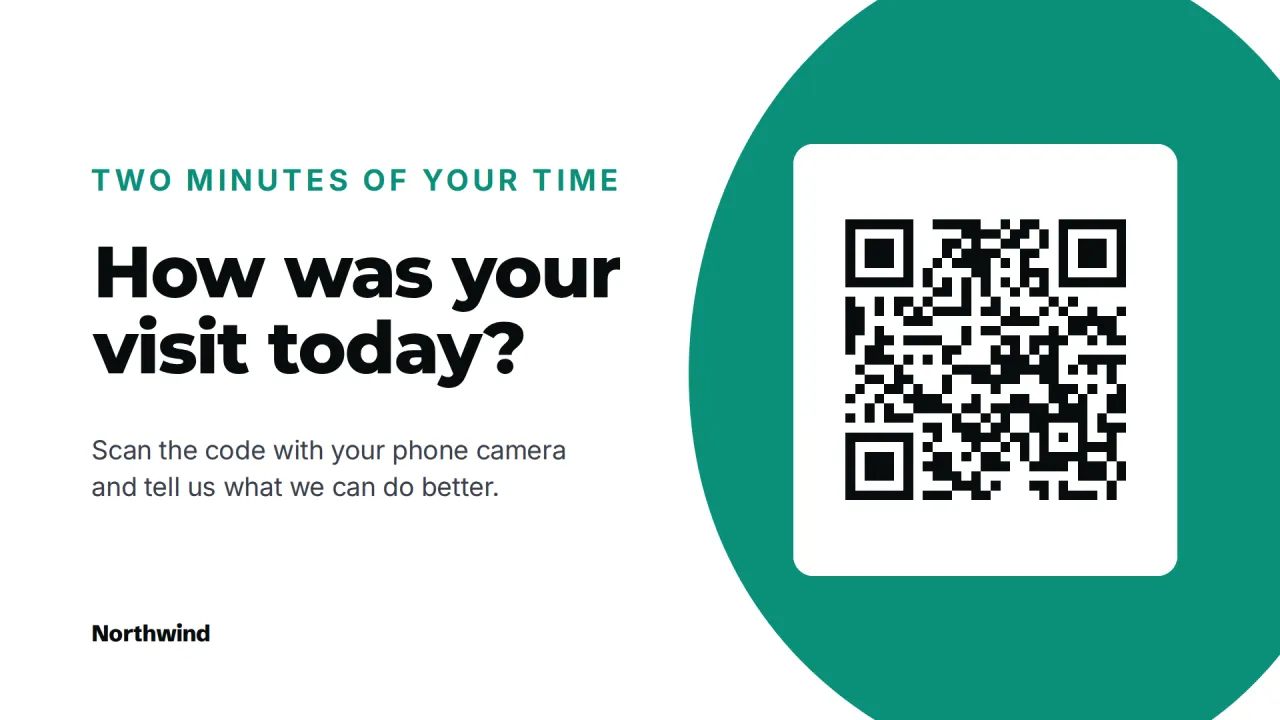
For events, Event spotlight shows the date, the title and a live countdown: quiz night, a tasting menu launch, the big match. Scan me puts a QR code on screen for reviews, a loyalty sign-up or the Wi-Fi password.
Several locations, one set of menus
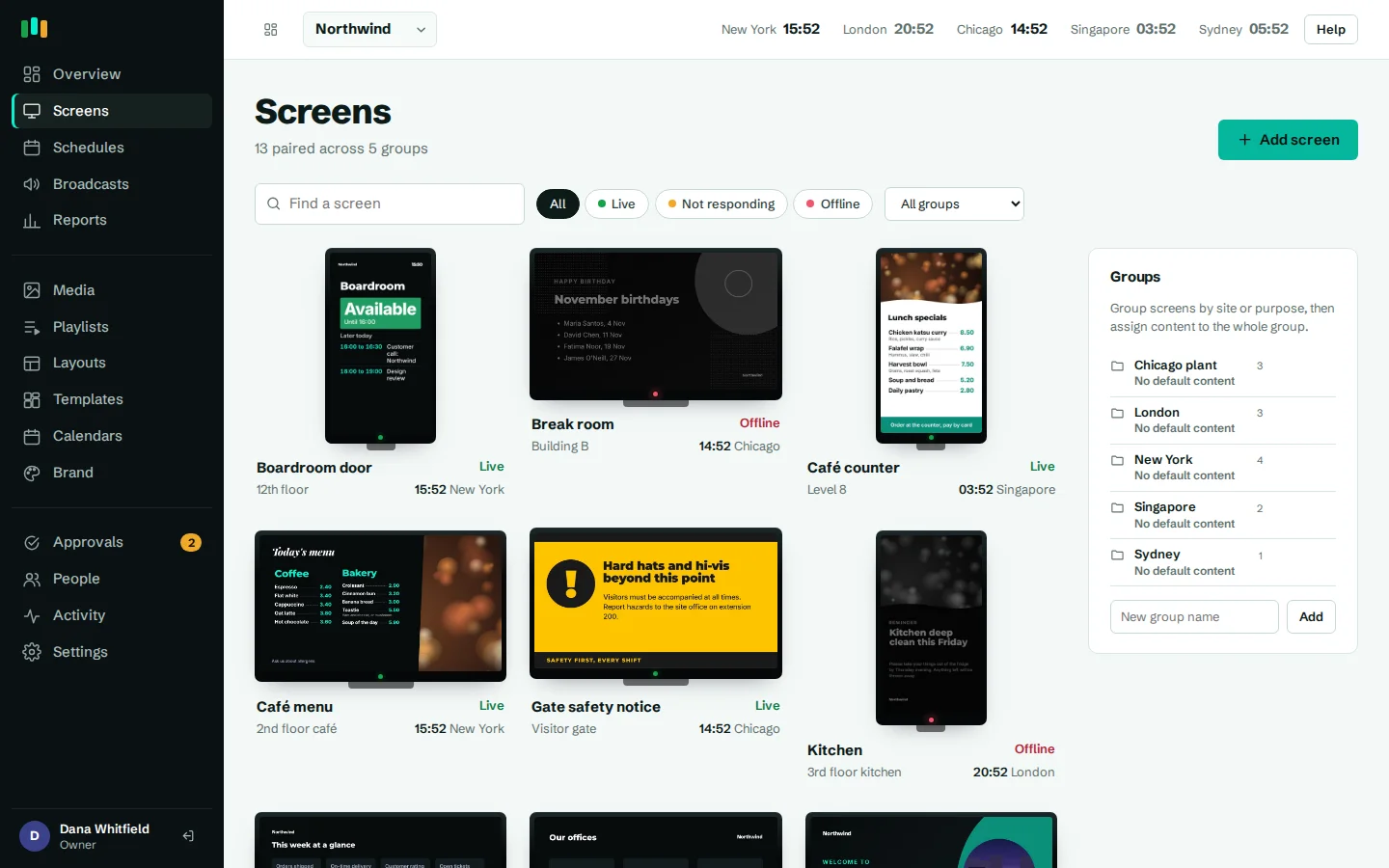
For a group of restaurants, put each site in a screen group, with sub-groups for counter, drive-through or bar screens if you need them. The standard menu sits on the top group. The airport site, with its own prices, gets its own copy of the layout on its group, which overrides the inherited one.
Give site managers the editor role and turn on approvals if brand or pricing changes need sign-off first. The activity log records who changed which price, and when.
Simple hardware and offline playback
Any Android TV, Google TV or Fire TV box behind the screen will do; see hardware. Menus, photos and fonts are cached on the box, so the boards keep showing through a Wi-Fi drop. Display hours turn screens off after close and wake them before opening, and an alert tells you if a screen goes offline during service.
Where the screens go
Over the counter
Two or three landscape menu boards that switch with each daypart.
Beside the till
A portrait price board for drinks, sides or add-ons.
Front window
Today's specials and opening hours for people walking past.
Bar
Happy hour offers and a countdown to tonight's event.
Staff area
Shift schedules, food safety reminders and team news behind the scenes.
Templates to start from
Built-in designs that take your logo, colors and fonts. Pick one, change the words, and assign it to screens.
Features used most in restaurants
- SchedulingPlan what plays by day, time and place, and let each screen follow its own local clock.
- Designer and templatesStart from a designed template or build your own layout, previewed exactly as the TV will show it.
- Content and playlistsUpload images, video, PDFs and slides, add web pages and streams, and play them in timed playlists.
- Brand kitSet your logos, colors and fonts once, and every template and screen follows them.
- Offline playbackScreens keep playing, and keep following their schedules, when the internet or the server is down.
Questions people ask
Can the menu change automatically between breakfast and lunch?
Yes. Create a schedule for each daypart with days and times. The screen switches on its own local time, even without internet.
Do menu boards work in portrait?
Yes. Set the screen's orientation to portrait and use a portrait layout such as the Price board template.
Does it sync prices from our POS?
No. Prices are edited in the menu widget in the browser. It takes a few seconds per change and applies to every screen using that layout.
Can each location have its own prices?
Yes. Give the location its own version of the menu layout on its screen group. Everything else can stay shared.
Related features
- SchedulingPlan what plays by day, time and place, and let each screen follow its own local clock.
- Designer and templatesStart from a designed template or build your own layout, previewed exactly as the TV will show it.
- Brand kitSet your logos, colors and fonts once, and every template and screen follows them.
- Offline playbackScreens keep playing, and keep following their schedules, when the internet or the server is down.
Put your first screen on in ten minutes
Try every feature free for 14 days. No card required. Pair a TV with a six-character code, pick a template, and it's live.