
Dashboards
Put live dashboards on the TVs where teams can see them
Your numbers already live in a web dashboard. CompleteVantage puts that page on a wall screen, keeps it fresh, and keeps its access key out of the admin and out of previews.
Keys stay secret
Access keys added as URL parameters or HTTP headers are masked after saving and sent only to screens.
Not blocked by frame rules
On Android, dashboards open in a native view, so pages that refuse to be framed still display.
Always current
Reload every minute, 5, 15 or 60 minutes so the numbers on the wall match the numbers on the desk.
Readable across a room
Zoom small dashboards up to 200% and wrap them in a branded frame with a clock and a ticker.
Display dashboards on TV without a spare PC
The usual way to show a dashboard on a TV is a small PC behind the screen, signed in to someone's account, with a browser that nobody remembers to refresh. It works until the session expires, an update reboots the PC, or someone closes the tab.
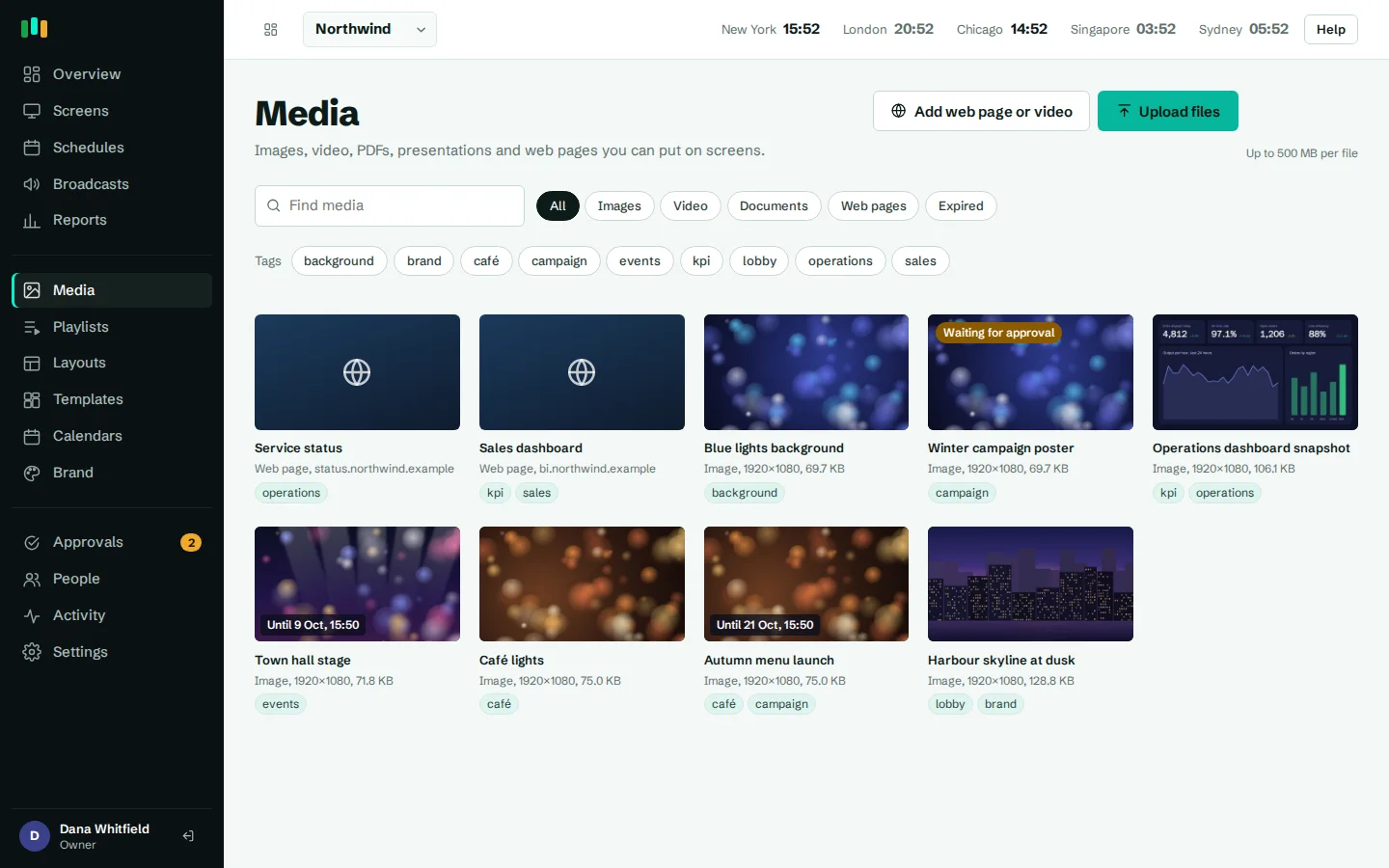
With CompleteVantage, the dashboard is a web page item in your media library. Assign it to a screen, put it in a playlist between other content, or place it in a zone of a layout. The same Android box or browser player that shows the rest of your signage shows the dashboard, and you manage it from the same admin.
Access keys, handled carefully
Many dashboard and reporting tools can share a read-only view through a secret link or a token. CompleteVantage lets you add that secret as an access key:
- a URL parameter, such as
?token=..., added to the address only when it is sent to a screen; - an HTTP header, such as an authorization header, sent by the Android app when it loads the page.
After you save, keys are masked. They are never shown in the admin again and never sent back to the browser, so a colleague with editor access can manage the dashboard without seeing the secret. Previews in the admin load the page without its keys. Only paired screens receive them. More on this in security.
- URL parameters for tokens in the address
- HTTP headers, sent by the Android app
- Masked after saving, never shown again
- Left out of every admin preview
Native overlays on Android, so framing rules can't block you
Many web apps send X-Frame-Options or a frame policy that stops them from loading inside another page. In a browser-based signage player, that means a blank rectangle.
The CompleteVantage Android app draws dashboards in a native web view placed over the player, instead of an iframe. Framing rules don't apply, HTTP headers can be sent, and the page still sits exactly in its zone. Screenshots and live view from the admin capture the full screen, dashboard included.
In the browser player, dashboards load in an iframe, so pages that forbid framing or need headers work best on Android screens.
KPI dashboard on TV screens, in your brand
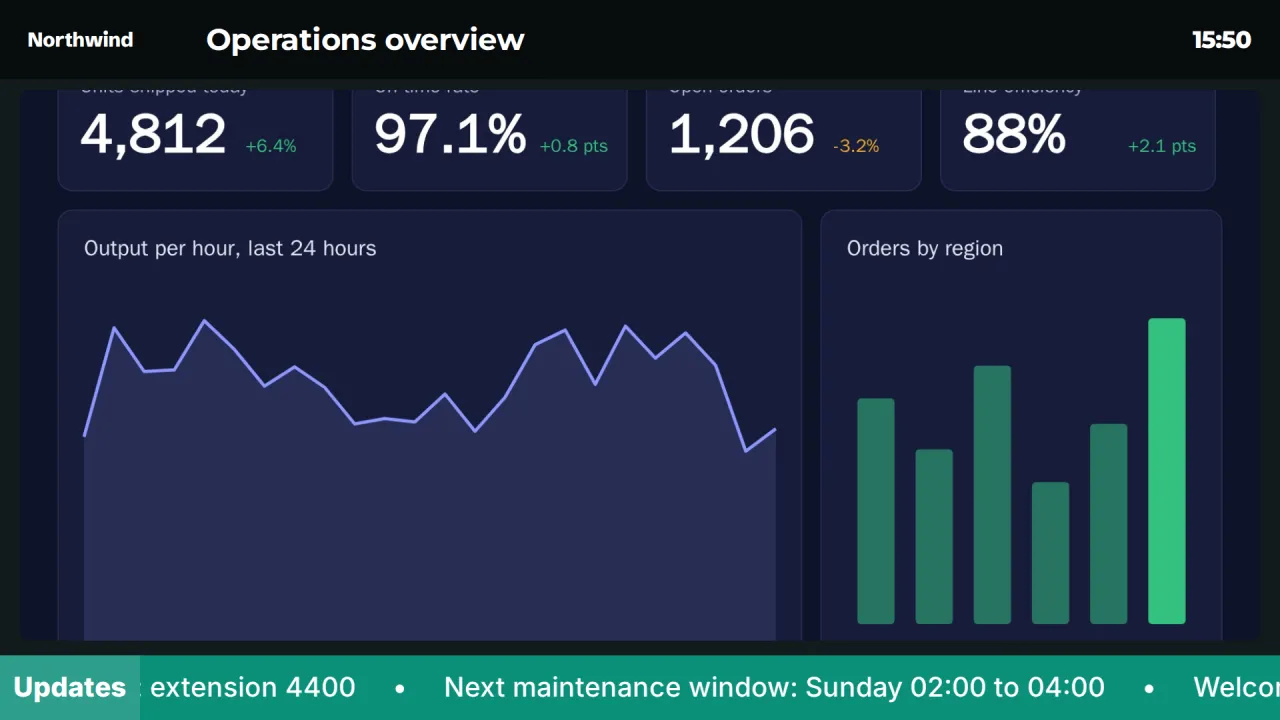
A raw dashboard on a wall can look like someone left a laptop open. The Dashboard frame template puts it inside a branded layout: your logo and a title across the top, a clock, the dashboard in the middle with rounded corners, and a ticker along the bottom for short updates such as "Service desk: extension 4400".
For simpler KPI screens, the Key numbers template shows four big numbers you type in yourself. Both use your brand kit and can be edited in the layout designer.
- Branded header with logo, title and clock
- Dashboard zone with rounded corners
- Ticker for short announcements
- Zoom from 50% to 200% to fit the TV
Keeping the numbers fresh
Set each dashboard to reload every minute, every 5, 15 or 60 minutes, or never, for pages that update themselves. Put dashboards on a schedule so the sales board shows during office hours and the lobby welcome takes over after 18:00.
Web pages need an internet connection. If a screen loses its connection, the rest of its content keeps playing from the local cache.
What works and what doesn't
Dashboards work well when the tool can share a view with a key in the URL or a header: many BI tools, monitoring and status pages, and internal web apps support this.
Dashboards that require an interactive sign-in, such as a Power BI report behind a Microsoft login, don't work directly, because nobody is at the TV to sign in. Use your tool's option for a public or key-based link where your policies allow it. If you're unsure whether your dashboard will work, contact us with the tool name.
Questions people ask
Can I show a Power BI report?
Only through a link that works without an interactive sign-in, such as one that accepts a key in the URL or a header. Reports that need someone to sign in with a Microsoft account are not supported.
Why is my dashboard blank in the browser player but fine on Android?
The page probably blocks framing, or needs an HTTP header. The Android app shows dashboards in a native view that avoids both; browsers can't.
Can other admins see our dashboard token?
No. Access keys are masked after saving and never sent back to the admin. Leave a value blank when editing to keep the saved one.
The time on my dashboard is wrong. Why?
Web pages use the TV box's own time zone. On device-owner boxes the app sets it to the screen's time zone automatically; otherwise set it in the box's date and time settings. See screens and devices.
Can a dashboard share the screen with other content?
Yes. Place it in one zone of a layout, next to a clock, news ticker or announcements, or rotate it in a playlist.
Related features
- Designer and templatesStart from a designed template or build your own layout, previewed exactly as the TV will show it.
- Content and playlistsUpload images, video, PDFs and slides, add web pages and streams, and play them in timed playlists.
- SchedulingPlan what plays by day, time and place, and let each screen follow its own local clock.
- Screens and devicesPair a TV with a six-character code, see every screen live and fix problems without a site visit.
Put your first screen on in ten minutes
Try every feature free for 14 days. No card required. Pair a TV with a six-character code, pick a template, and it's live.