
Hotels and venues
Hotel digital signage for guests, groups and conferences
Welcome guests in the lobby, show today's events outside every function room and point people the right way. CompleteVantage lets the front desk and the events team update screens from a browser, on the hotel's own local time.
Event boards from calendars
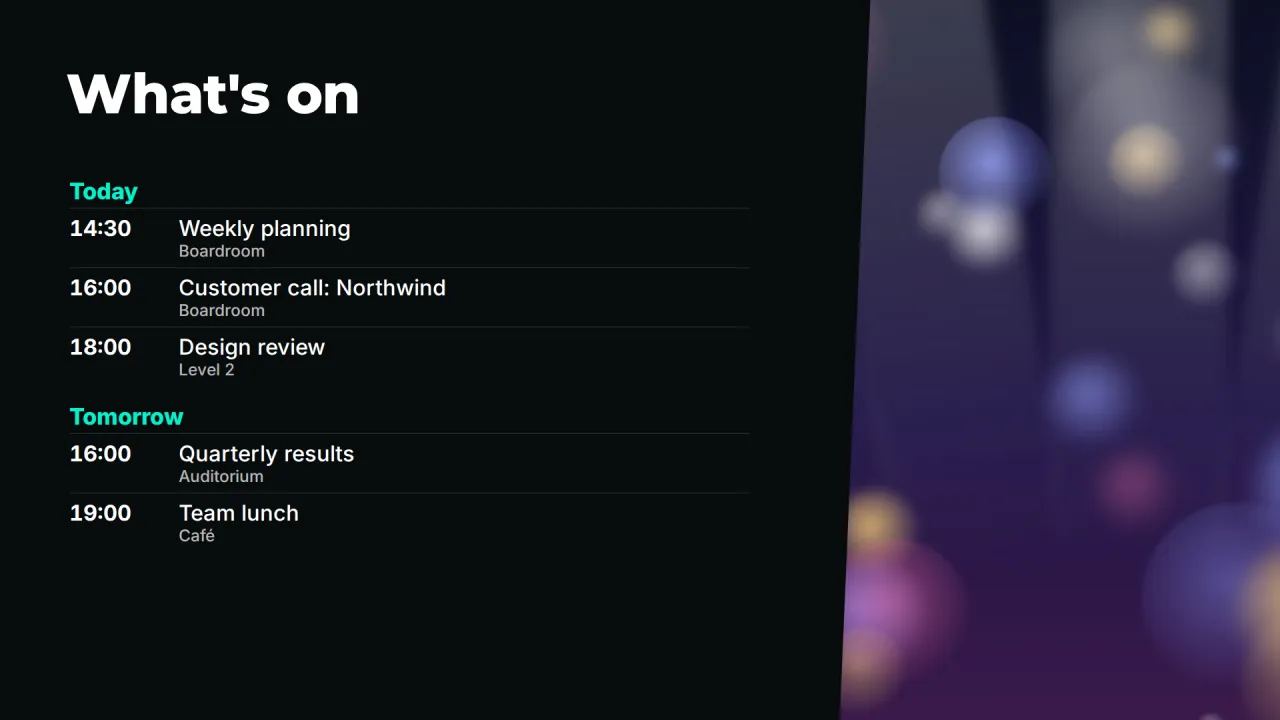
Point a screen at an iCal link and it lists what is on today, in which room, with no retyping.
Local time and weather
Clock and weather widgets for the hotel's city, useful for guests heading out.
Many properties, one admin
Group screens by hotel, floor and area, with brand standards set once for the group.
A lobby welcome that feels like the property
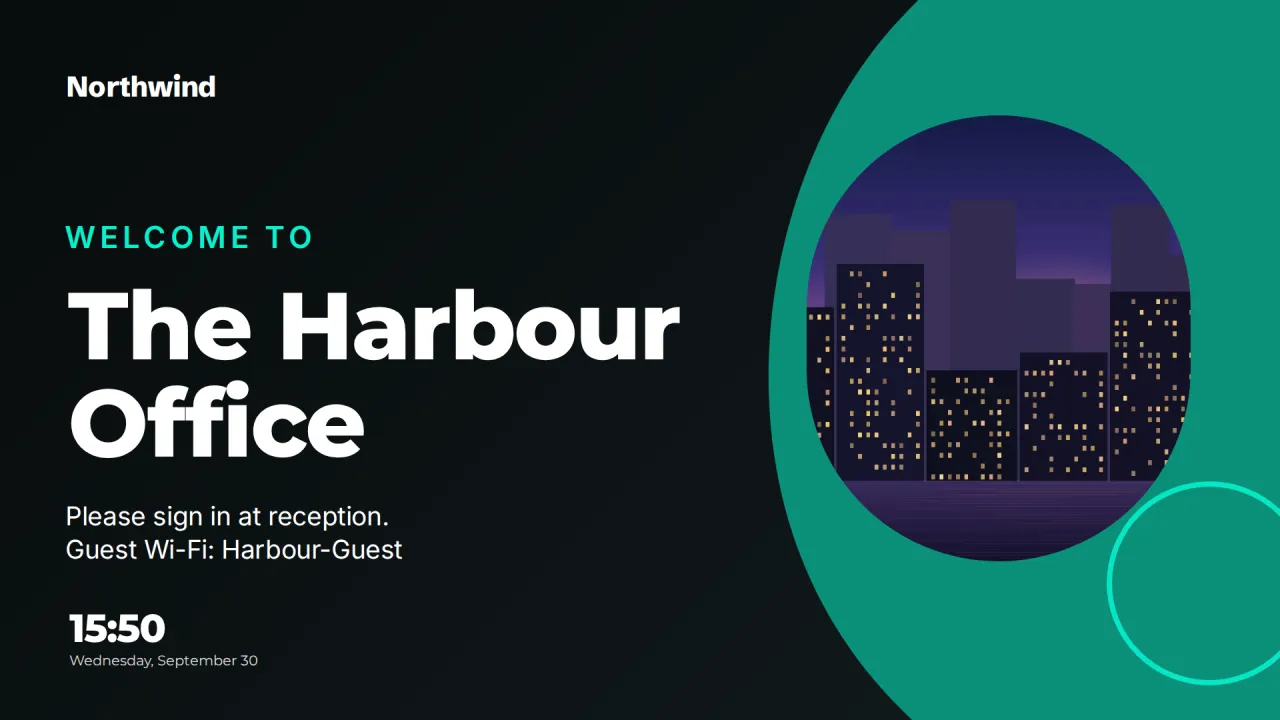
Guests read the lobby screen while they wait to check in. Make it about them: the Lobby welcome template shows your logo, a photo of the hotel and the time. News, weather and time adds today's forecast and a ticker, handy for guests deciding whether to take an umbrella. When a group arrives, Today's visitors greets them by name: "Welcome, delegates of the Northern Dental Congress".
Each hotel's brand kit holds its logos, colors and fonts, so a boutique property and a business hotel in the same group can each look like themselves while sharing templates.
Event and conference agendas that update themselves
Conference and banqueting teams already keep a calendar of what is in which room. Publish that calendar as an iCal link from Outlook or Google, add it on the Calendars page, and the What's on template lists today's and the coming days' events in the lobby. The server fetches the calendar every few minutes; the link itself never reaches the screen.
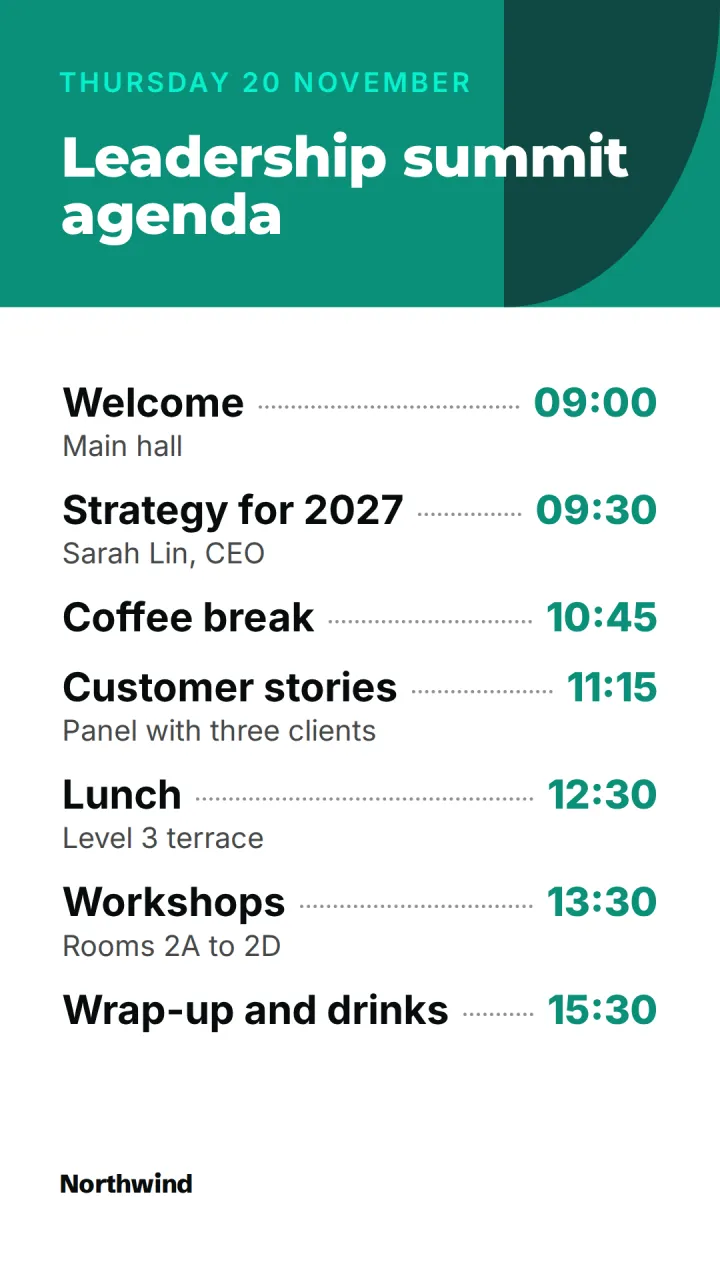
Outside each function room, the Room door panel shows whether the room is in use, until when, and what is next. For a single big event, the portrait Agenda template gives the running order of a conference or training day, and Event spotlight counts down to the keynote or gala dinner.
- Calendars through iCal links, refreshed every 5 minutes
- Recurring events and time zone changes handled
- Private events show as "Busy"
- Room status: available or in use, and until when
Wayfinding for ballrooms, spas and car parks
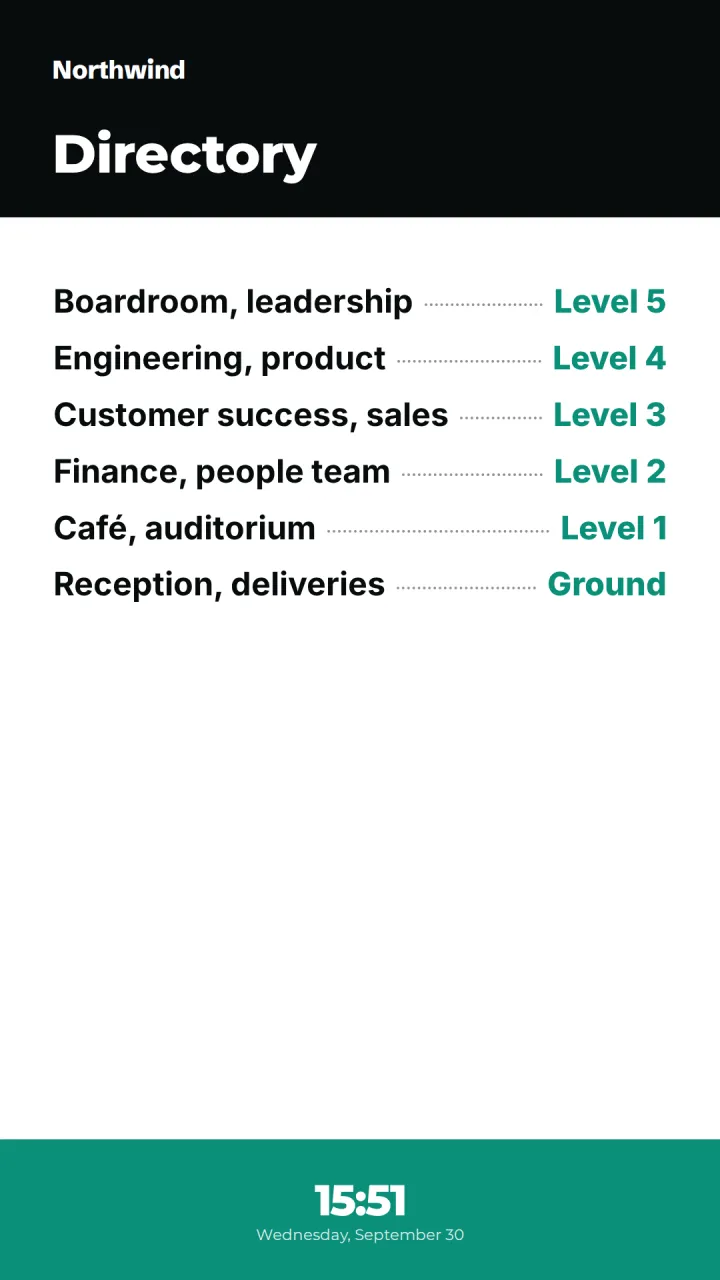
Large hotels confuse people. A portrait Building directory by the lifts lists floors, function rooms, the spa, the gym and the business center. Set the screen's orientation to portrait and the layout fills it properly. On event days, schedule a version that directs delegates to the registration desk, then let it revert at 18:00.
Hotel digital signage by time of day
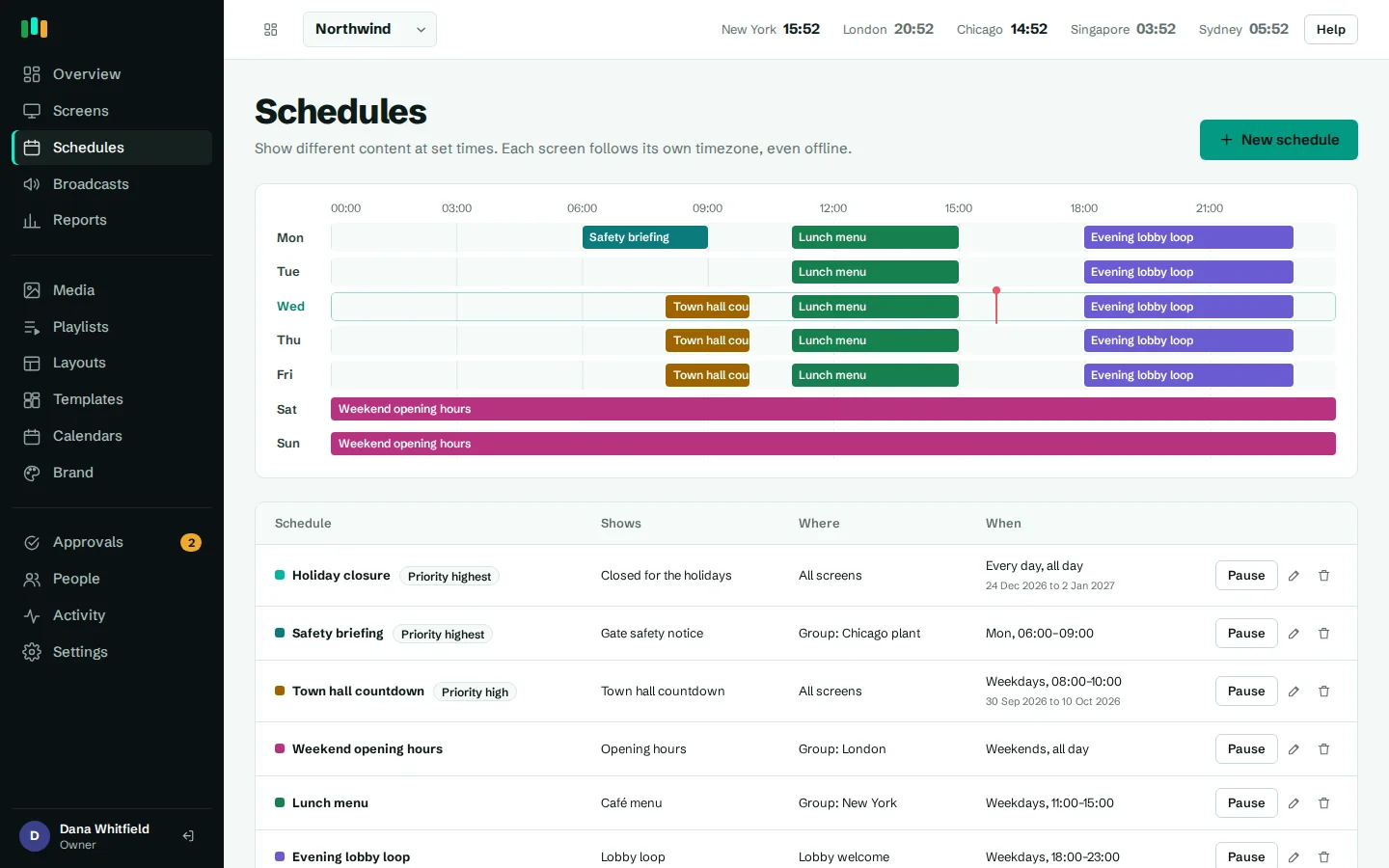
What guests need changes through the day. With scheduling, the lobby can show breakfast times and restaurant opening until 10:30, local attractions and the spa in the afternoon, and the bar and dinner menu from 17:00. The restaurant's own screen can use the menu widget for the day's prices. Schedules run on each screen in its local time zone, so a group with hotels in Lisbon and Chicago uses one schedule for both.
Seasonal content, such as a New Year's Eve package, can carry "show from" and "show until" dates and removes itself when the offer ends.
Staff screens and emergency messages
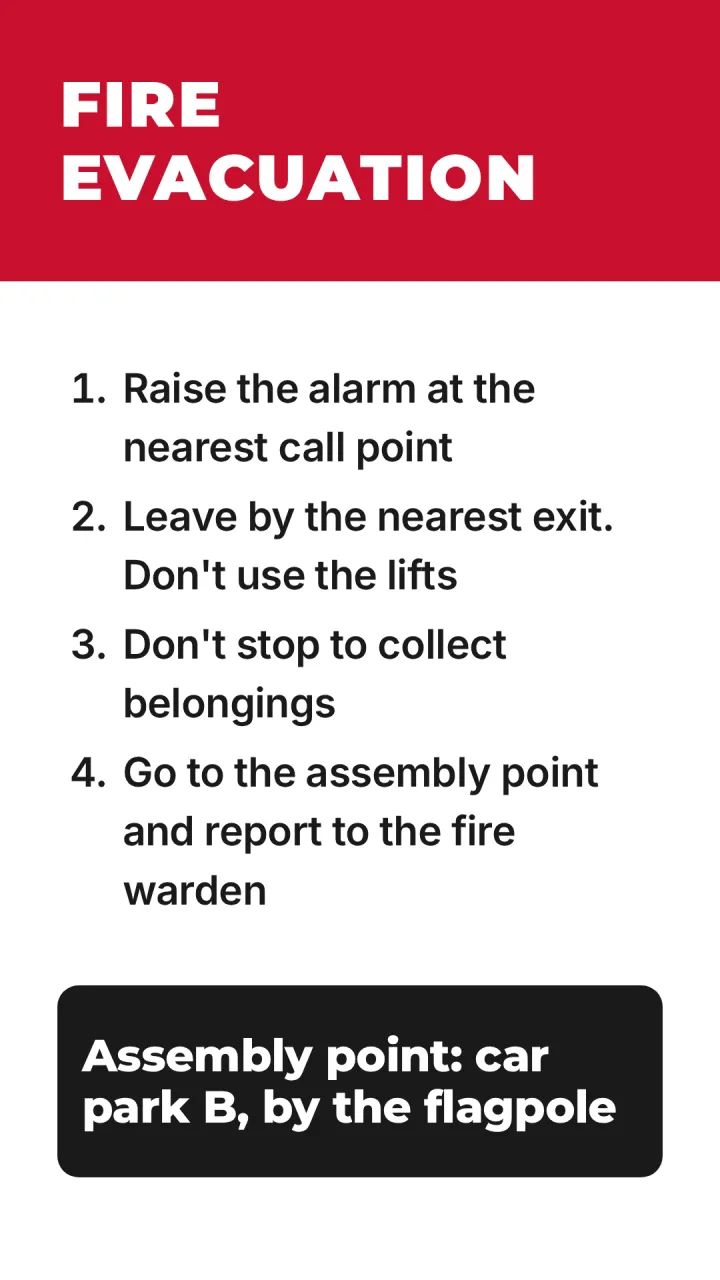
Back-of-house screens keep housekeeping, kitchen and front desk teams informed: shift notes, birthdays and service anniversaries, and We're hiring for referrals. If something goes wrong, an emergency broadcast takes over every screen in the hotel, one floor's group, or a single screen at once, with a red, amber, blue or green style. The In an emergency template shows evacuation steps and the assembly point in high-contrast red and white.
Easy on the engineering team
Screens run on Android TV, Google TV or Fire TV boxes, paired with a six-character code. Media is cached on each box, so a busy guest network does not interrupt playback. Display hours switch screens off overnight, live status and on-demand screenshots show what each screen is displaying, and offline alerts can go to the engineering team's email, Teams or Slack. See hardware.
Where the screens go
Lobby
Welcome, local time, the weather and what's on today.
Function room doors
Today's events for that room, from the banqueting calendar.
Lift lobbies
A portrait directory of floors, rooms and facilities.
Conference foyer
The day's agenda and a countdown to the next session.
Back of house
Shift notes, team recognition and safety information.
Templates to start from
Built-in designs that take your logo, colors and fonts. Pick one, change the words, and assign it to screens.
Features used most in hotels
- Meeting roomsShow who has a room, until when and what is next, straight from the calendar you already use.
- SchedulingPlan what plays by day, time and place, and let each screen follow its own local clock.
- Designer and templatesStart from a designed template or build your own layout, previewed exactly as the TV will show it.
- Brand kitSet your logos, colors and fonts once, and every template and screen follows them.
- Emergency broadcastsTake over every screen, a building or one TV with an urgent message in about 30 seconds.
Questions people ask
Can event boards pull from our sales and catering system?
If your system can publish an iCal (ICS) calendar link, yes. Otherwise events can be typed into a template in the designer.
Can we run screens for several hotels with different brands?
Yes. Each organization has its own brand kit, and within one organization you can group screens by property. Ask us about multi-brand setups on the contact page.
Can guests interact with the screens?
Screens are display-only. Use a QR code widget or the Scan me template to send guests to a web page, a feedback form or the Wi-Fi details.
Can banqueting staff update the screens without breaking anything?
Give them the editor role. With approvals turned on, their changes wait for an admin before going live.
Related features
- Meeting roomsShow who has a room, until when and what is next, straight from the calendar you already use.
- SchedulingPlan what plays by day, time and place, and let each screen follow its own local clock.
- Emergency broadcastsTake over every screen, a building or one TV with an urgent message in about 30 seconds.
- Brand kitSet your logos, colors and fonts once, and every template and screen follows them.
Put your first screen on in ten minutes
Try every feature free for 14 days. No card required. Pair a TV with a six-character code, pick a template, and it's live.