
Offices
Office digital signage that keeps every site on the same page
Put company news, visitor welcomes, room bookings and live numbers on the TVs you already have. CompleteVantage runs them from one admin, and each office follows its own local clock.
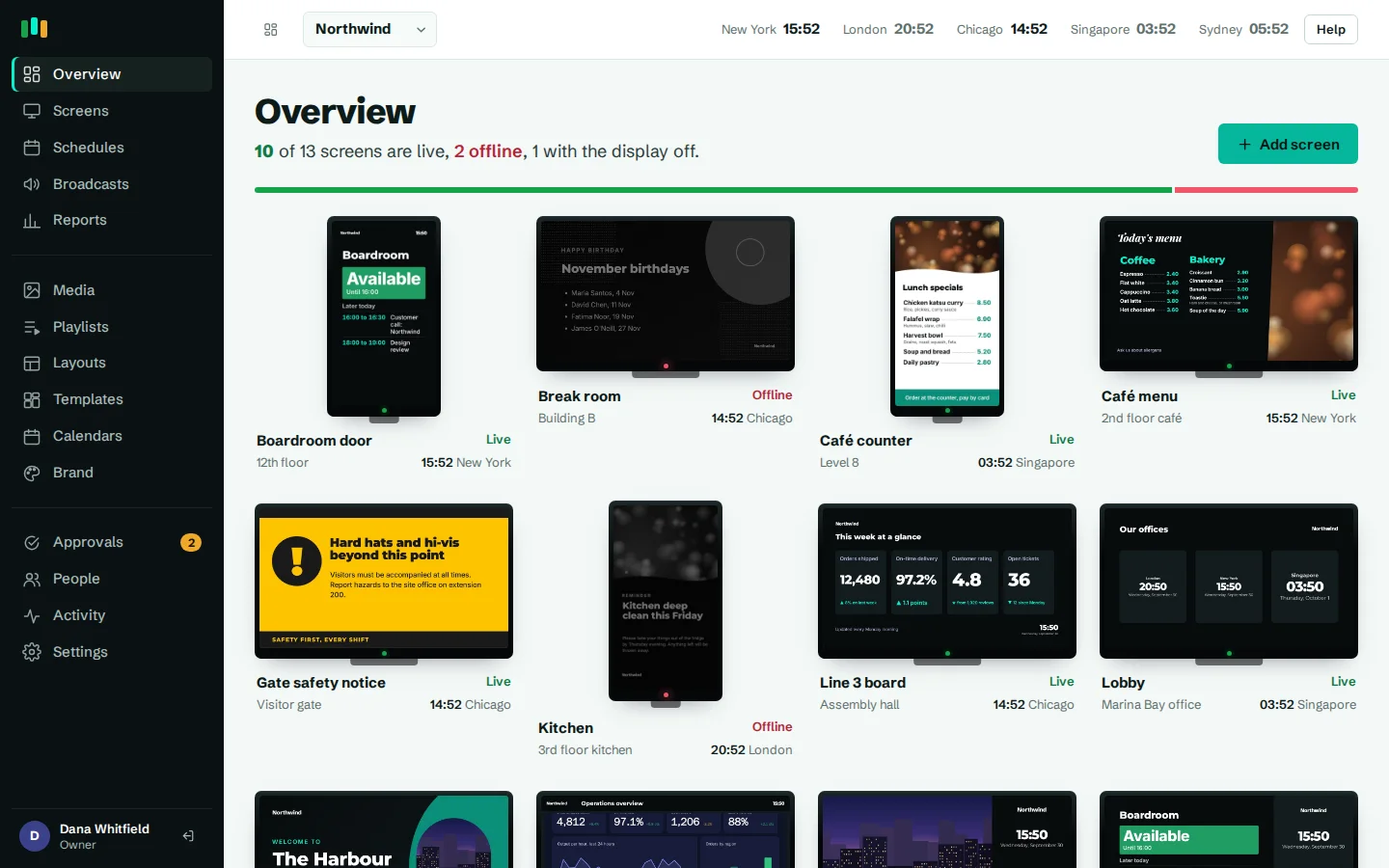
One admin, many offices
Group screens by country, building and floor. Head office sets the defaults and each site adds its own content on top.
Room signs from your calendars
Point a screen at a room's iCal link and it shows Available or In use, with the next meetings for the day.
Live KPIs on the wall
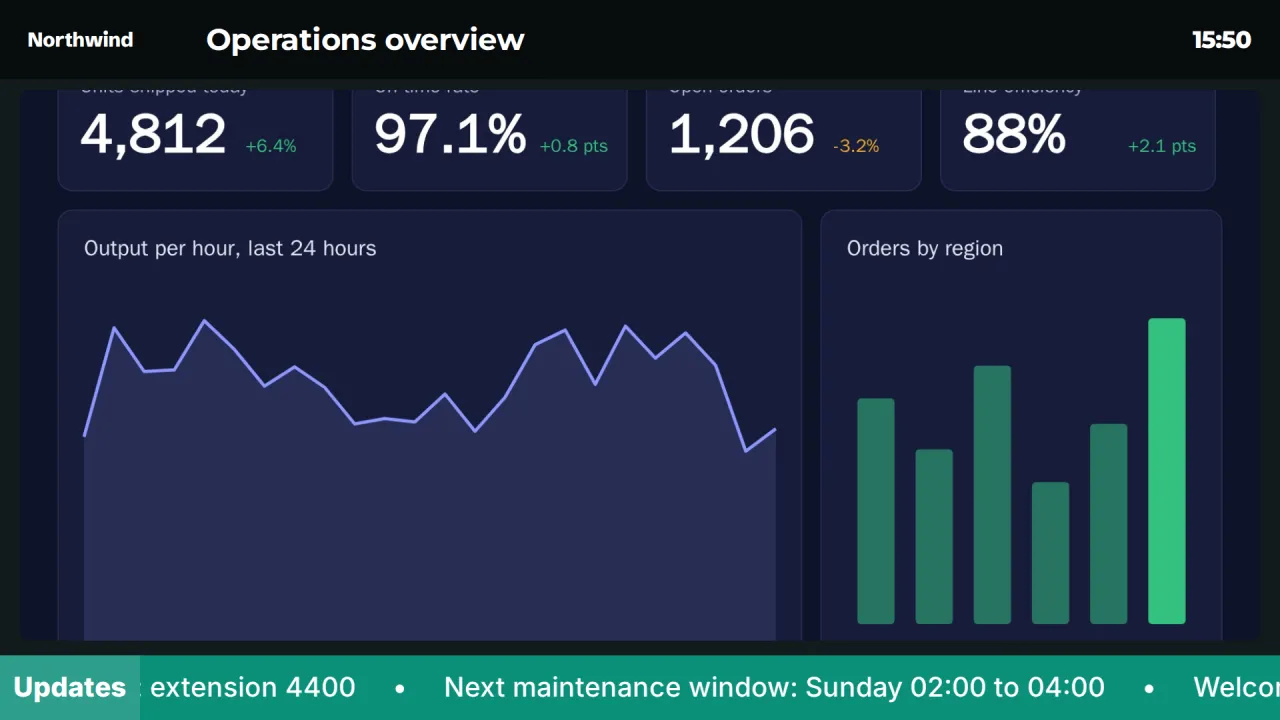
Show a web dashboard full screen or inside a branded frame, with the time and a news line along the bottom.
Local time everywhere
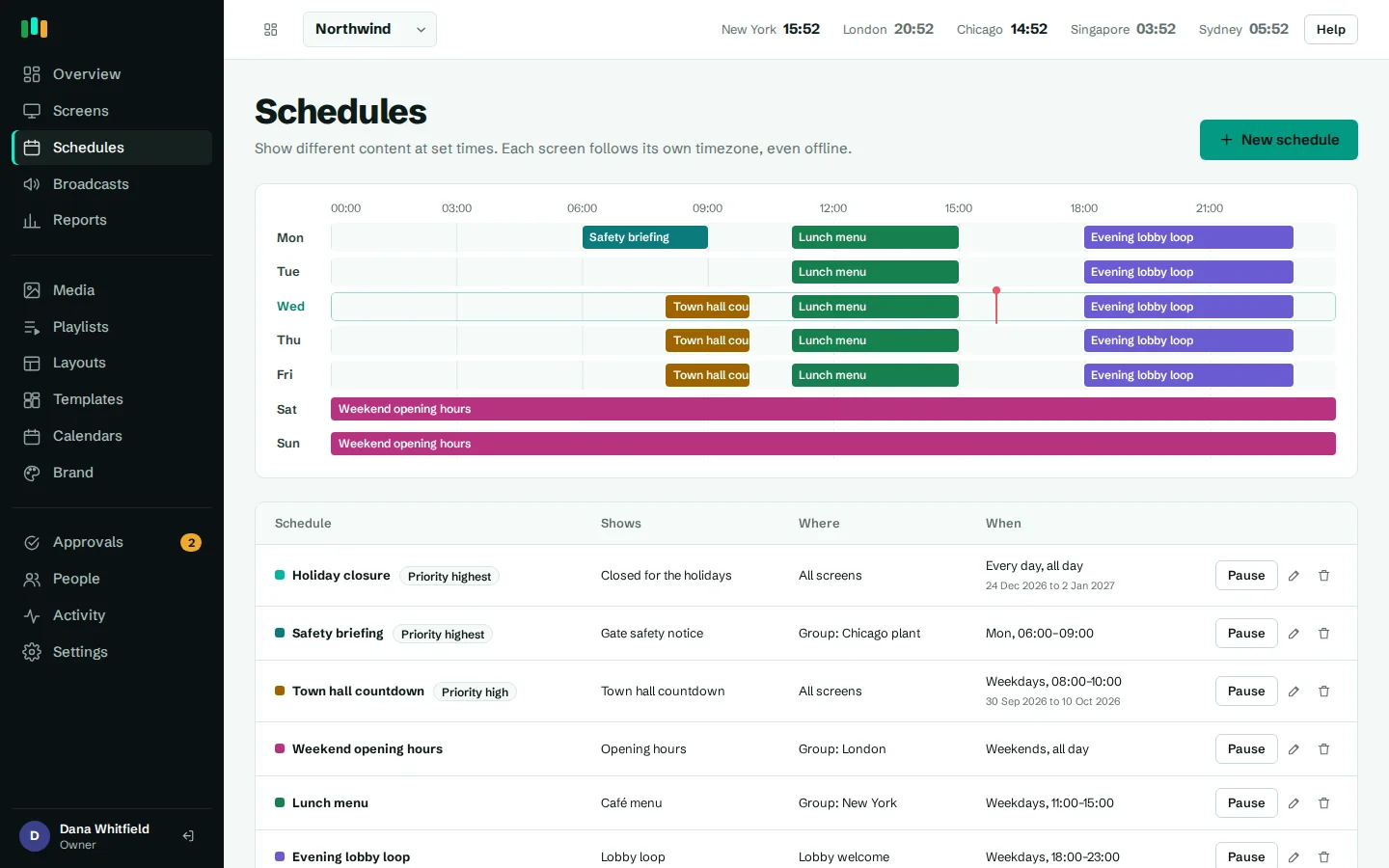
Schedules run on each screen in its own timezone, so the London lobby and the Singapore lobby both switch at 9:00.
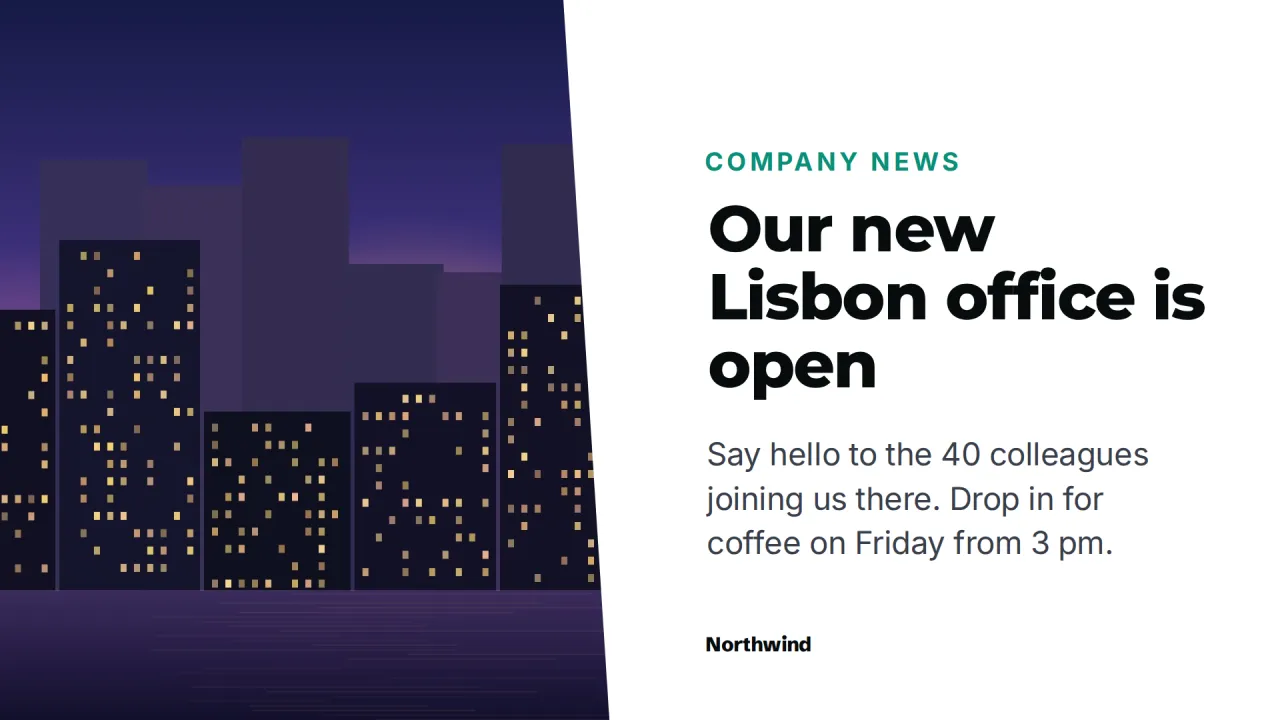
Internal communications people actually see
Email newsletters get skimmed. A screen by the coffee machine gets read every time someone waits for the kettle. Office digital signage works best when it is short, current and local: this week's all-hands, the new expense tool going live on Monday, a welcome for the three people who started today.
With CompleteVantage, internal comms builds that content once and sends it where it belongs. A Big announcement template carries one message and a QR code for the details. Photo and message suits product launches and team news. A tall Notice board fits beside lifts and kitchen doors. Every one of them picks up your brand kit, so the Berlin office and the Toronto office look like the same company without anyone touching a color picker.
Give each item a "show from" and "show until" date, and it appears and disappears on time. Nobody has to remember to take down last month's town hall poster.
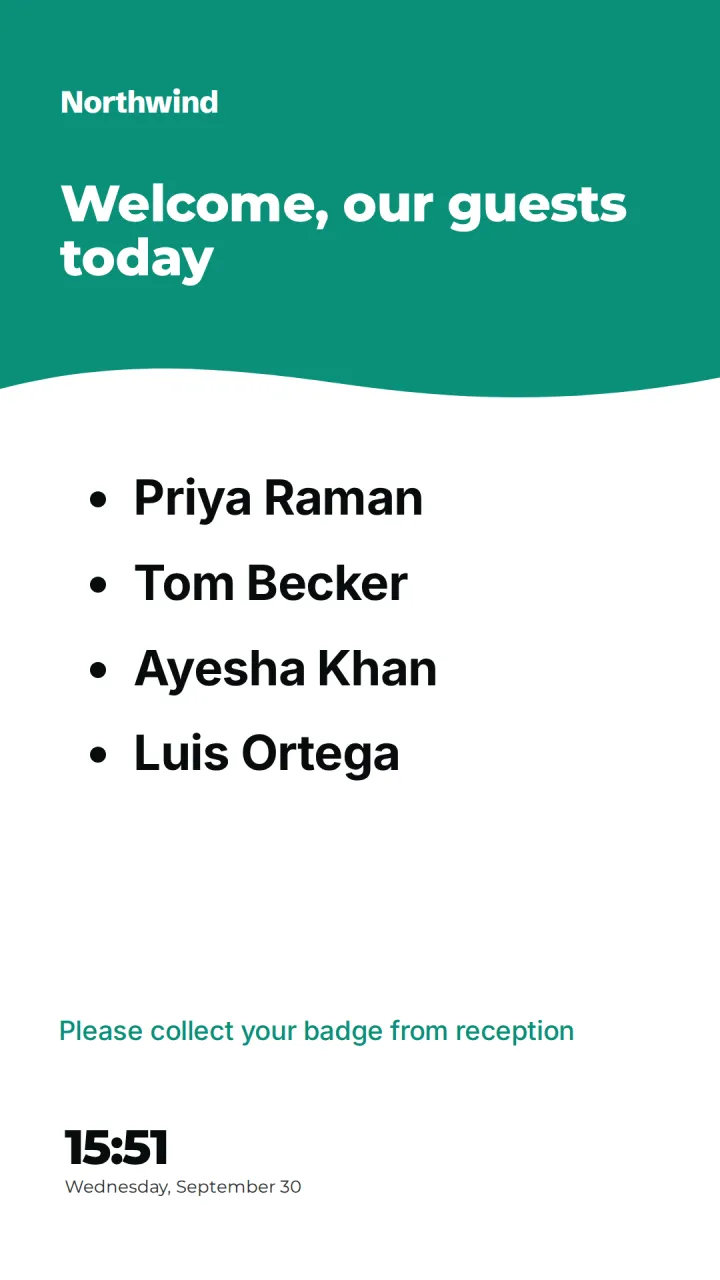
Reception and lobby screens that greet visitors
The lobby screen is the first thing a visitor sees. Use the Lobby welcome template for your logo, a photo of the building and the time, or Today's visitors to greet named guests. Reception edits the list each morning in the browser; the screen updates within moments.
Add the weather and a news ticker with News, weather and time, or a Building directory on a portrait screen by the lifts so visitors find the fourth floor without asking.
- Greet guests by name, edited from any browser
- Portrait directory screens for lifts and stairwells
- Time and weather for the screen's own city
- Photo zones stay blank on screen until you add a picture
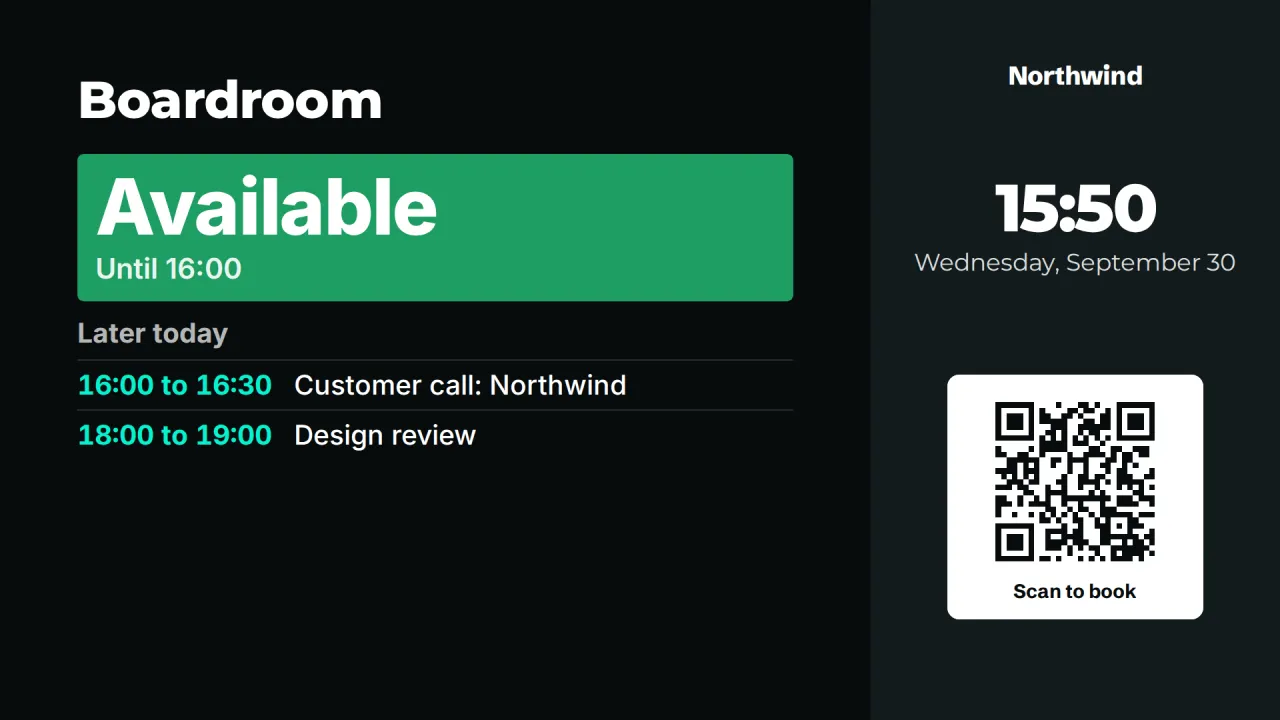
Meeting room signs without new hardware
Any Android TV box or small tablet by the door can become a room sign. Publish the room's calendar from Outlook or Google as an iCal link, add it on the Calendars page, and choose it in the Meeting room or Room door panel template. The screen shows whether the room is free, until when, and what is booked later today. Private meetings show as "Busy".
The link is fetched by the server and never reaches the screen. A What's on board in the lobby can list the next few days of bookings or training sessions from a team calendar. See meeting room signage for the details.
KPI and sales dashboards on the office wall
Sales floors, support teams and operations rooms want their numbers visible. Add a dashboard as a web page, with an access key sent as a URL parameter or HTTP header if it needs one. Keys are masked in the admin and only sent to screens. On Android, dashboards open in a native web view, so sites that refuse to be framed still display.
Show the dashboard full screen, or place it in the Dashboard frame template with the time and a news line. For figures that change weekly, the Key numbers template shows four big numbers you type in. More in dashboards.
Running office signage across worldwide locations
Multi-site companies need two things at once: central control and local freedom. Nested screen groups give you both. Put a default playlist on "All offices", then let "UK / London / Floor 3" add a local playlist for its own events. Schedules target all screens, a group or one screen, with days, times, date ranges and priority.
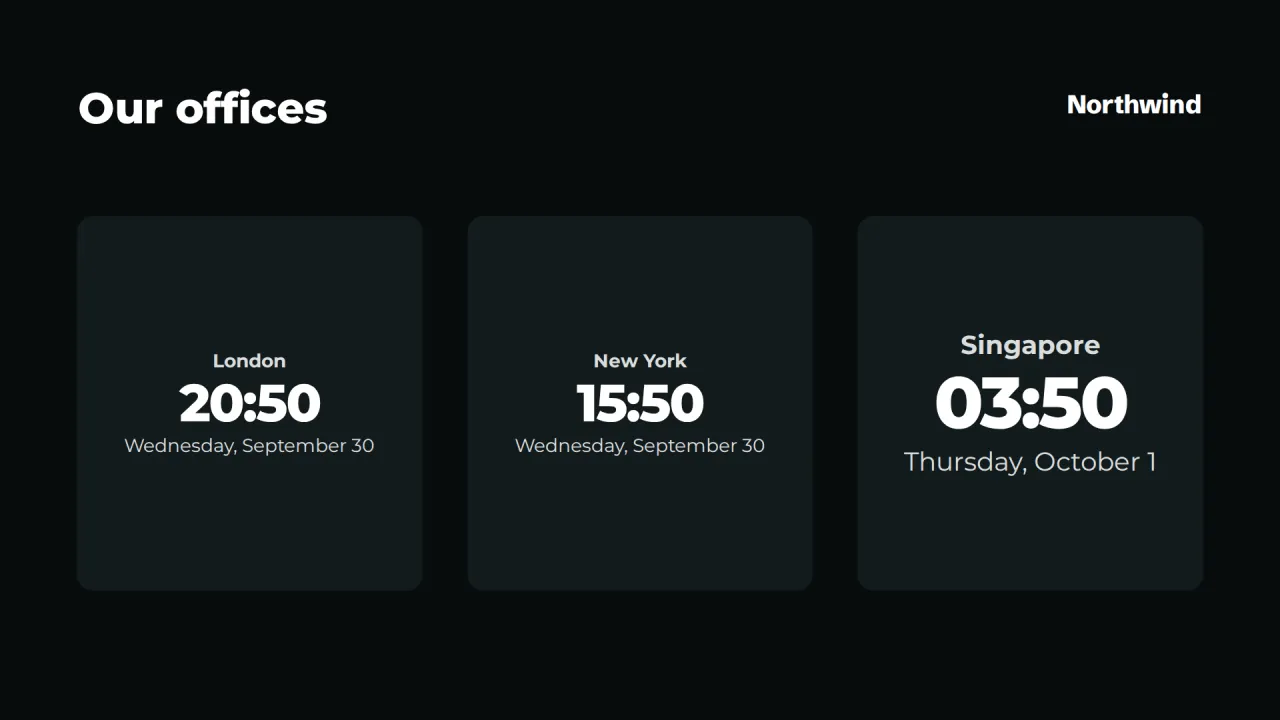
Each screen has its own timezone, and schedules are evaluated on the player, so a lunch-and-learn slide appears at 12:00 in Sydney and 12:00 in Chicago from the same schedule. World clocks show the time where your teams are, which helps anyone booking a call across regions.
When something urgent happens, an emergency broadcast takes over every screen, one group or one screen straight away, in red, amber, blue or green, for a set time or until you end it.
Who runs it, and how
Typically internal comms owns the company-wide playlist, office managers look after their own lobby, and IT handles pairing and hardware. Roles keep that tidy: owners and admins manage everything, editors create content, viewers can look but not change. Turn on approvals and editors' changes wait for an admin before they reach screens. The activity log records who changed what.
IT gets live status for every screen, a screenshot on demand, remote reload and restart, and alerts by email, Teams, Slack or webhook when a screen goes offline.
- Owner, admin, editor and viewer roles
- Optional approval before editors' changes go live
- Display hours turn screens off at night and on in the morning
- Offline alerts to Teams, Slack, email or a webhook
Where the screens go
Reception
Welcome named visitors, show the time and weather, and put your brand front and center.
Meeting room doors
Free or in use at a glance, with today's bookings from the room's calendar.
Kitchen and break areas
Company news, birthdays, new starters and the next town hall.
Sales and support floors
Live dashboards and weekly numbers where the team can see them.
Lift lobbies
A portrait building directory with floors, teams and rooms.
Templates to start from
Built-in designs that take your logo, colors and fonts. Pick one, change the words, and assign it to screens.
Features used most in offices
- Meeting roomsShow who has a room, until when and what is next, straight from the calendar you already use.
- DashboardsShow live web dashboards and KPI reports on TVs, with access keys kept out of sight.
- SchedulingPlan what plays by day, time and place, and let each screen follow its own local clock.
- Emergency broadcastsTake over every screen, a building or one TV with an urgent message in about 30 seconds.
- Brand kitSet your logos, colors and fonts once, and every template and screen follows them.
- Team and approvalsGive each person the right access, and have an admin check editors' changes before they reach screens.
Questions people ask
Can we use the TVs already in our meeting rooms and lobbies?
Yes, if you add an Android TV, Google TV, Fire TV or other Android 5+ box, or run the player in a web browser. See hardware for what works well.
Does it connect to Microsoft 365 or Google Calendar?
It reads calendars through their iCal (ICS) links: Outlook's "Publish calendar" link or Google's secret address. Direct Microsoft 365 or Google sign-in is not available.
How do we stop one office changing another office's screens?
Use groups for each site and give people the editor role for content, with approvals turned on if you want an admin to check changes before they go live. Every change is in the activity log.
What happens if an office loses its internet connection?
Screens keep playing from their local cache, schedules keep running on local time, and plays are uploaded when the connection returns. Live web dashboards and streams need internet. More on offline playback.
Can we show Power BI or other BI dashboards?
Dashboards that can be opened with a URL key or a request header work. Dashboards that require an interactive sign-in on the screen are not supported.
Related features
- Meeting roomsShow who has a room, until when and what is next, straight from the calendar you already use.
- DashboardsShow live web dashboards and KPI reports on TVs, with access keys kept out of sight.
- Emergency broadcastsTake over every screen, a building or one TV with an urgent message in about 30 seconds.
- Team and approvalsGive each person the right access, and have an admin check editors' changes before they reach screens.
Put your first screen on in ten minutes
Try every feature free for 14 days. No card required. Pair a TV with a six-character code, pick a template, and it's live.