
As a partner, your clients see your brand instead of ours. This article covers what can be branded and how to set up your own web address.
What you can brand
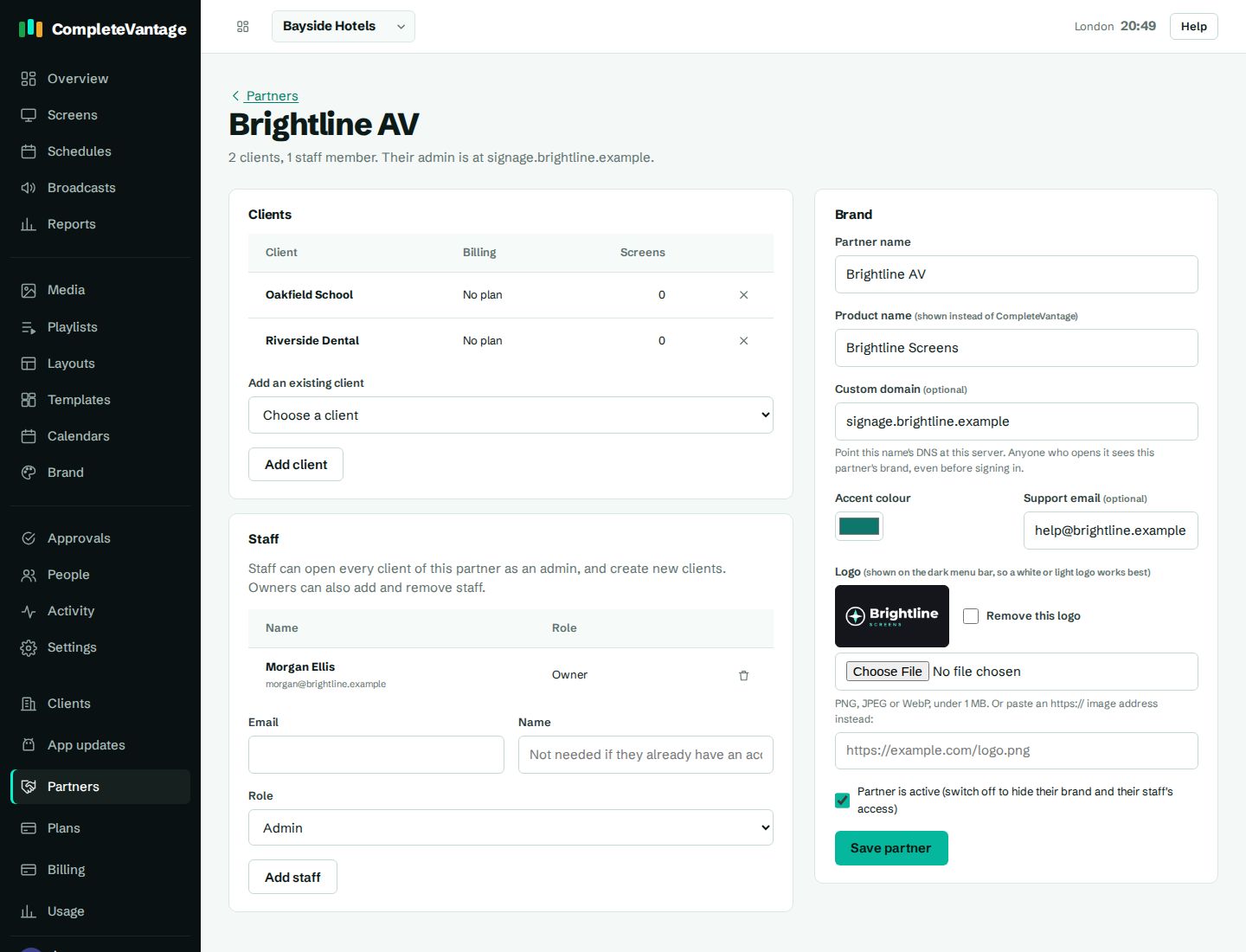
| Setting | What it does |
|---|---|
| Partner name | Your company name, used in our records and on your client list. |
| Product name | Replaces "CompleteVantage" in the menu, browser tab, sign-in page and alert emails, for example "Brightline Screens". Up to 60 characters. |
| Custom domain | Your own sign-in address, for example signage.brightline.example. Optional. |
| Accent colour | Your colour for buttons and highlights. We adjust it slightly if needed so text stays readable in light and dark mode. |
| Support email | Where your clients can reach you. Optional. |
| Logo | Shown at the top of the menu, which is dark, so a white or light logo works best. PNG, JPEG or WebP under 1 MB, or an https:// image address. |
The brand applies to all your clients. It's different from each client's own Brand kit, which styles what plays on their screens. See Set up your brand.
Set up a custom domain
A custom domain lets your clients open CompleteVantage at your address. Anyone who opens it sees your brand, even before they sign in.
- Choose a name on a domain you own, for example
signage.brightline.example. - In your domain's DNS settings, add a record that points that name at the CompleteVantage server. We'll tell you the exact record (usually a CNAME).
- Send us the name, or enter it in Custom domain on your partner page and select Save partner. Enter just the name, without
https://or a path. - Wait for DNS to update, which can take up to a few hours. We set up the secure certificate for it.
- Open
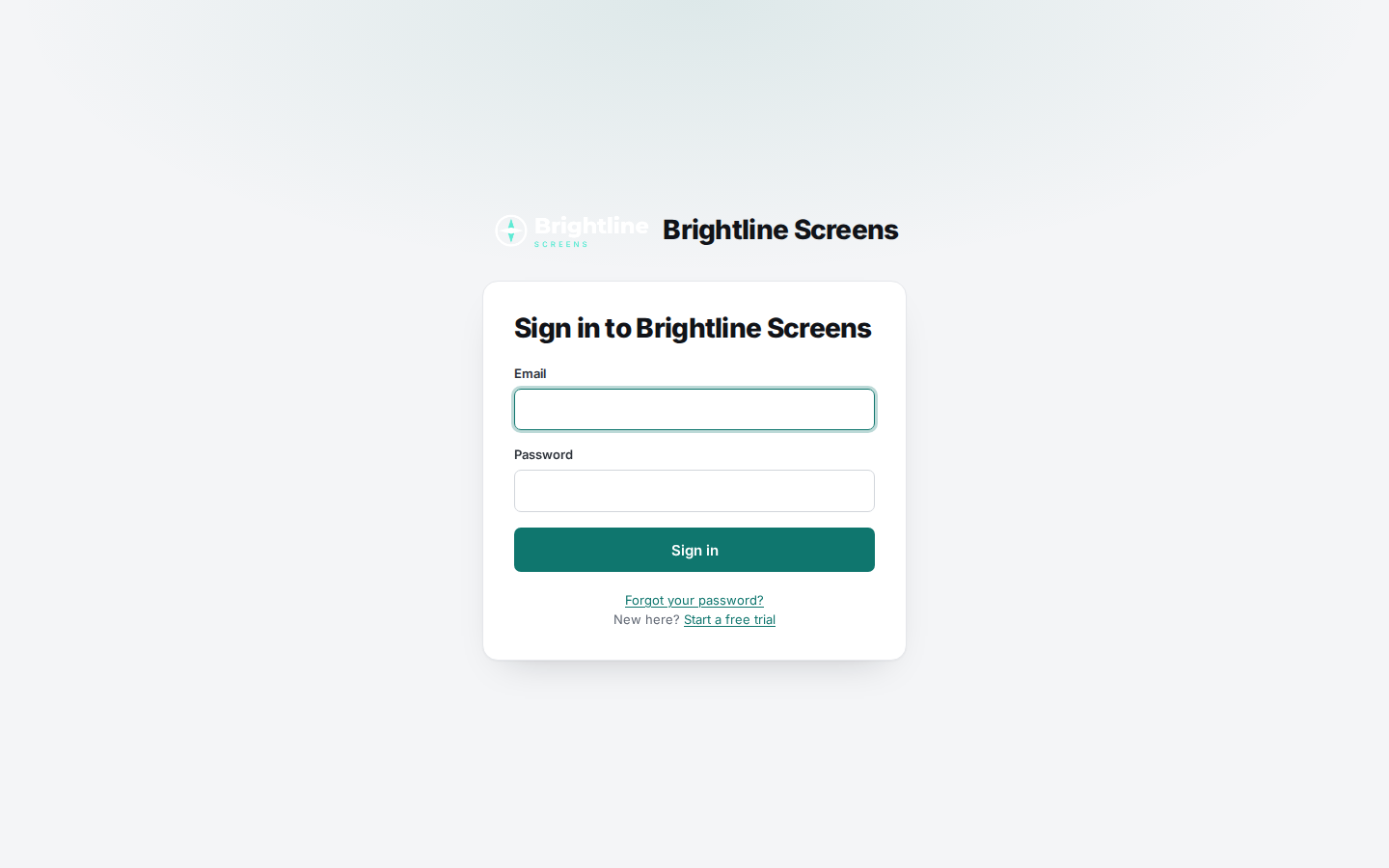
https://signage.brightline.example. The sign-in page shows your product name and logo.
Troubleshooting
"Enter just the host name, like signage.example.com." Remove https://, any slash and anything after it.
"Another partner already uses that domain." Each domain can belong to one partner. Check for a typo, or contact us.
The address shows a security warning or doesn't load. DNS may not have updated yet, or the certificate isn't set up. Check the DNS record, wait an hour, then contact us.
My logo looks invisible. The menu is dark. Upload a white or light version of your logo.