
The activity log records every change made in your organization: screens paired, media uploaded, playlists saved, broadcasts sent, people added, sign-ins and more. Use it to find out who changed something, and when.
You need: the admin or owner role.
Open the activity log
- In the menu, select Activity.
- Entries are listed newest first, for example "Sam Lee saved playlist Lobby loop, 5 min ago".
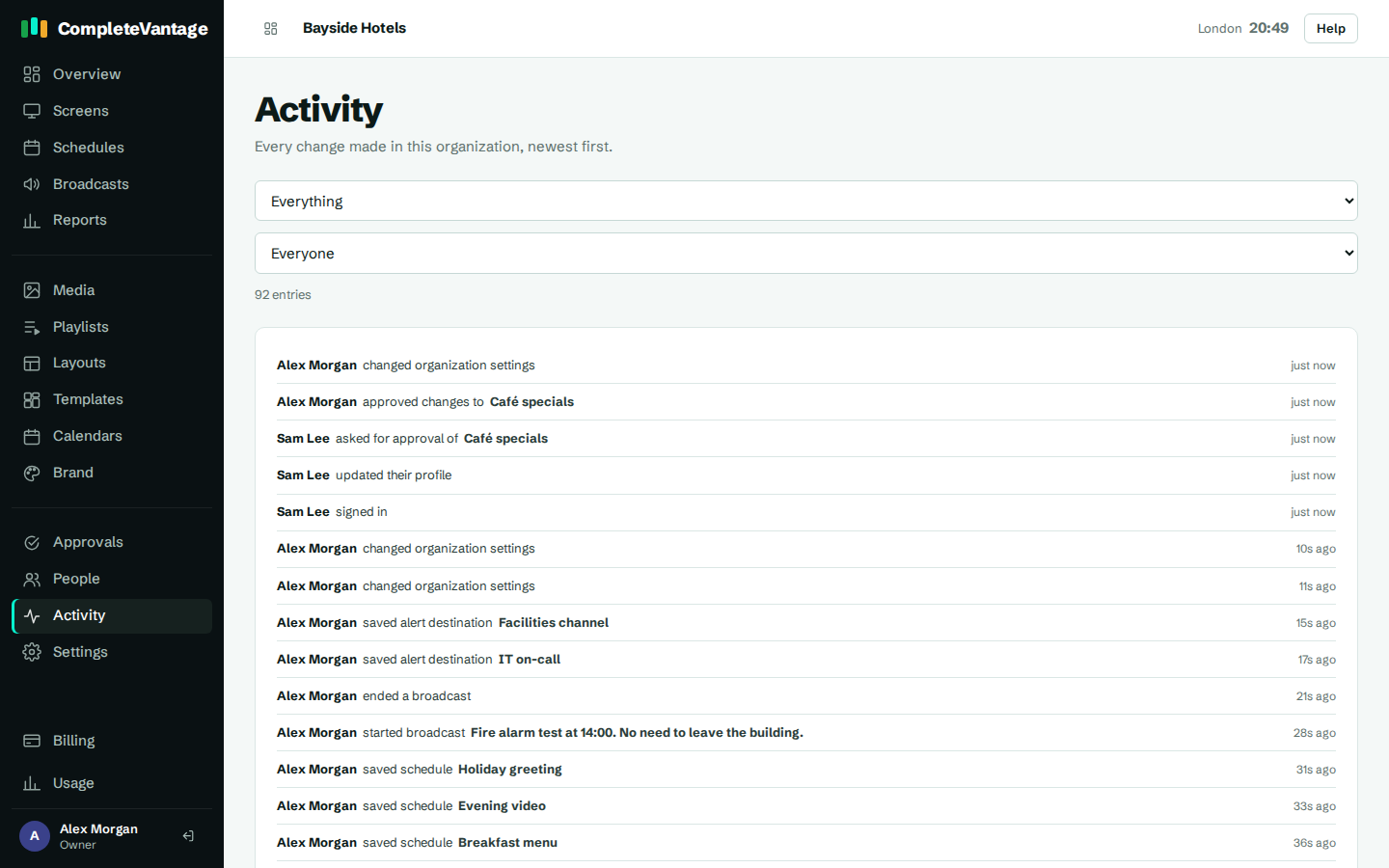
Hover over the time to see the exact date and time in UTC, and the internet address it came from.
Filter the log
Use the two lists above the log:
- The first list picks an area: Everything, Screens, Media, Playlists, Layouts, Schedules, Broadcasts, People or Sign-ins.
- The second picks a person, or Everyone.
The log updates as soon as you choose. The number of matching entries shows next to the lists. The log shows 50 entries per page. Use Older and Newer to move between pages.
Quick view on the Overview page
The Overview page shows the most recent activity under Recent activity, so you can see what's changed at a glance.
How long entries are kept
Entries are kept for two years.