
Add everyone who manages your screens, and give each person a role that matches what they do. In this article you'll add a person and pass on their sign-in details.
You need: the admin or owner role. Only owners can add other owners.
Add a person
- In the menu, select People.
- Select Add person.
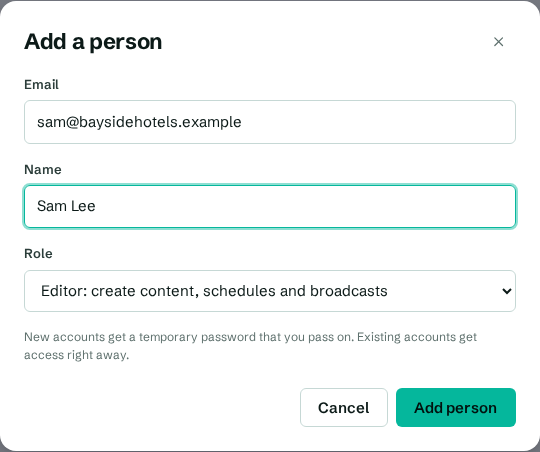
- Enter their Email.
- Enter their Name. You can skip this if they already have a CompleteVantage account.
- Choose a Role. Each option says what the role can do:
- Owner: everything, including removing admins
- Admin: pair screens, manage people and all content
- Editor: create content, schedules and broadcasts
- Viewer: look, but not change anything
- Select Add person.
For details of each role, see Roles and permissions.
Pass on the temporary password
If the person is new to CompleteVantage, a box appears at the top of the People page: "Temporary password for" their email, with a password like k7pm-3xqa-h2ds-9wne.
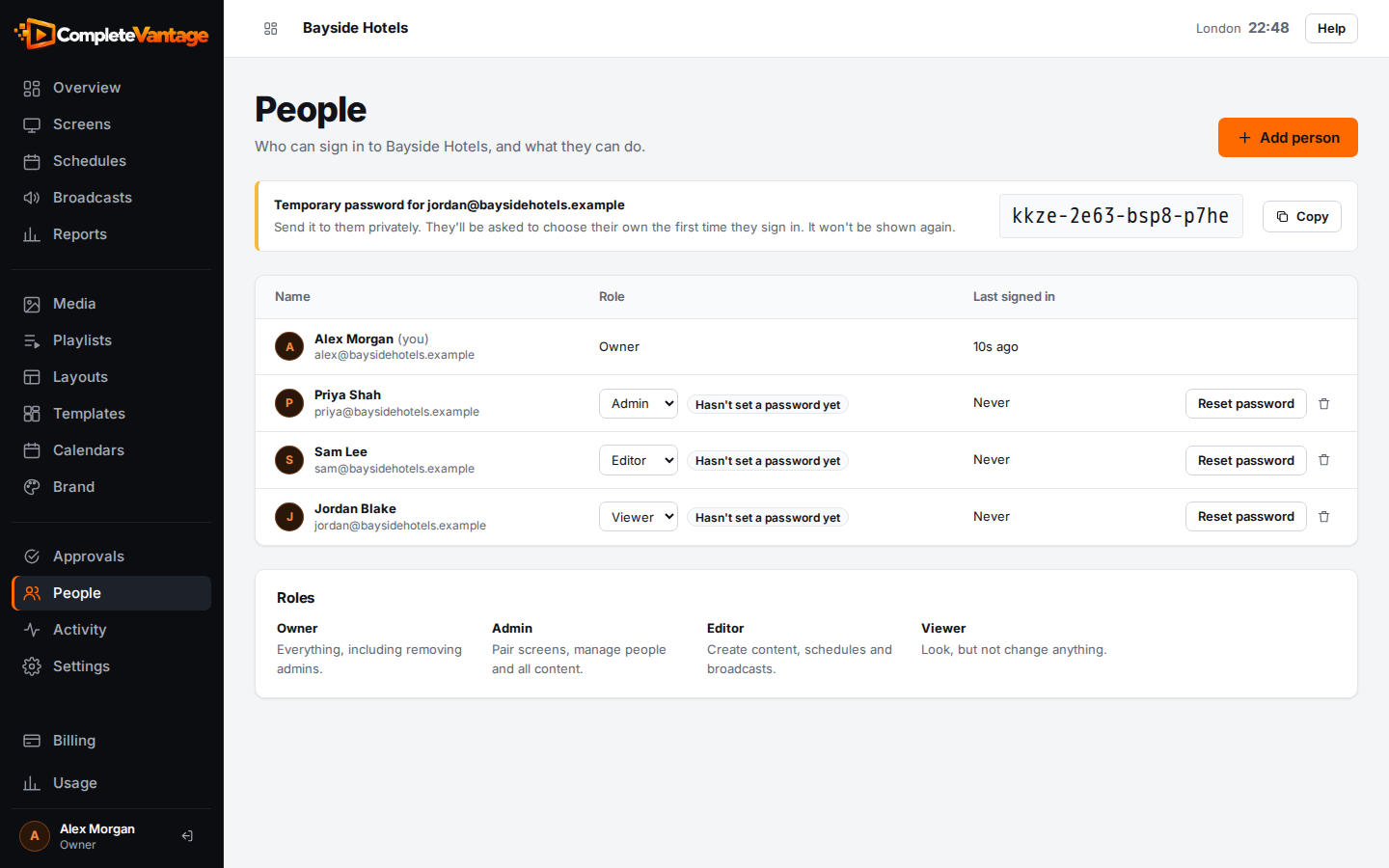
- Select Copy.
- Send the password to them privately, for example in a direct message. Send the sign-in address separately.
CompleteVantage doesn't email the person for you, so let them know they've been added. The first time they sign in, they choose their own password. See Sign in for the first time.
Until they do, the People page shows Hasn't set a password yet next to their role.
If they already have an account
If the email already belongs to a CompleteVantage account, for example someone who works for more than one organization, they get access straight away. You'll see "now has access to this organization." They sign in with their usual password and can switch organizations with the menu at the top of the page.
Troubleshooting
"They're already in this organization." They're already on the People page. To change what they can do, change their role instead. See Change a role or remove someone.
"Enter their name." The email is new to CompleteVantage, so a name is needed.
"Only owners can add owners." Ask an owner to add them, or add them as an admin.
"Your plan includes 5 people, and that's everyone." (or "Your free trial includes …"). Your organization has reached its limit of people. Remove someone who no longer needs access, or ask an owner to choose a bigger plan under Billing. See Plans and limits.