
The calendar widget shows events from a calendar you've connected under Calendars. It has two views: a room board that says whether a room is free, and an agenda of events over the coming days.
You'll need: the editor role or higher, and at least one calendar added. See Add a calendar.
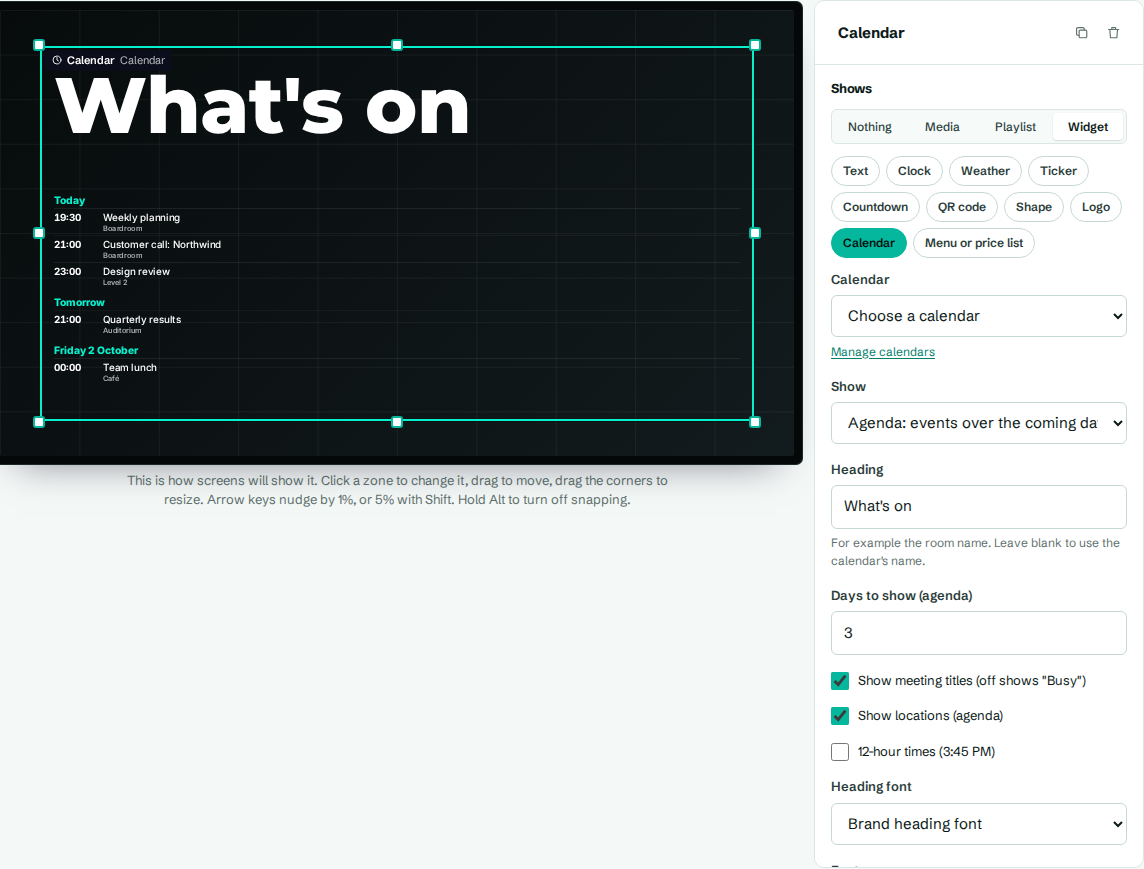
Add a calendar widget
- In the designer, select a zone.
- Under Shows, choose Widget, then Calendar.
- In Calendar, choose the room's or team's calendar.
- In Show, pick a view.
- Select Save layout.
Until you choose a calendar, the designer and previews show sample meetings so you can judge the design. On a real screen, a zone without a calendar says "Choose a calendar for this zone."
Settings
| Setting | What it does |
|---|---|
| Calendar | Which connected calendar to show. Manage calendars opens the Calendars page in a new tab. |
| Show | Room board: free or in use, then later today, or Agenda: events over the coming days. |
| Heading | For example the room name. Leave blank to use the calendar's name (room board only). |
| Days to show (agenda) | How many days the agenda covers, from 1 to 7. |
| Show meeting titles (off shows "Busy") | Off hides every title and shows "Busy" instead. Private meetings always show "Busy". |
| Show locations (agenda) | Adds each event's location in the agenda. |
| 12-hour times (3:45 PM) | 12-hour times. Off shows 24-hour times. |
| Heading font | Font for the heading. |
| Font | Font for everything else. |
| Text colour | Main text colour. |
| Times and day colour | Colour of times and day headings. Starts as your brand accent colour. |
| Available colour | Background of the status panel when the room is free. Green by default. |
| In use colour | Background of the status panel when a meeting is on. Red by default. |
Room board
The room board shows a big status panel:
- Available, with "Until 15:00" (the next meeting) or "For the rest of the day".
- In use, with the meeting's title and "Until 14:30".
Below it, Later today lists up to four more meetings, or "Nothing else booked today". All-day events are left out of the room board.
Agenda
The agenda groups events under Today, Tomorrow, then the day's name and date. Each row shows the start time (or All day) and the title. It shows up to 12 events. If there's nothing coming up, it says "Nothing scheduled".
How up to date is it?
The server checks each calendar every 5 minutes. Screens fetch new events every 5 minutes and redraw every 30 seconds, so a meeting moves from "Later today" to "In use" on time. Screens remember the last events they received, so boards keep working through short outages.